Guide
7 best conversational data querying tools for 2026
Every enterprise is working toward a future where any employee can ask a question of the business and get a trustworthy answer in seconds. The foundation is already there: Modern warehouses, semantic layers, governed pipelines, and a data team that has spent years getting it right. What's missing is the last mile, the layer that makes all of it usable for every team.
Conversational data querying is meant to be that layer. But finding the right tool is like picking a needle from a haystack. Some struggle with unstructured data analysis. Others buckle under federated joins or large datasets. The deeper you evaluate, the thinner the field gets.
Why evaluating these tools is harder than it looks
Most platforms in this category have bolted a chat interface onto an existing BI stack and called it conversational analytics. That puts you at a real disadvantage. You inherit the same rigid semantic layer, the same governance gaps, and the same brittleness the moment a schema changes. The interface might seem usable, but the problems underneath are the same ones you already had.
Four factors carry most of the real variance between tools:
Accuracy degrades with complexity: Basic aggregations are easy for any tool. The cracks show up when your question has to pull data across tables, lean on business terms the model doesn't recognize, or draw on AI context it was never given. That's where wrong answers slip through with errors quietly compounding across the organization.
The semantic layer determines outcomes: Answer quality comes down to how well the tool understands your KPIs, your table relationships, and the way your team works. Plenty of vendors claim their AI model picks this up on its own. Very few stay sharp without someone actively maintaining it.
Pricing models obscure total cost: Some tools charge per user, others per query, per workspace, or by usage. Each one tucks hidden charges away inside a feature somewhere. What you actually pay almost always looks very different from the number you were quoted.
"Conversational" means different things: Different tools offer very different features under the same label. Some give you a chat box layered on top of a dashboard, where you ask a question and get a chart back from the data already modeled in the BI tool. Others give you a set of AI agents that prepare reports or surface anomalies on their own—same word on the label, very different products underneath.
We spent weeks pressure-testing the category so you don't have to. Here are the seven tools that hold their weight in the enterprise analytics landscape.
Top 7 Conversational Data Querying Tools for 2026
Tool | Best for | AI capabilities | Pricing |
WisdomAI | Ask questions and get answers grounded in your business context. | Analytics Agents reason across structured and unstructured data, run multi-step analysis, and adapt to any business use case. | Custom |
ThoughtSpot | Search-first BI for large data teams | Spotter answers search queries and monitors KPI changes over time. | From ~$95/user/month |
Tableau | Visualization-heavy analytics workflows | Tableau Agent builds visuals from plain-English prompts and pushes proactive KPI alerts to Slack and email. | Creator licenses starting from $75/user/month |
Power BI | Microsoft 365 environments | Copilot drafts reports and creates visuals from natural-language prompts. | From $14/user/mo (Pro) |
Qlik | Associative exploration with a conversational layer | Qlik Answers pulls insights from indexed data and documents. | From ~$20/user/mo |
Domo | Connector-heavy, multi-source environments | Domo AI flags anomalies and surfaces insights across connected data sources. | Consumption-based pricing |
Looker | Google Cloud environments with strong modeling needs | Gemini in Looker builds dashboards from prompts and writes formulas on the fly. | Usage-based pricing |
Now for the closer look at each one.
1. WisdomAI: Best of agentic intelligence across all your data
Most conversational data querying tools work beautifully on the data you've already cleaned and modeled. The hard part is accounting for the fragmented data that lives across tools, systems, and often in people's heads.
WisdomAI is designed for the version of your data that actually exists. The Adaptive Context Engine learns how your business defines its data and keeps that understanding accurate as things shift, so accuracy doesn't drift the way it does in most production deployments. Analytics Agents handle the work on top: reasoning across structured and unstructured sources, running multi-step analysis, and flagging anomalies before anyone asks.
When you ask a question, you get trusted answers with the reasoning attached. This is closer to working with a senior analyst than a chat box guessing through your schema.
Key Features
Analytics Agents: Monitors KPIs, investigates anomalies, handles ambiguous questions, identifies root causes, and acts on the insights—pushing findings to Slack, triggering workflows, or alerting the right people automatically.
Conversational BI: Any business user can ask questions in plain English and get governed, accurate answers.
Federated intelligence: Reasons across warehouses, lakes, SaaS apps, and unstructured sources without extensive data pipelines or vendor lock-in.
Customizable dashboards: Generates full dashboards from a single prompt, with visualizations that adapt to the question being asked.
Adaptive Context Engine: Continuously extracts, organizes, updates, and governs business context from across your organization.
Pros
Queries data where it lives across warehouses, lakes, SaaS apps, and unstructured sources, with no duplication or heavy migration.
Agents reduce the monitoring load on data teams and can act on insights automatically.
Adaptive Context Engine keeps accuracy stable even as schemas, definitions, and KPIs evolve.
Handles complex, layered questions instead of one-shot lookups.
Cons
Comparatively new compared to legacy BI tools.
Requires a sales conversation to get a quote.
2. ThoughtSpot: Search-first BI with a static semantic core
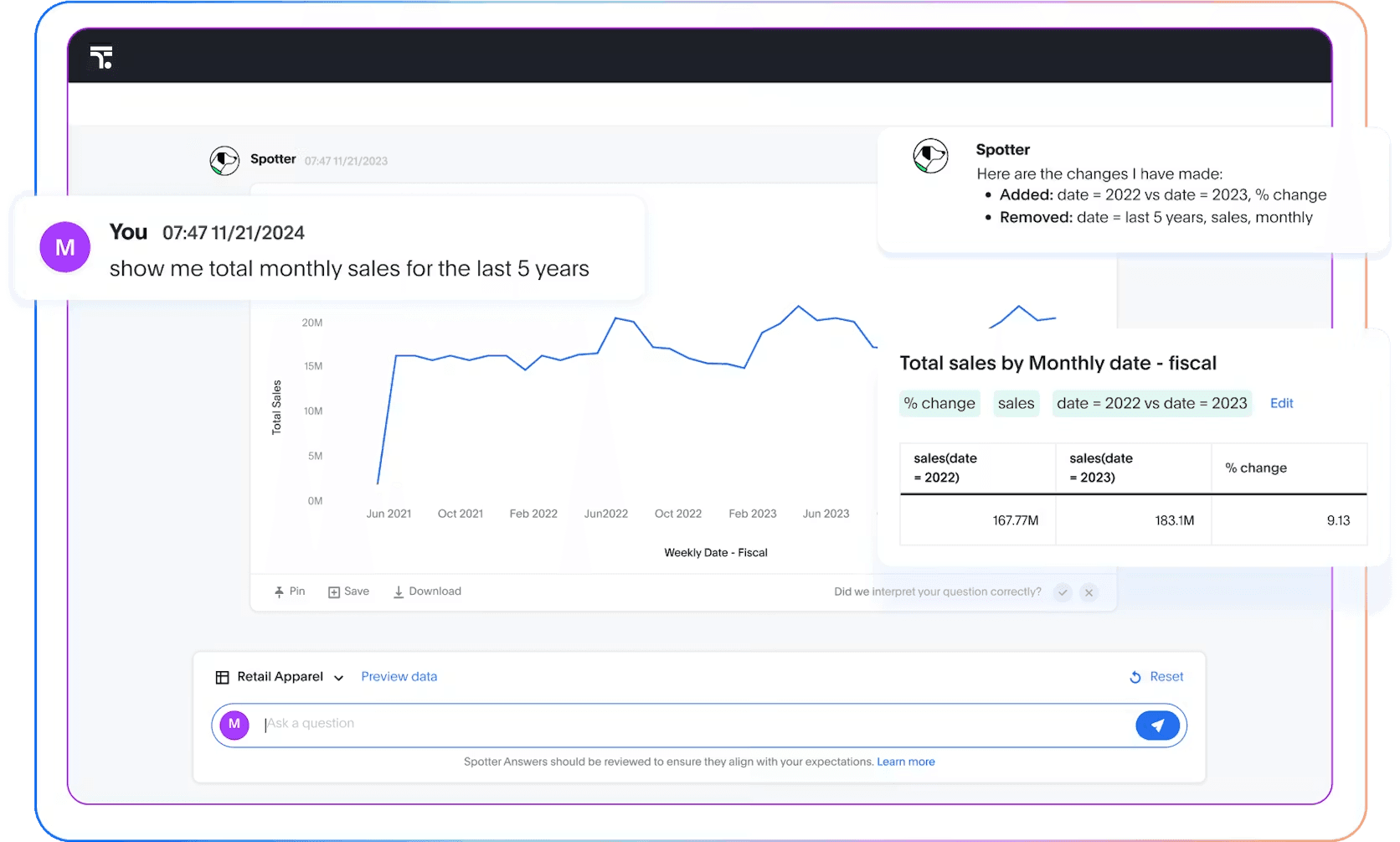
ThoughtSpot pioneered search-driven analytics and remains the reference point for the category. Spotter, its AI agent, extends search into a conversational interface, and Liveboards turn query results into shareable dashboards. The modeling layer (TML) is mature and well-documented, which gives Spotter a sturdier foundation.
That foundation is also where the tradeoff lives. ThoughtSpot is built primarily for structured data and doesn’t offer much support for unstructured sources. And getting Spotter to perform reliably still requires serious upfront modeling work in TML. For teams without that bandwidth, the ramp is significantly longer.
Key Features
Spotter: Conversational AI agent that turns natural-language questions into governed SQL,
Liveboards: Interactive dashboards for data exploration.
Monitor: KPI tracking with automated change analysis.
TML semantic layer: Mature modeling layer for consistent metric definitions.
Pros
A mature search interface.
SDK and API surface for customer-facing deployments.
Performs well on modern cloud data warehouses such as Snowflake and Databricks.
Cons
Spotter only performs well after months of TML investment, which puts the burden squarely on your data team and slows time to value.
Like most structured-first tools, accuracy drifts as schemas and definitions evolve.
Spotter handles single questions well but struggles with multi-step reasoning and follow-ups that require chaining analysis across sources.
3. Tableau: Good for visual-heavy workflows
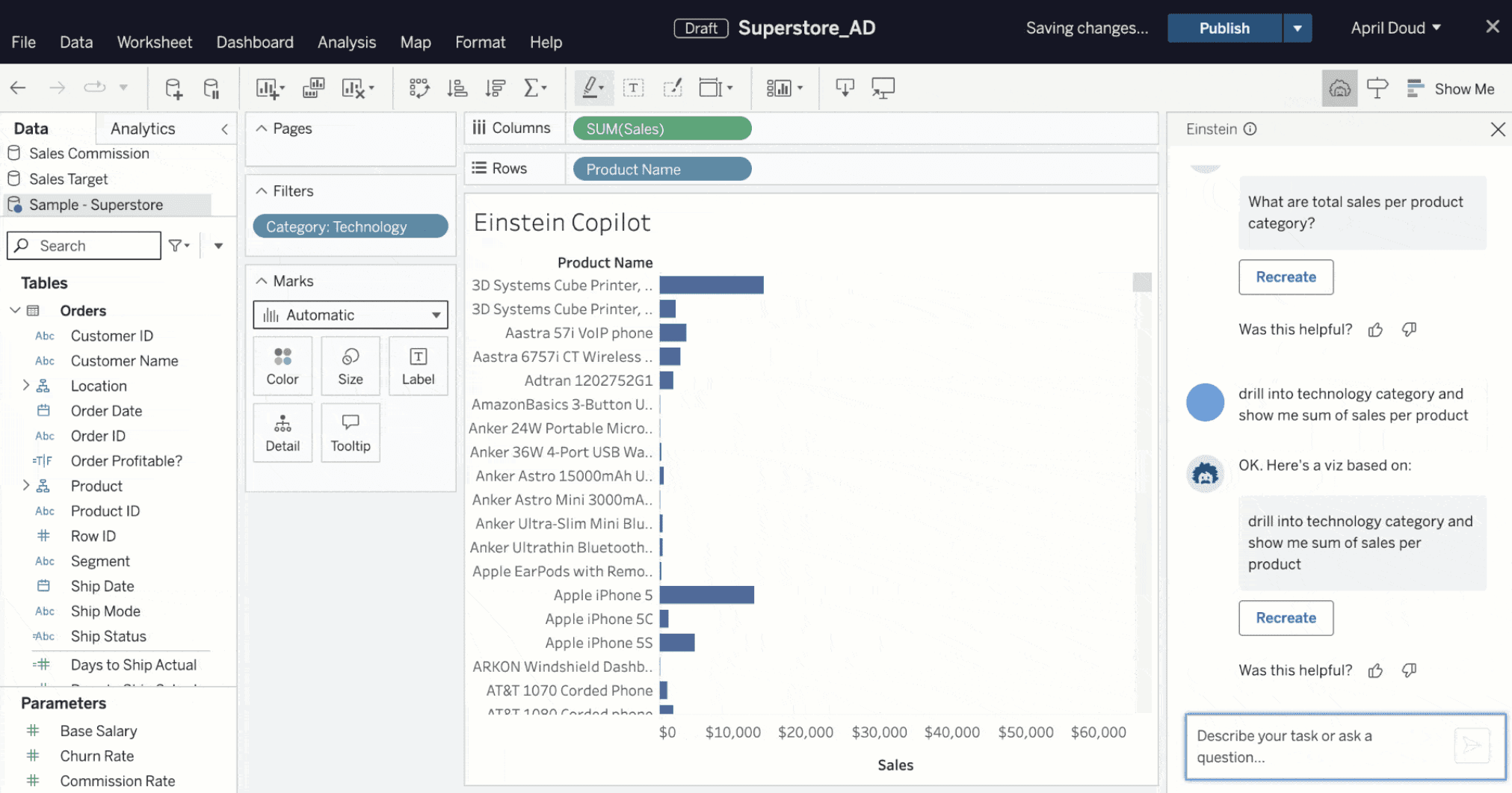
Tableau has been the benchmark for visual analytics for so long that it's easy to forget how recently it added conversational AI features. Tableau Agent handles natural-language querying, data prep, and visualization generation. Pulse runs in the background, monitoring KPIs and pushing updates to Slack, Teams, and email when something shifts.
The catch is bundling. The full conversational and agentic experience sits inside the Tableau+, the premium tier, which adds meaningful cost on top of standard Creator pricing. And the calculation logic underneath remains a technical skill most business users don't have, so the conversational layer only takes you so far before the data team gets pulled back in.
Key features
Tableau Agent: Natural-language querying, data prep, and visualization generation.
Ask Data: Conversational interface for exploring structured data sources.
Tableau Prep: Visual data preparation with reusable flows.
Cross-platform deployment: Cloud, server, and desktop options.
Pros
Best-in-class interactive visualizations.
Good for proactive KPI monitoring.
Tight Salesforce integration with shared governance.
Cons
Conversational features locked behind Tableau+ premium pricing.
Steep learning curve for calculation logic and modeling.
Limited handling of unstructured data sources.
4. Power BI: Natural-language querying inside the Microsoft stack
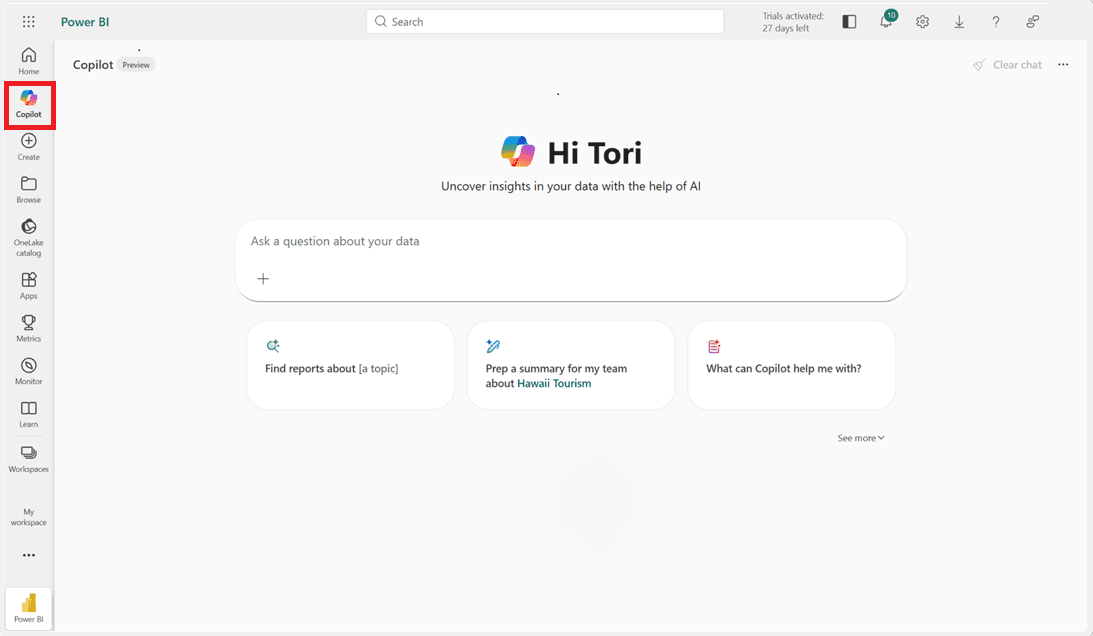
For any organization already running on Microsoft 365, Power BI is the obvious starting point. It connects tightly with Excel, Teams, SharePoint, and Azure, and Copilot now sits across the experience, handling natural-language querying, visual generation, and DAX assistance. Copilot can also query across semantic models and connected sources like cloud warehouses and SQL databases, which allows teams to connect data spread across multiple systems.
The reach is good, though accuracy tells another story. Copilot answers straightforward, one-off questions well, but its accuracy is noticeably uneven on multi-table joins and complex business logic. Pricing follows the same pattern. The Pro tier looks affordable, yet the AI capabilities that matter most sit behind higher tiers, which closes the gap with competitors fast.
Key Features
Power Query: Visual data transformation with a large connector library.
Semantic models: Reusable, governed data models that Copilot queries against.
Native Microsoft 365 integration: Embedded across Excel, Teams, SharePoint, and Azure.
Paginated reports: Pixel-perfect operational reporting on premium tiers.
Pros
Broad data reach as Copilot queries across semantic models, warehouses, and SQL databases
Lower training overhead for finance and ops teams.
Native connectivity to Azure Synapse, Data Lake, and other services.
Cons
Accuracy drops on complex queries, especially on questions that require reasoning across multi-table joins and complex business logic.
DAX gates true self-service. Business users hit a wall the moment a question needs custom calculations
Value drops significantly outside the M365 stack.
5. Qlik: Associative exploration meets conversational querying
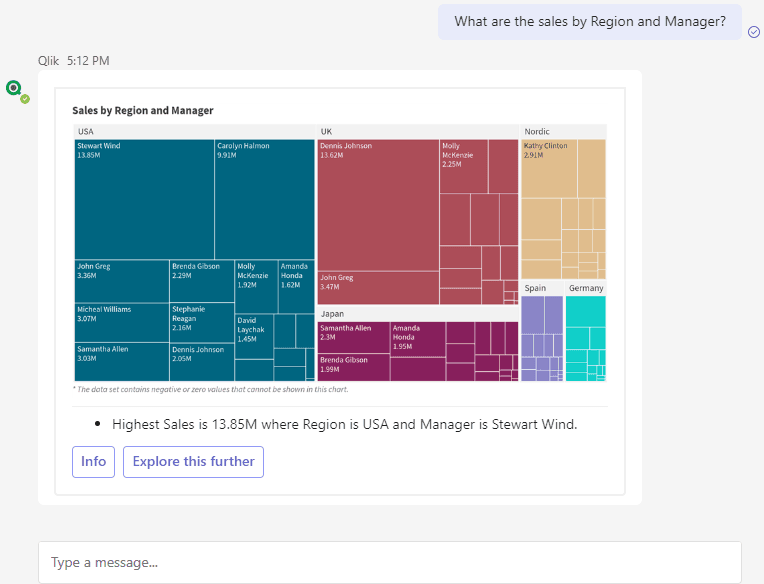
Most BI tools push users down predefined query paths. Qlik takes a different approach. Its associative engine lets you follow relationships in your data freely, exploring across dimensions in ways a SQL-based tool wouldn't easily allow. Qlik Answers, the conversational layer, sits on top of that engine, pulling from indexed documents as well as structured data, giving it a small edge on semi-structured sources.
That said, Qlik is still a legacy BI tool. The interface feels dated compared to newer agentic analytics tools. Gartner and other analysts have also flagged Qlik's conversational and generative capabilities as trailing behind category leaders, even as the underlying platform remains strong.
Key features
Qlik Answers: Natural-language querying across indexed data and documents.
Associative engine: Free-form exploration across data relationships.
Qlik Sense: Visual analytics with self-service capabilities.
Qlik Cloud: Managed deployment with elastic scaling.
Pros
Handles semi-structured sources better than most BI platforms.
Works across AWS, Azure, and Google Cloud without forcing a preferred stack.
Users can explore their data without predefined paths.
Cons
Visual design and interaction patterns lag behind newer agentic analytics tools.
Qlik Sense, Talend, Stitch, and Qlik Answers stitched together don't always feel like one cohesive product.
Set up and ongoing management require dedicated effort.
6. Domo: Broad connectivity with a conversational layer on top
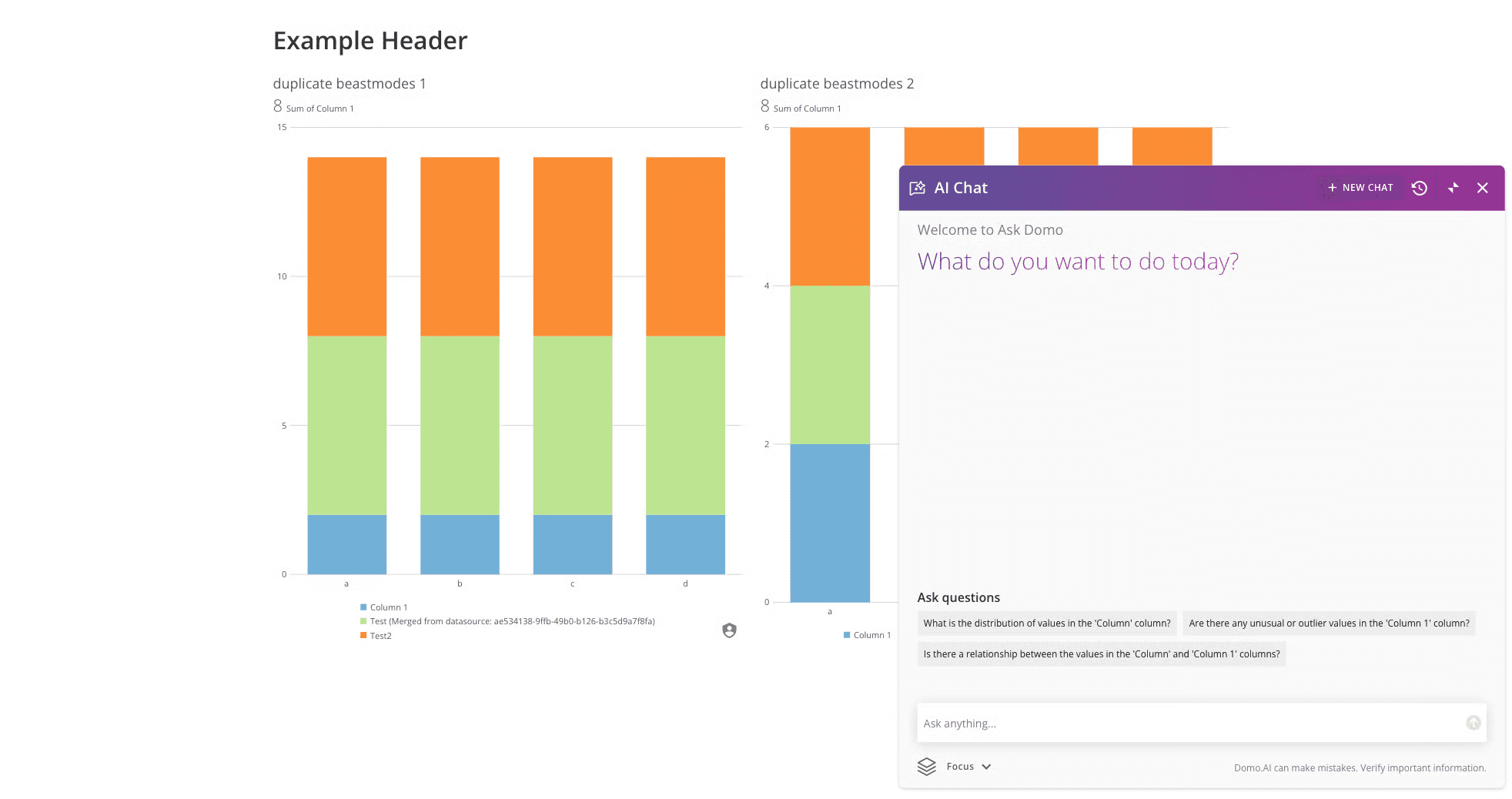
Domo's strength is breadth. With a broad connector library and a no-code app builder, it pulls data from nearly every common source and lets teams build internal tools on top of it. Domo AI layers conversational querying, anomaly detection, and trend analysis over the platform, which makes it a viable choice for organizations managing dozens of data sources at once.
The downside is depth. Performance falls off on large datasets, and the conversational layer still depends heavily on upfront data modeling, which means the chat experience is only as good as the work your team puts in underneath. Pricing climbs quickly with usage, too, which makes Domo a better fit for organizations with the budget and headcount to run it properly.
Key Features
Domo AI: Natural-language querying, anomaly detection, and change analysis.
Broad connectors: Strongest connector library in the category.
Magic ETL tool: No-code visual data transformation.
Low-code app builder: Build internal tools and workflows on top of data.
Pros
Ingestion, transformation, visualization, and apps in one place.
Questions return answers against current data, not stale snapshots.
Domo AI builds charts and dashboards directly from natural-language questions.
Cons
Costs scale fast as usage grows, often unpredictably.
Initial setup and ongoing maintenance require dedicated effort to keep the conversational layer accurate.
The conversational experience often points back to existing dashboards rather than generating fresh, governed answers on the fly.
7. Looker: Governed conversational analytics for Google teams
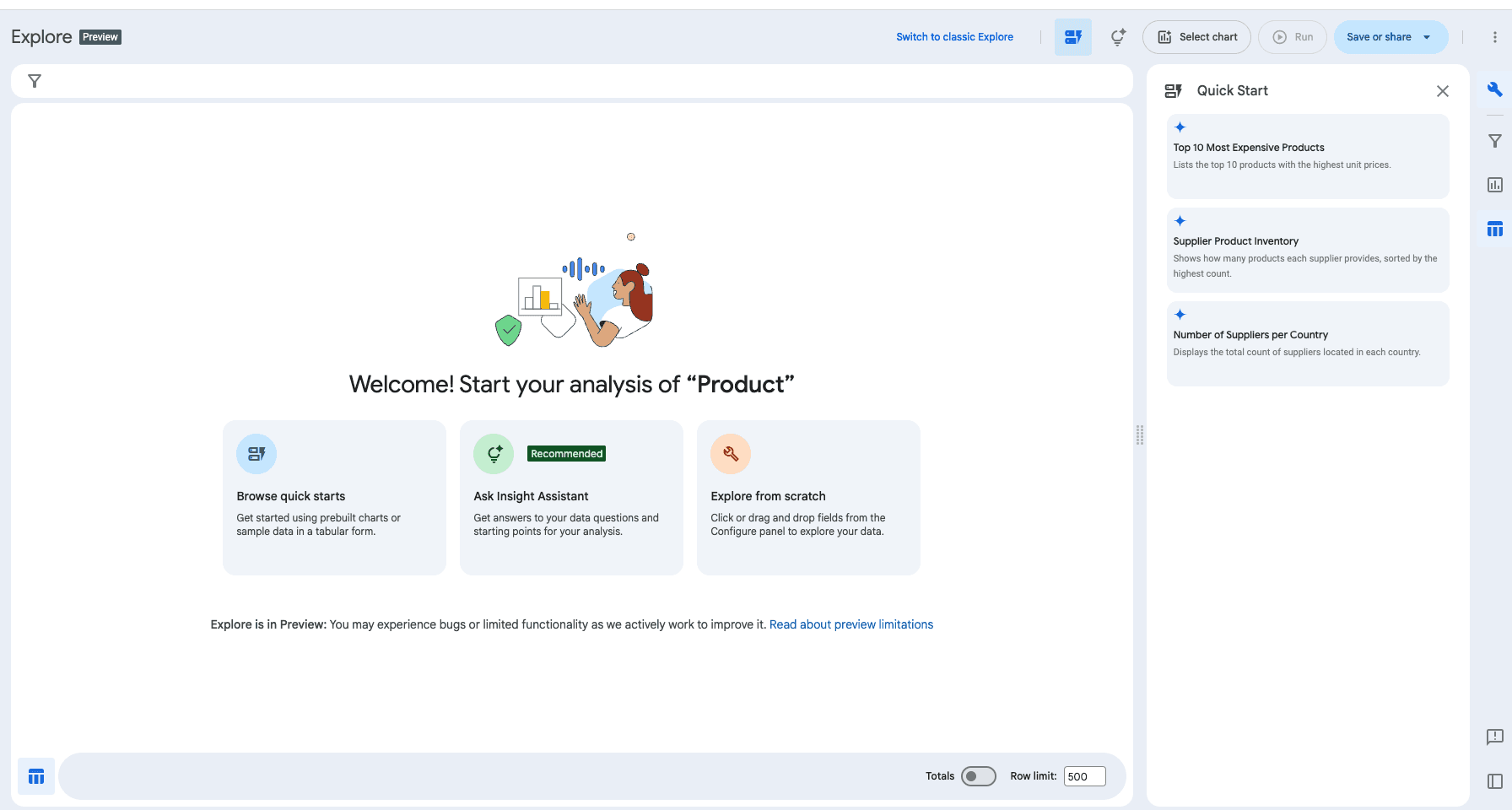
Looker is the default choice for Google Cloud teams, particularly those already invested in BigQuery. Its conversational layer, Gemini in Looker, sits on top of LookML, the code-based semantic model that defines metrics for every team touching the data. This foundation gives Gemini's answers more consistency.
But let’s not forget: Gemini is a general-purpose model adapted for Looker rather than a purpose-built analytics agent. Sure, you can configure it to work across your data, but reasoning on complex questions still trails tools designed for analytics from the ground up. And once you step outside the Google ecosystem, Looker's value drops sharply.
Key Features
Conversational analytics: Multi-turn questions and follow-ups across governed data.
Auto-generated visuals: Charts and dashboards built from plain-English prompts.
LookML: Code-based semantic modeling layer for governed metrics.
BigQuery-native architecture: Tight integration with Google Cloud's warehouse
Pros
Charts adapt to the question being asked, without much manual configuration.
Conversational queries run efficiently against the BigQuery warehouse without complex routing.
Holds up well in mature, multi-domain data environments.
Cons
Experience depends entirely on LookML. If the modeling layer is incomplete or outdated, Gemini's answers degrade accordingly.
High barrier to onboarding as LookML requires real engineering effort to build, which delays the conversational rollout.
Gemini is still maturing. Conversational depth and reasoning trail purpose-built agentic analytics tools like WisdomAI and ThoughtSpot.
The reality: Conversational analytics isn’t getting any easier
AI is making it easier than ever to chat with your data. Your data, meanwhile, keeps getting harder to work with. Sources multiply, definitions drift, and half the AI context your team needs sits outside the warehouse.
Sticking with a legacy tool because it has a long reputation is choosing for familiarity, not fit. The shape of the problem has changed, and the right tools are the ones that meet your data where it actually lives, no matter the complexity.
WisdomAI learns your business context continuously and reasons across every source where your data lives, whether structured or unstructured. Your team asks questions in plain English and gets answers grounded in how your business actually works.
Messy data in. Trusted answers out. Schedule a demo to see the difference.