
Why teams are searching for Tableau alternatives as AI analytics needs evolve
What Tableau does well—and where the best Tableau alternatives outperform it
How the top Tableau alternatives compare on AI, governance, and self-service
PUBLISHED:
UPDATED:
Tableau set the standard for visual analytics. But it wasn’t built for a world where business users would rather ask a question than open a dashboard. Even with the launch of Tableau Agent and a natural language interface, the experience remains dashboard-first, and anything outside what is already modeled sends you back to waiting on an analyst.
This guide is for teams that want answers, not just better charts.
Why do users like Tableau?
Tableau was founded in 2003 by a set of Stanford students with the goal of allowing users to visualize data easily. The first commercially available version of Tableau was released in 2004. Its ease of use, particularly the ability to drag and drop data objects, made it increasingly popular with business analysts.
By the time Tableau went public in 2013, it had gained a significant portion of the market share due to its continuous focus on user friendliness and data integration. And today, it’s still a dominant force in the BI world, and the reviews back it up. Here are some of the highlights users cite:
The drag-and-drop interface lets analysts build charts, graphs, and maps without writing code. For teams that need polished, standardized visualizations quickly, this is a definite win.
Live data connections, calculated fields, and interactive filters give you control over how data is explored and presented.
A large, active community means strong documentation, a deep library of third-party extensions, and peer support.
The case against Tableau
Tableau works well within its boundaries. The BI market around it, however, has moved fast. Newer AI-native platforms now handle conversational analytics, unstructured data, and automated workflows as core capabilities rather than add-ons. Tableau has tried to match that pace, yet several gaps remain:
Gartner flags Tableau’s NLQ capabilities as lacking real-time type-ahead and predictive suggestions, which limits how useful conversational analytics actually feels in practice.
Performance with large datasets is a persistent complaint, with users flagging how slow dashboards directly impact their productivity.
Gartner also flags that Tableau does not offer native write-back capabilities, meaning teams that need to act on data—not just view it—have to rely on third-party plug-ins to close the loop.
Tableau lacks a shared semantic or context layer in its core product. This creates a quiet but expensive governance problem that compounds as the number of dashboards grows.
Licensing costs are also confusing. Reviews echo this, noting that pricing complexity and the product portfolio bundled into the cloud package are frequent concerns during purchasing decisions. The AI licenses introduced last year are an attempt to simplify this, but they add another tier to an already layered structure.
Let’s take a closer look at a few of thee issues.
Tableau lacks a common data modeling layer
A common data modeling and AI context layer is essential to maintaining data accuracy and management across an organization. Such a semantic layer can also help enforce firmwide business logic and data quality standards. Since Tableau does not strictly have such a layer, data manipulation occurs independently on different dashboards, increasing the likelihood of inaccuracies.
As an example, consider a video streaming company that uses Tableau within its business analysis teams to analyze content performance. The content team tracks viewer engagement, the revenue team tracks unsubscriptions, and the marketing team tracks regional content performance. Due to a lack of a central data model, each team calculates engagement using a different formula in its individual Tableau dashboard. This means that at the end of the business quarter, every team has a different list of top-performing content, which confuses stakeholders and upper management.
Basically, a lack of a centralized data model doesn’t allow organization-wide enforced metrics, making research teams vulnerable to data mismanagement.
Dashboard-level management
Data modeling in Tableau occurs at the dashboard level, including data operations such as aggregating, joining, and filtering. The independent nature of workbooks means that these data operations are not reusable. As mentioned earlier, reimplementation could lead to inconsistencies and duplicated effort. Most importantly, dashboard-level management makes scaling data modeling difficult across large organizations.
Let’s assume that a global logistics company uses 100 Tableau dashboards across all its teams, and each dashboard heavily relies on the metric “delivery rate.” If this metric were to increase or decrease, it would have to be changed on every dashboard, making scaling operations a lengthy and tedious process with the possibility of inconsistencies and confusion.
Another critical downside of Tableau’s dashboards is the tendency to be static, an issue that usually affects most traditional BI tools. Dashboard data presentations are generally geared more toward visualization and presentation but not so much toward interactions. Tableau dashboards are created using predefined data sources and logic. This can cause dashboards to show static or outdated data unless the data sources are refreshed. Static data can display outdated information, ultimately impacting business performance and, consequently, revenue and customer satisfaction.
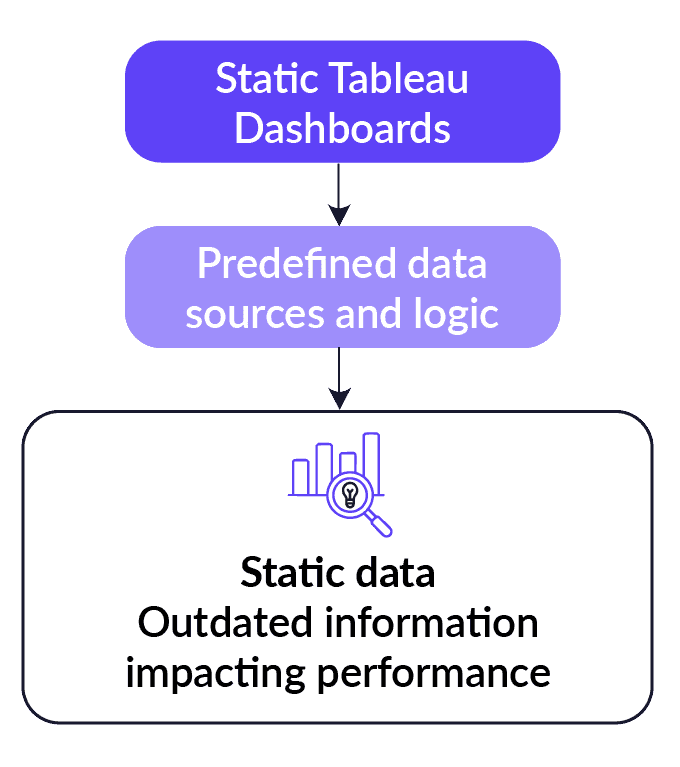
Dashboard-based BI tools tend to provide outdated data.
Unfeasible pricing model
For large organizations, Tableau’s pricing model means that it can quickly become expensive. Tableau follows a per-user pricing subscription, with different prices based on editing permissions (i.e., creator, explorer, and viewer). Additional services like Tableau Cloud incur extra costs.
While small teams don’t require many user subscriptions, large organizations quickly rack up costs as more employees need to interact with data (which is increasingly common in today’s data-driven landscape).
7 Tableau alternatives with stronger governance and AI features
While Tableau is still a dominant force in the business intelligence market, several competitors are quickly gaining popularity. Before we get to the full review, here’s a quick comparison table to give you the details at a glance.
Tool | Key Strength | AI Capabilities | Analytical Depth | Pricing |
WisdomAI | Trusted answers with AI-powered visualization. | Analytics Agents with Adaptive Context Engine for grounded, explainable answers. | Multi-step analysis across structured and unstructured data. | Custom (contact sales) |
Power BI | Microsoft-first environments. | Copilot for NLQ and report generation. | DAX and Power Query for complex modeling. | Free; Pro from $14/user/month |
Looker | Governed semantic modeling at enterprise scale. | Gemini AI for conversational answers. | Strong on modeled data, limited outside LookML. | Custom pricing |
Qlik Sense | Associative data exploration. | NLQ and chart suggestions | Multi-source exploration via associative engine | From $200/month (10 users) |
Spreadsheet-style analysis on live warehouse data. | AI-assisted analysis and chat | Exploring warehouse data using a familiar formula interface. | From $300/month | |
Strategy One | AI-powered dashboards and reports. | Conversational answers in the form of charts and summaries. | Exploring data through complex data models. | Custom (contact sales) |
IBM Cognos Analytics | Structured enterprise reporting at scale. | AI-powered summaries. | Predictive modeling and analysis. | Custom (contact sales) |
You can find a deeper dive into each tool below, or read our complete BI tools comparison here.
1. WisdomAI: Best for agentic intelligence across all your data
Tableau gives you a dashboard to look at. WisdomAI gives you an answer to act on.
Ask a question in plain English and Analytics Agents handle the rest. Whether you want to follow up on trends, surface anomalies, or run complex comparisons—the thread continues without you having to ever go back to an analyst. Unlike Tableau, where every new question either fits a pre-built view or goes into a queue, WisdomAI keeps the conversation going as far as you need it to.
The Adaptive Context Engine keeps every answer grounded in your actual business logic. Your definitions, your metrics, your rules, so every insight your team acts on is one they can easily verify.
Key features
Conversational Agent: Ask questions in natural language like ‘Why did churn increase in Q3’ and get accurate, explainable answers across any connected data source.
Analytics Agents: Perform multi-step analysis, monitor metrics continuously, detect anomalies, and trigger workflows automatically.
Enterprise Context Layer: Codifies your business definitions and reconciles conflicting metrics so every answer is consistent, explainable, and auditable.
AI dashboards: Build and customize dashboards from a natural language prompt, with infinite drill-down from any tile.
Embed and integrate: SDKs and APIs for bringing insights into existing workflows and applications.
Pros
Answers grounded in your business context, not generic LLM output.
Handles structured and unstructured data on the same platform.
Business users get answers without SQL, scripting, or analyst involvement.
Every dashboard contains an AI-powered summary of what changed, key drivers, and why it matters.
Cons
Pricing requires a direct conversation with sales
2. Power BI: Good as a dashboard tool
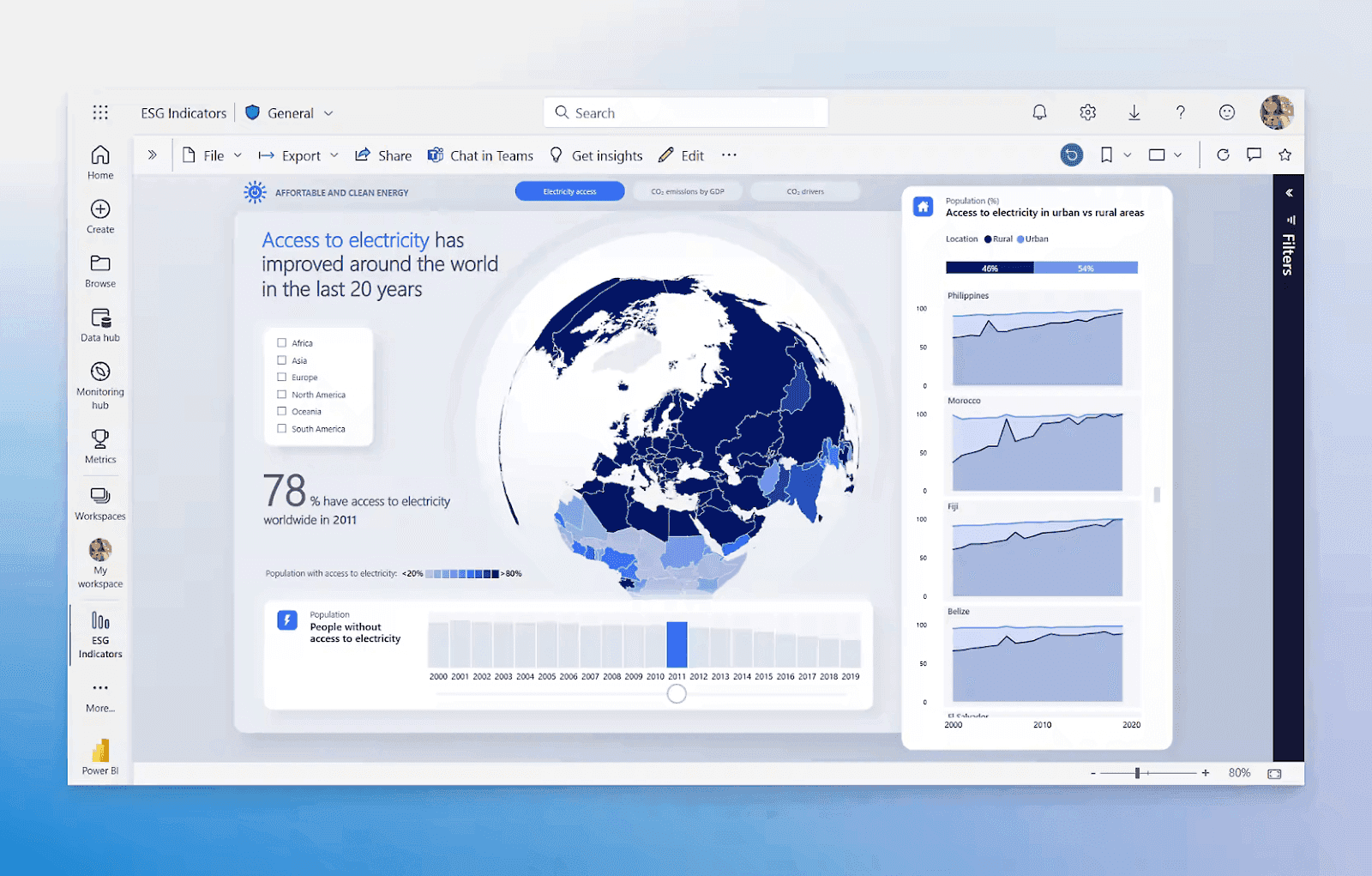
Power BI is a well-known dashboard tool for Microsoft-centric teams that want rich visualizations at an accessible price point. You can consolidate your data, build dashboards, ask questions in natural language via Copilot, and share insights across your organization.
The trade-off is the modeling layer. DAX and Power Query require technical expertise, and business users hit the same ceiling as Tableau the moment they need something outside a pre-built view. Copilot helps with routine queries, but anything complex puts the analyst back in the picture.
Where Power BI has a genuine edge over Tableau is in value. The pricing is more accessible, and the visualization quality is competitive.
Key features
Copilot integration: Natural language queries, AI-assisted report creation, and DAX generation.
DAX and Power Query: Data modeling for complex metrics and custom transformations.
Drag-and-drop dashboard builder: Accessible for both technical and non-technical users.
Microsoft 365 integration: Native connectivity with Teams, SharePoint, Excel, and Azure.
Pros
Good starting pricing point.
Tightly integrated with tools most Microsoft-native teams already use.
Large user community and extensive documentation.
Cons
DAX is a learning curve for users doing anything beyond basic reporting.
If you have a Pro plan, you’re limited to eight scheduled data refreshes a day. That’s restrictive if you need near real-time updates.
Handling unstructured data typically requires additional tools or preprocessing steps.
3. Looker: Good for governance
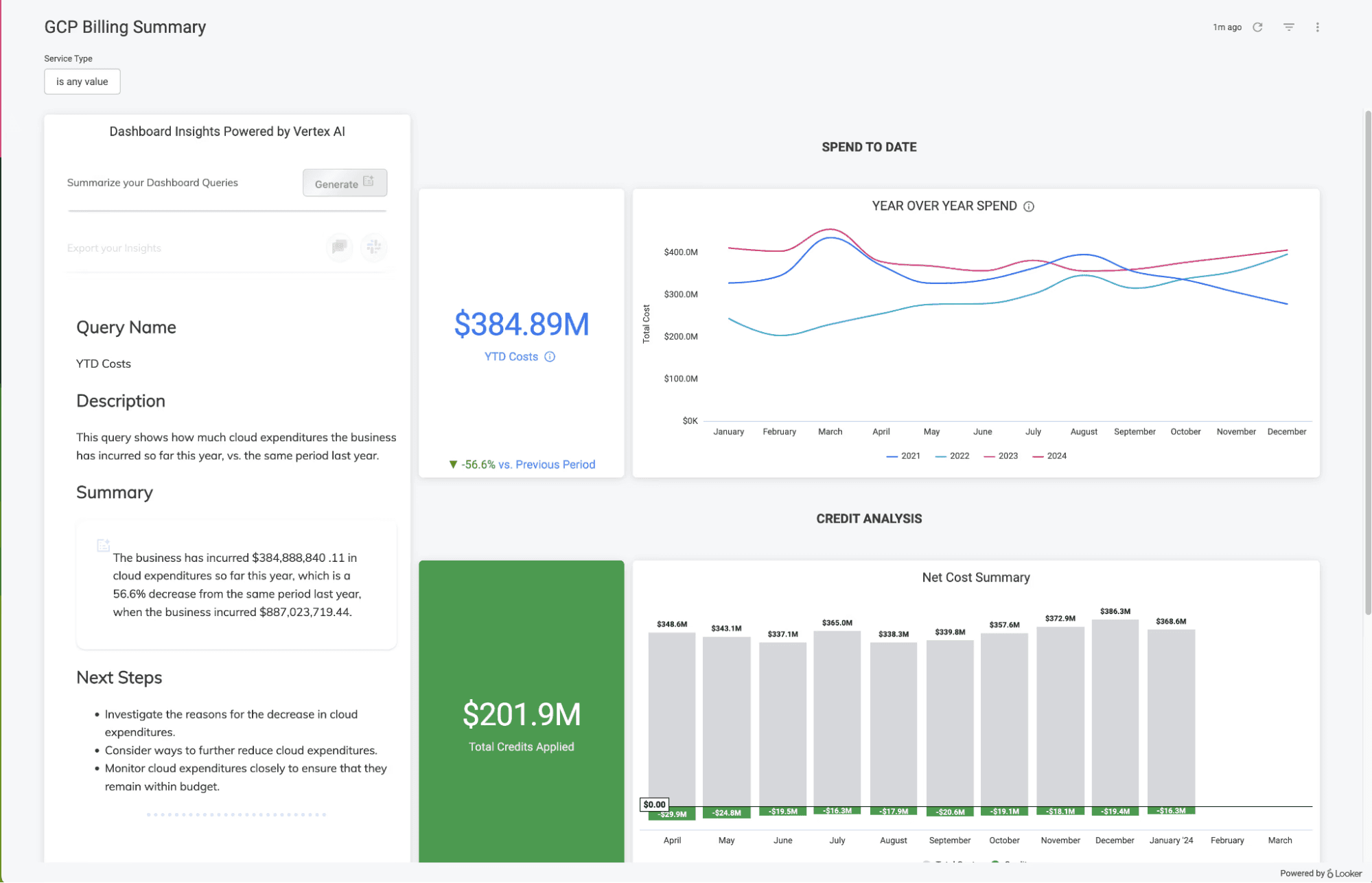
Google’s Looker is a reporting and visualization tool built for teams already working within the Google ecosystem. Its semantic layer, LookML, lets data teams define business metrics once and enforce them across all dashboards and reports. For large organizations where different teams have different definitions of the same KPI, Looker’s governance model helps maintain consistency.
Compared to Tableau, Looker trades visual flexibility for metric discipline. Tableau gives you more freedom to present your data. Looker gives you more confidence in the numbers. Whether that trade-off is worth it depends on which problem you’re trying to solve.
Key features
LookML semantic layer: Centralized metric definitions that enforce consistency across all reports and dashboards.
Gemini AI: Natural language queries and AI-assisted exploration within the modeled data.
Native BigQuery performance: Direct query execution against the warehouse.
Embedded analytics: APIs and extensions for customer-facing dashboard applications.
Pros
Strong metric governance for large, multi-department organizations.
Native Google Cloud and BigQuery integration.
Reliable, auditable definitions for compliance-heavy environments.
Cons
Self-service is bounded by the LookML model: new questions require analyst involvement.
The visualization library is narrower than Tableau.
Slow load times on tile-heavy dashboards.
4. Qlik Sense: Good for data exploration
Qlik’s associative engine indexes relationships across all loaded data automatically, so you can explore how every data point connects to every other without writing queries. For analysts doing complex, multi-source exploration, this capability reveals connections that dashboard-heavy tools like Tableau would miss.
The analytical depth is good, but getting to it requires QlikScript fluency that most business users lack, and that barrier does not go away with training alone. On the AI side, Qlik’s Insight Advisor handles natural language queries and chart suggestions, but it is an add-on rather than a foundational capability.
Qlik is worth considering over Tableau if deep associative exploration is the core requirement and your team has the technical capacity to support it.

Key features
Associative Analytics Engine: Indexes all data relationships automatically for free-form, query-free exploration.
Advanced data modeling: Complex ETL, scripting, and multi-source blending for large enterprise datasets.
Insight Advisor: Automated insights, chart suggestions, and natural language search.
Hybrid deployment: On-premises, private cloud, or Qlik Cloud.
Pros
Deeper data exploration than most BI tools.
Strong governance and security controls for regulated industries.
Handles complex transformation logic and large multi-source datasets.
Cons
Steep learning curve: QlikScript is a real barrier for business users.
AI is an add-on, not foundational, making insight automation less capable than AI-native platforms.
Visualization customization is narrower than Tableau.
5. Sigma Computing: Good for spreadsheet-style analysis
Sigma Computing is built for analysts and business users who are comfortable in Excel yet frustrated by its row limits and stale data. It brings a spreadsheet interface to live warehouse data: formulas, pivots, and filters that behave like Excel. For finance and ops teams that work with Excel on a daily basis, this is a meaningful difference.
The gap shows up in visualization quality and AI depth. Sigma’s chart library and dashboard customization are narrower than Tableau’s, and its AI capabilities are still maturing compared to other AI-native platforms on this list, such as WisdomAI and Strategy One.
Key features
Spreadsheet UI: Analyze live warehouse data with familiar formulas, pivots, and filters.
AI-assisted analysis: Chat with data and use AI to build dashboards and uncover insights on live warehouse data.
Data models: Reusable tables, relationships, and metrics for governed self-service analysis.
Real-time collaboration: Multiple users can edit the same workbook simultaneously.
Pros
Accessible to Excel-familiar users without a steep learning curve.
Runs directly against your warehouse.
Unlimited viewer access reduces per-user cost.
Cons
Visualization quality and dashboard customization lag.
AI capabilities are less mature than dedicated AI-native platforms.
Slows down on large datasets.
6. Strategy One (MicroStrategy): Good for AI-powered dashboards
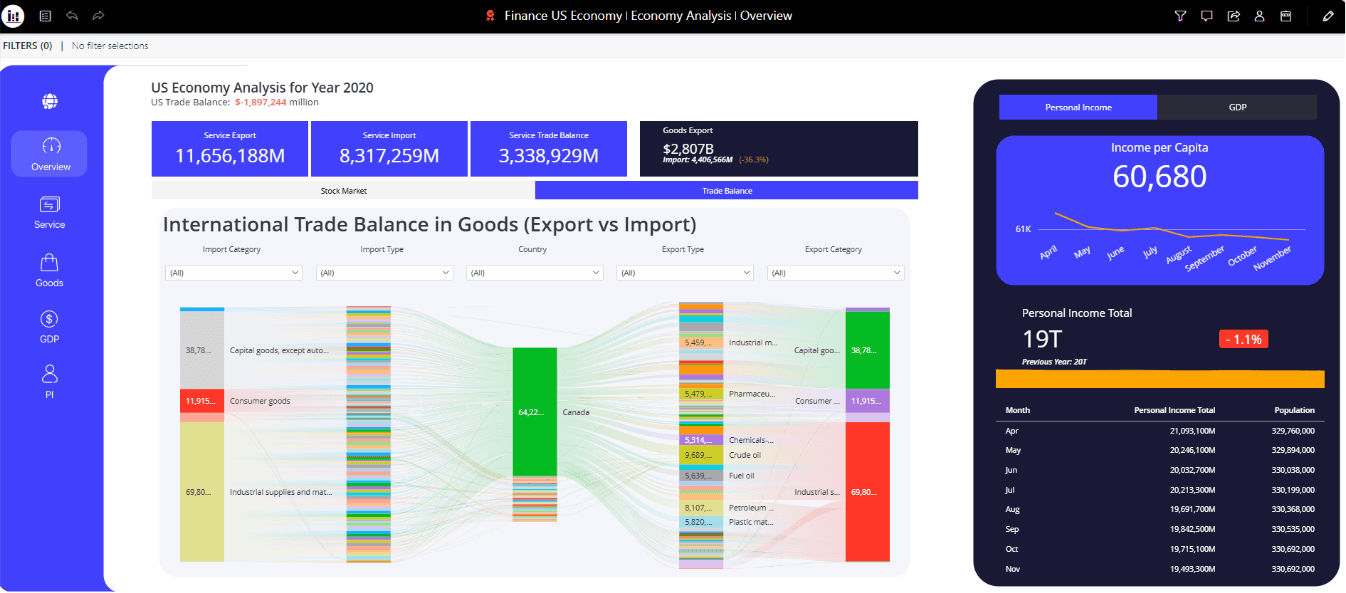
Strategy One is another AI-powered visualization tool that lets you ask a question in natural language, generate a dashboard, and dig into what is driving a trend. Its AI capabilities go further than Tableau.
But it asks more of your team to get there. The learning curve is steep, admin tooling is clunky, and licensing is complex. The AI capabilities are useful within the dashboard layer; however, push past that and the platform starts to show its limits. Without the right technical support, you can quickly drown in the implementation overheads.
Key features
Semantic Graph: A centralized governance layer that enforces consistent metric definitions.
Auto 2.0 agents: AI agents that perform complex analysis and identify key drivers.
HyperIntelligence: Embeds AI-powered insights directly into existing workflows.
Real-time updates: Real-time risk alerts and dashboard updates.
Pros
Accessible for business users.
AI-powered dashboards for insight discovery.
Row-level access controls and full audit trails.
Cons
Steep learning curve for business users and administrators.
Licensing is complex and scales quickly.
The cloud-first direction has created uncertainty for existing on-premises customers.
7. IBM Cognos Analytics: Good for compliance-heavy environments
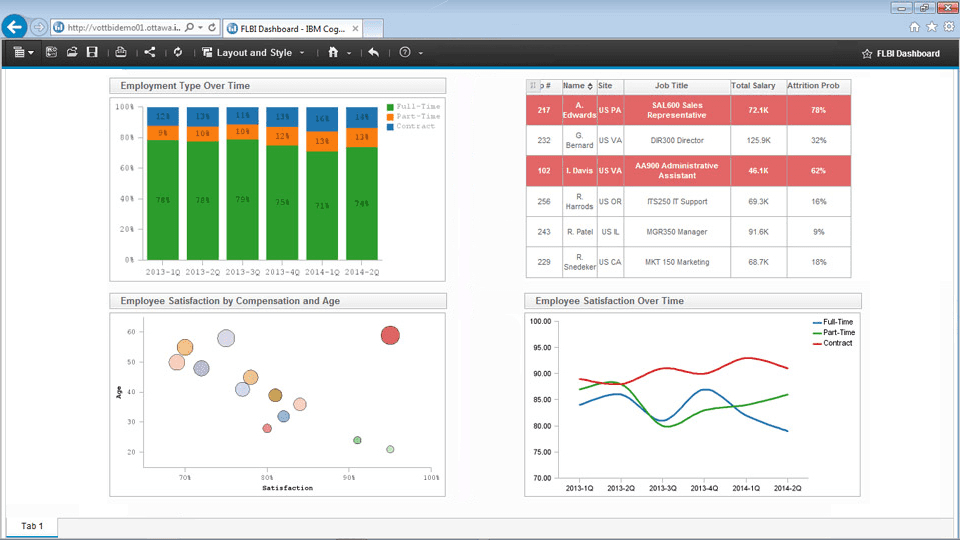
While Tableau prioritizes visual exploration, IBM Cognos is built for structured enterprise reporting at scale. It handles governed reporting, data modeling, and flexible deployment, making it a practical fit for regulated industries where audit trails and data residency are non-negotiable.
AI Agents can find reports, summarize dense analytics, and distribute insights automatically across Slack, Teams, and email. You can’t really ask the platform to perform mult-step analysis like ‘why a metric changed’. The AI layer is there, but it is measured.
Key features
Framework Manager: Centralized metadata modeling for consistent metrics across all reports.
Pixel-perfect report authoring: Financial reporting, compliance documents, and scheduled enterprise-wide reports.
AI-assisted visualization: Auto-generated charts and summaries.
Hybrid deployment: On-premises, IBM Cloud, or hybrid environments for regulated sectors.
Pros
Strong centralized governance for compliance-heavy environments.
Handles high-volume, structured enterprise reporting well.
Flexible deployment options for regulated industries.
Cons
The platform requires time to learn, particularly for beginners.
Query performance can degrade with large datasets.
AI capabilities are limited to basic, one-off tasks.
AI-powered analytics built around answers you can trust
Tableau set the standard for visual analytics, and for certain use cases, it still holds that position. But as organizations move toward AI-powered analysis, conversational BI, and real-time decision-making, the gap between a beautiful dashboard and a trusted answer widens.
Most tools on this list give you AI-powered dashboards and reports. WisdomAI gives you something different: an answer engine that understands your business, monitors your metrics, and surfaces what changed before anyone thinks to check a dashboard. Just fast, actionable insights exactly when and where you need them.
See why top enterprises are making the switch from Tableau to WisdomAI—Book a demo today.
FEATURED RESOURCES

Embedded Analytics Tools: A Buyer’s Guide for 2026
Tools
Embedded Analytics Tools: A Buyer’s Guide for 2026
BI Tools Comparison: AI Capabilities and Features Comparison
Tools
BI Tools Comparison: AI Capabilities and Features Comparison
Looker vs Tableau in the Generative AI Era
Tools