Guide
Top Hex Competitors and Alternatives in 2026
Hex won over data teams with its notebook-first experience. While analysts were jumping between Python notebooks, SQL editors, and BI dashboards, Hex brought everything into a single workspace. For technical teams tired of context-switching across five tools to answer one question, it felt like the future.
The irony is that the "single workspace" eventually came with its own stack. Underneath the notebook experience sits a growing stack of layers: applications, AI agents, compute infrastructure, and governance controls. Each layer works well enough on its own. Put them together, and they start to drift. Reports fall out of sync, infrastructure costs become harder to predict, AI features are inconsistent, and business users still can't get an answer without going through the data team.
If you have faced these walls, this guide is your way out.
Hex is still mostly a notebook. Calling it an AI analytics platform is a stretch
Hex earned its seat at the table by helping analysts move faster. Data scientists and engineers can work efficiently across SQL, Python, and notebooks, and ship data apps quickly. The challenge starts when you try to extend that experience to business users.
The semantic layer is static
You have to build and maintain Hex’s semantic model continuously. Every new metric, every renamed column, every definition change becomes another maintenance task. And once the model drifts, trust disappears fast: two teams ask the same question and get two different answers, with no clear way to reconcile them.
The learning curve is steep
Hex calls itself self-serve, but in practice that only holds for people who already write SQL and Python. A business user opening Hex for the first time hits the limits of both within an hour—and goes right back to filing tickets with the data team. The tool that was supposed to remove the ad-hoc bottleneck quietly becomes one.
AI costs scale with tokens
Every prompt and every regeneration runs through an LLM, and Hex passes the cost through to you. The more your team uses Hex's AI features, the faster credits burn, and there's no in-product way to forecast next month's bill. For teams trying to budget AI usage across an org, that's a real capacity planning problem.
Visualizations are functional, not flexible.
Hex's charts get the job done, but they don't hold up next to a dedicated BI tool. The library is narrower, the customization options are rigid, and any time the default isn't quite right, you're back in Python. For internal exploration, that's fine. But for anything client-facing or executive-facing, teams have to rebuild the chart elsewhere.
Hex still has a place for small, technical teams. It's just not the analytics platform the rest of your business needs. Here's how the leading alternatives compare.
Comparing 7 Hex Alternatives: Features, pricing, and fit
Tool | Best for | AI features | Notebook/code support | Pricing |
WisdomAI | Data leaders who want a complete agentic analytics experience without forcing business users into a notebook. | Analytics agents that reason across structured and unstructured data, returning answers with full context. | SQL playground for analysts, Conversational BI for business users, and agents that work across both—one workspace, multiple modes. | Custom pricing |
Deepnote | Collaborative notebooks for data science teams that want Hex's workflow with a lighter footprint. | AI copilot for SQL and Python code generation | Full notebook environment (Python, SQL, and R) but no separate dashboard layer. | From $39/editor/month |
JupyterLab | Open-source notebook environment for technical teams that want full control and zero vendor lock-in | Depends on extensions or external LLM integrations. | Full notebook environment but no native dashboard layer. | Free (Open-source) |
PowerBI | Microsoft-shop organizations that want governed dashboards plus Fabric notebooks in one stack | Copilot for natural language queries and report generation. | Fabric notebooks that integrate with Power BI semantic models. | Fabric notebooks require a Premium plan that starts at $20/user/month. |
Looker | Enterprise BI teams that want a strong semantic layer plus flexible dashboards. | Gemini integration for natural language queries. | Vertex AI Workbench and Colab notebooks integrate with LookML. | Custom pricing |
IBM Cognos Analytics | Large enterprises that need governed reporting and notebooks in one platform. | AI assistant for natural language queries and automated insights. | Native Jupyter notebook environment alongside dashboards. | AI features require a Premium plan, which starts from $44/user/month. |
AWS QuickSight | AWS-native teams that want serverless BI tightly coupled with their existing cloud stack. | Amazon Q in QuickSight for natural language queries. | Amazon SageMaker environment for notebook support. | Complete Q suite requires a Premium plan, which starts from $40/user/month. |
Let's look at each tool one by one, honest tradeoffs included. For a deeper read across the broader category, here's our full BI tool comparison.
1. WisdomAI: Agentic analytics built for everyone, not just the analyst
Hex is built around the notebook. WisdomAI is built around your business.
Instead of locking business users into a notebook, WisdomAI gives every team a way to explore and analyze their data. Analysts get a full SQL playground. Business users get Conversational BI that handles complex questions and returns governed, trusted answers. Underneath it all, Analytics Agents reason across structured and unstructured data, run multi-step analysis, and flag changes, so you always have a full view of what's happening across your data.
The piece that actually changes the experience is the Adaptive Context Engine. It learns how your business defines its metrics, KPIs, and data relationships, and keeps that understanding current even when your business evolves. While Hex's accuracy drifts the moment your schema changes, WisdomAI stays grounded in how your business actually works.
Key features
Analytics Agents: Monitor KPIs, investigate anomalies, identify root causes, and act on the insights, such as pushing findings to Slack, triggering workflows, or alerting the right people automatically.
Conversational BI: Business users ask questions in plain English and get governed, accurate answers.
SQL playground: Analysts work directly in SQL with full query control, version history, and shared workflows.
AI dashboards: Generates complete dashboards from a single prompt, with visualizations that adjust to what you're asking.
Adaptive Context Engine: Continuously learns, organizes, and governs domain context across your organization, so accuracy holds up as your data evolves.
Pros
Queries data where it lives across warehouses, lakes, SaaS apps, and unstructured sources, with no duplication or heavy migration.
Business users and analysts both get the freedom to explore their data the way they want.
Adaptive Context Engine keeps accuracy stable as schemas, KPIs, and definitions evolve, where Hex's accuracy drifts.
Predictable cost as adoption grows, compared to the compute spikes that Hex users run into.
Cons
Custom pricing requires a sales conversation.
2. Deepnote: Hex-style notebooks, lighter footprint
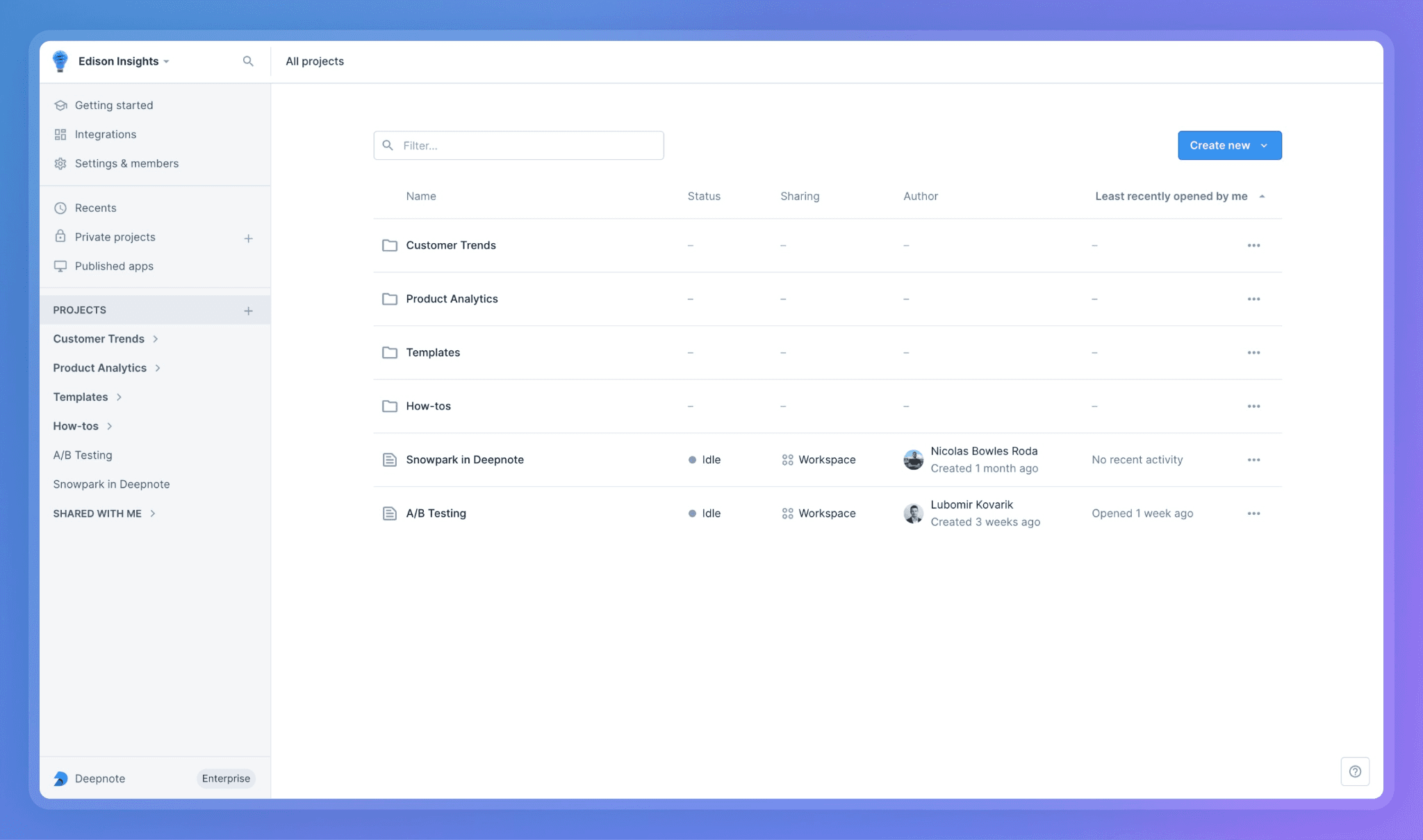
Deepnote is the closest competitor to Hex if you want to keep working in notebooks. The collaborative editing experience is the strongest in the category, where you get live cursors, versioning, and sharing that make it feel more like a modern document than a notebook. SQL and Python also share the same environment, and connecting to most data warehouses is straightforward, with minimal setup required.
The catch is accessibility. Business users still need SQL or Python to get meaningful answers, and there’s no native dashboard layer for stakeholders to consume or explore their work.
Key features
Collaborative notebook: Real-time co-editing with live cursors, comments, and version history.
Complete playground: SQL, Python, and R in the same notebook with shared state across cells.
Data connectivity: Easily connects to established warehouses like Snowflake, BigQuery, and Redshift.
Publishing: Data app publishing for sharing finished work.
Pros
Best multiplayer collaboration in the notebook category.
Smooth onboarding with no extensive infrastructure setup.
Strong Python library support for data science workflows.
Cons
Business users still can't self-serve without SQL or Python.
No native dashboard layer for stakeholder reporting.
Limited handling of unstructured sources.
3. JupyterLab: Open-source Hex alternative
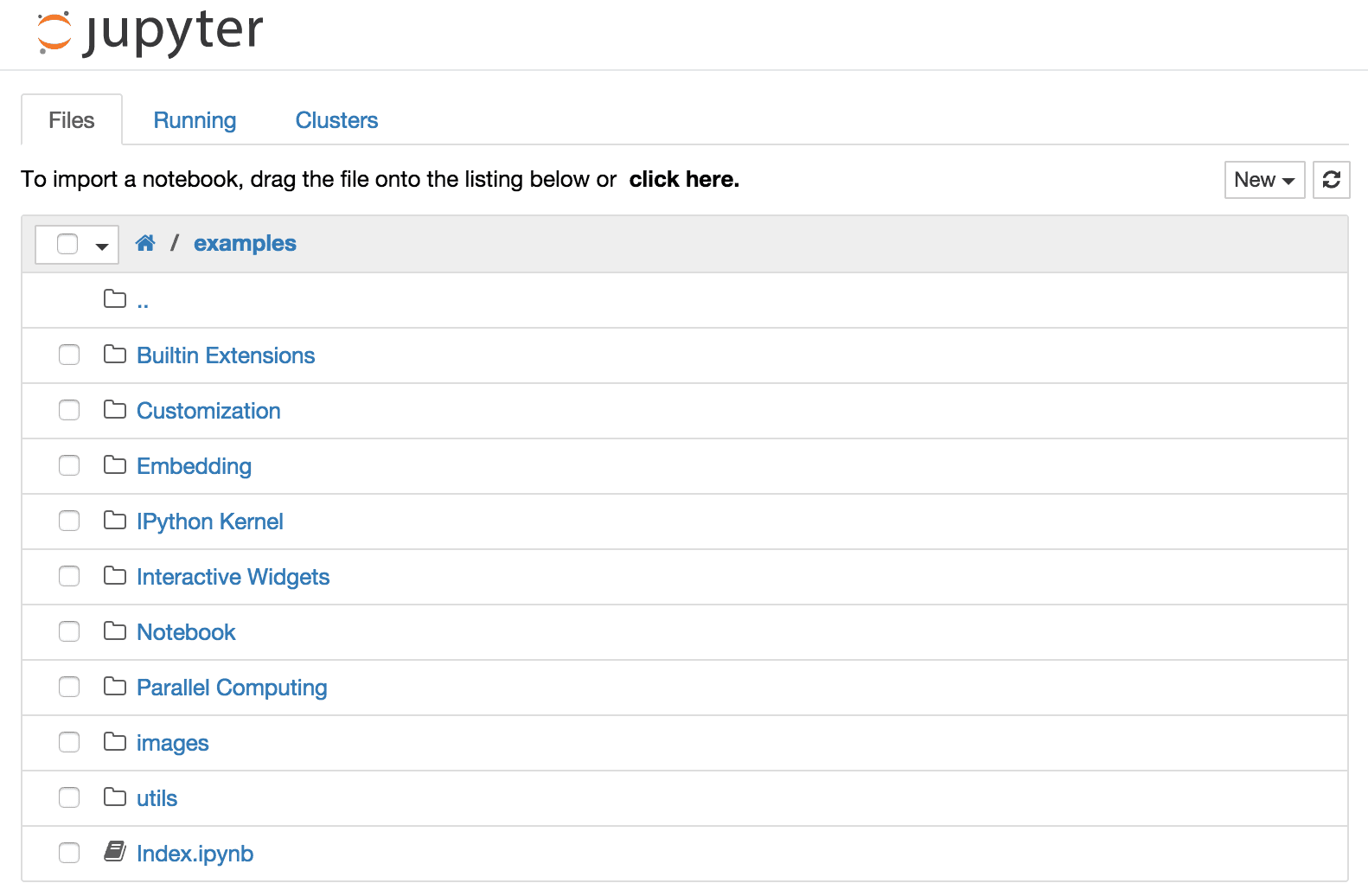
JupyterLab is the foundation on which a lot of modern notebook tools were built on. It's free, open-source, and gives technical teams full control over the environment. If you're tired of burning through AI tokens every month, this is the alternative that actually works.
The trade-off is that you're now responsible for everything: setup, infrastructure, scaling, and security. AI capabilities depend on extensions or external LLM integrations that you have to wire up yourself. There's no dashboard or collaboration layer either, so whatever you need beyond the notebook itself, you build.
Key features
Full notebook environment: Supports Python, R, Julia, and dozens of other kernels.
Extensible architecture: Offers a large ecosystem of plugins.
Flexible deployment: Local or self-hosted deployment with no vendor dependencies.
Developer-friendly: Integration with Git, Docker, and standard developer tooling
Pros
Open-source with no licensing costs.
Maximum flexibility and zero vendor lock-in.
Massive community and extension ecosystem.
Cons
No native collaboration, dashboarding, or governance
AI capabilities require external integrations and engineering effort
Not suitable for non-technical users in any form
4. Power BI: Governed dashboards plus Fabric notebooks
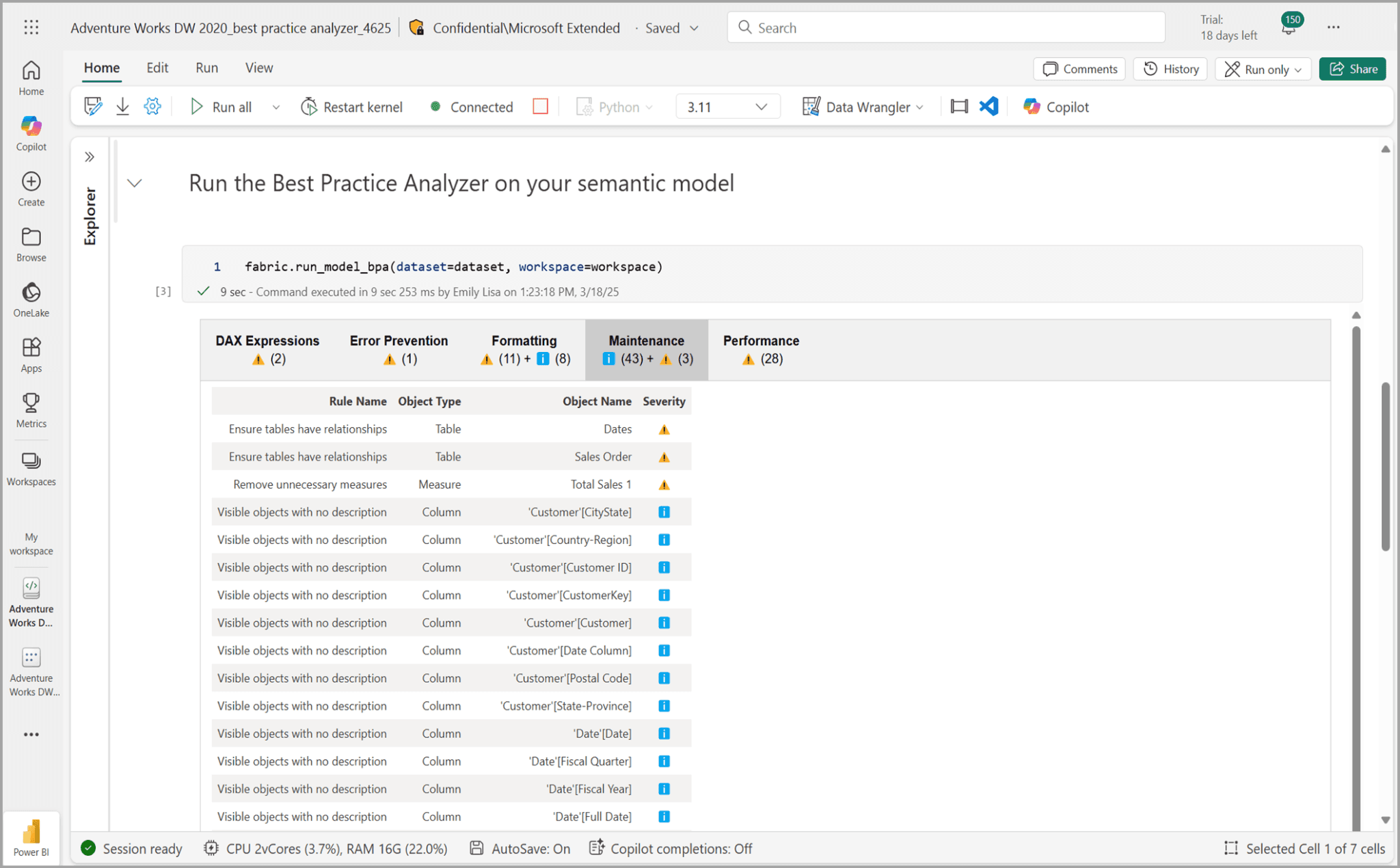
For Microsoft-stack organizations, Power BI's biggest pull isn't conversational AI. It's the way Fabric now ties dashboards, notebooks, and the broader data platform into one experience. Unlike Hex, where the notebook is the whole product, Fabric notebooks integrate cleanly with Power BI semantic models, so analysts can move between exploratory work and governed reporting without switching tools.
The real concern is cost. Fabric notebooks require a Premium tier that starts off reasonable, but AI add-ons can inflate the bill fast. Copilot's accuracy is also uneven, holding up on simple questions and struggling with multi-table joins and complex business logic.
Key features
AI assistant: Copilot for natural-language queries and report generation.
Notebook integration: Fabric notebooks tied directly into Power BI semantic models.
Data cleaning and transformation: Power Query for visual data prep.
Microsoft-native native: Integrates across Teams, SharePoint, and Excel.
Pros
Notebooks and dashboards in one Microsoft-native stack
Strong fit for organizations already on M365 or Azure
Mature governance and compliance controls
Cons
Copilot accuracy drops on complex queries
DAX gates true self-service for non-technical users
Real capability requires Premium tiers, which closes the price gap fast
5. Looker: Semantic governance with notebook integrations
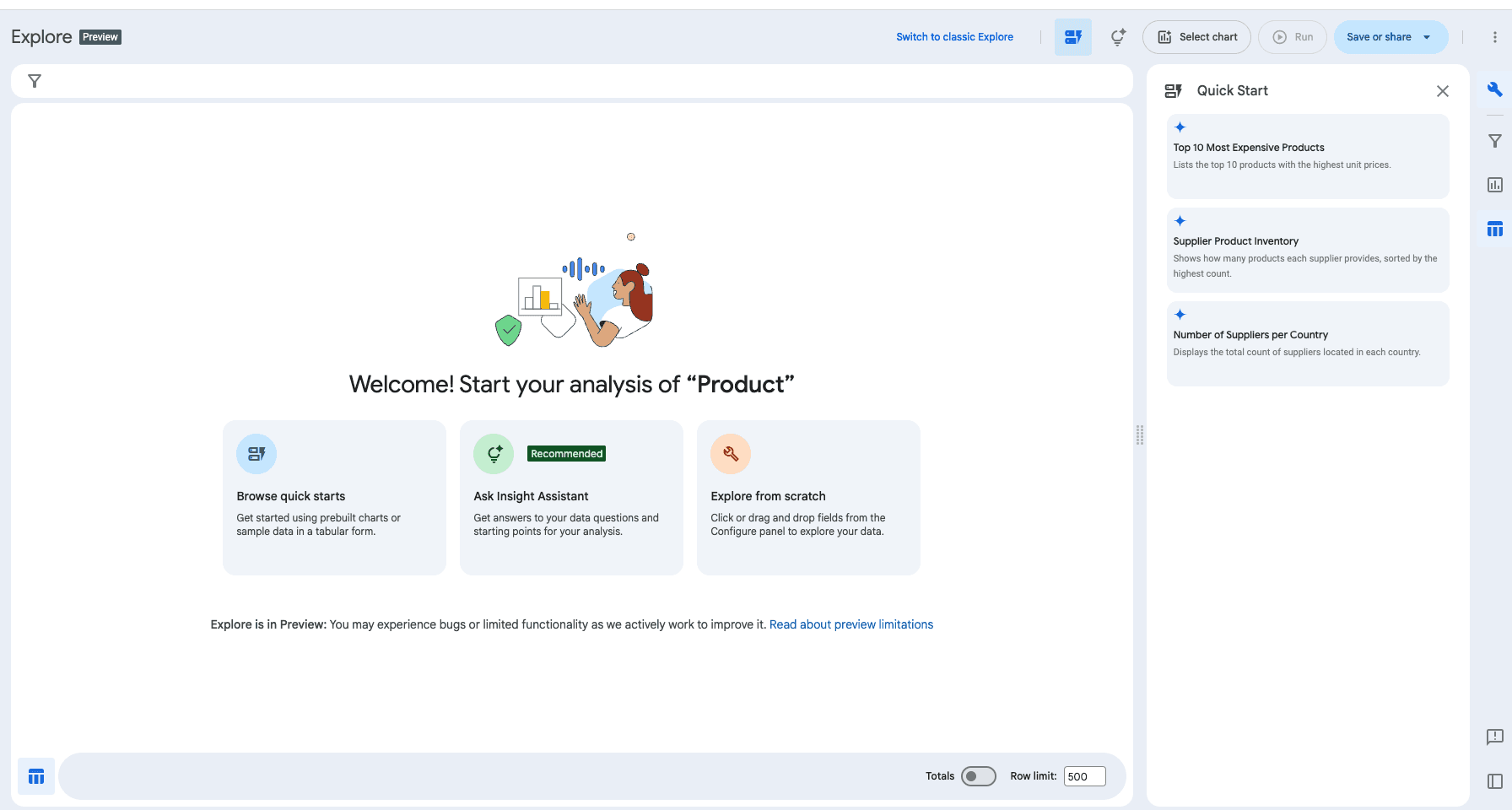
Looker is for Google Cloud teams where modeling consistency is a priority. Like Hex, it leans on a semantic model, but it's built for a more mature data environment. LookML, its code-based semantic layer, enforces metric definitions across every team touching the data, and Gemini adds natural-language querying on top.
Looker wins on LookML, but it demands a lot in return. Building and maintaining it takes real engineering effort. Gemini doesn't help here either. It's a general-purpose AI model adapted for Looker, not a purpose-built analytics agent, so the moment a question gets complex, you get inconsistent results.
Key features
Gemini in Looker: Natural-language queries grounded in LookML.
LookML: Code-based semantic modeling for governed metrics.
Notebook integration: Vertex AI Workbench and Colab tied into LookML.
BigQuery-native architecture: Tight integration with the Google Cloud stack.
Pros
LookML enforces consistent metric definitions across the organization.
Holds up well in mature, multi-domain data environments.
Notebooks and BI share the same governed semantic layer.
Cons
LookML requires real engineering effort to build and maintain.
Gemini's reasoning trails purpose-built agentic analytics tools.
Value drops outside the Google ecosystem.
6. IBM Cognos Analytics: Enterprise reporting with notebooks built in
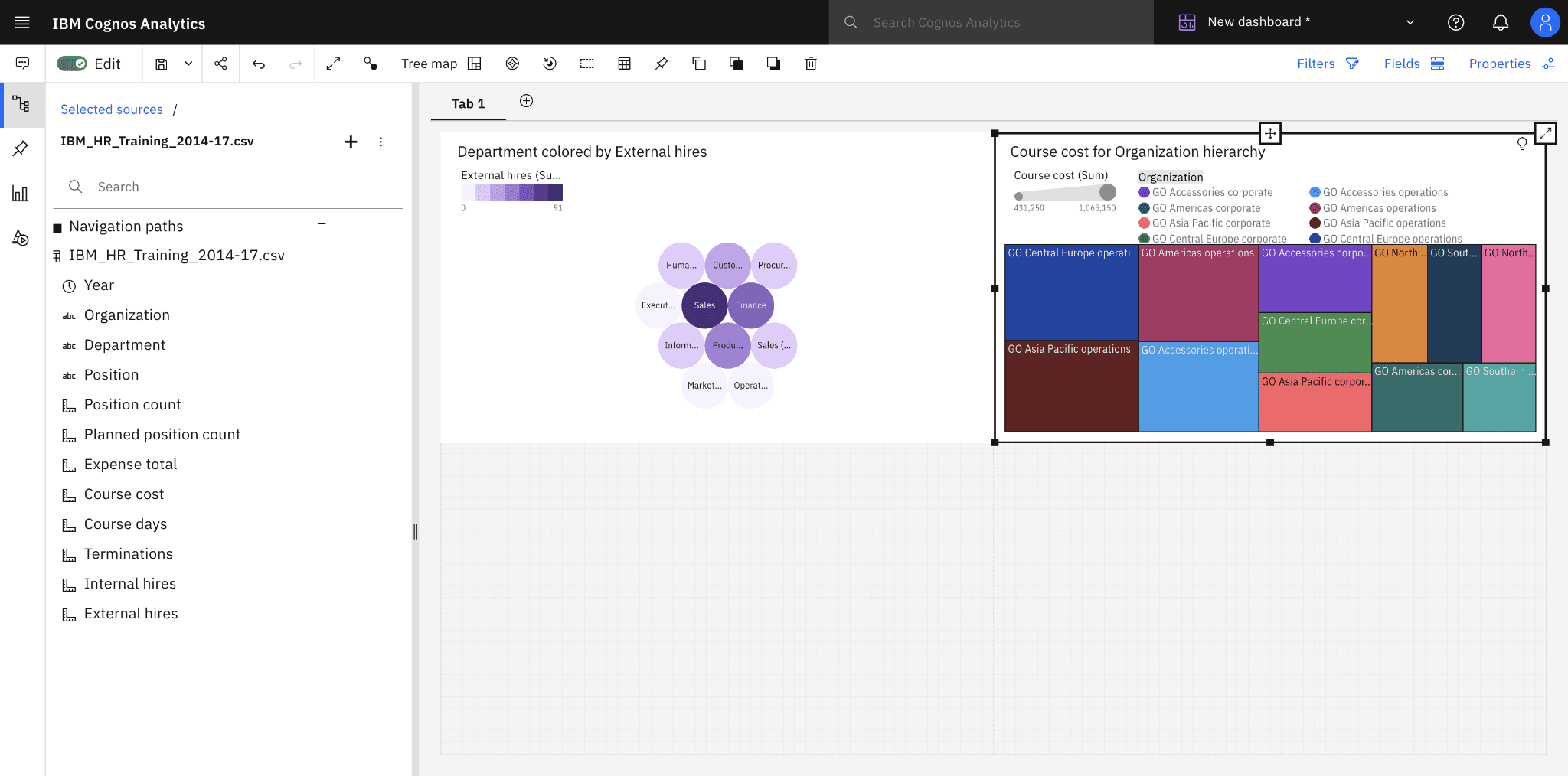
Cognos is built for large enterprises that need governed reporting at scale. Where Hex leans on the notebook as the whole experience, Cognos pairs governed dashboards with a native Jupyter notebook environment, giving analysts and business users a home in the same platform.
Cognos still feels like a legacy product, though. The interface is harder to navigate than newer BI tools, and AI features can stack up costs quickly. If you've outgrown Hex and operate in a complex regulatory environment, Cognos is a strong fit. For teams chasing open-ended exploration, it's a harder sell.
Key Features
AI assistant: Natural-language queries and automated insights.
Notebook integration: Native Jupyter environment alongside dashboards.
Enterprise governance: Strong security, audit, and compliance capabilities.
Flexible deployment: Cross-platform options for cloud, on-prem, and hybrid.
Pros
Notebooks and governed reporting in one platform.
AI capabilities for natural language querying.
Deep customization for complex regulatory environments.
Cons
Legacy interface with a steep learning curve.
Heavier admin burden than newer tools.
Limited momentum on conversational AI compared to category leaders.
7. AWS QuickSight: Serverless BI for AWS-native teams
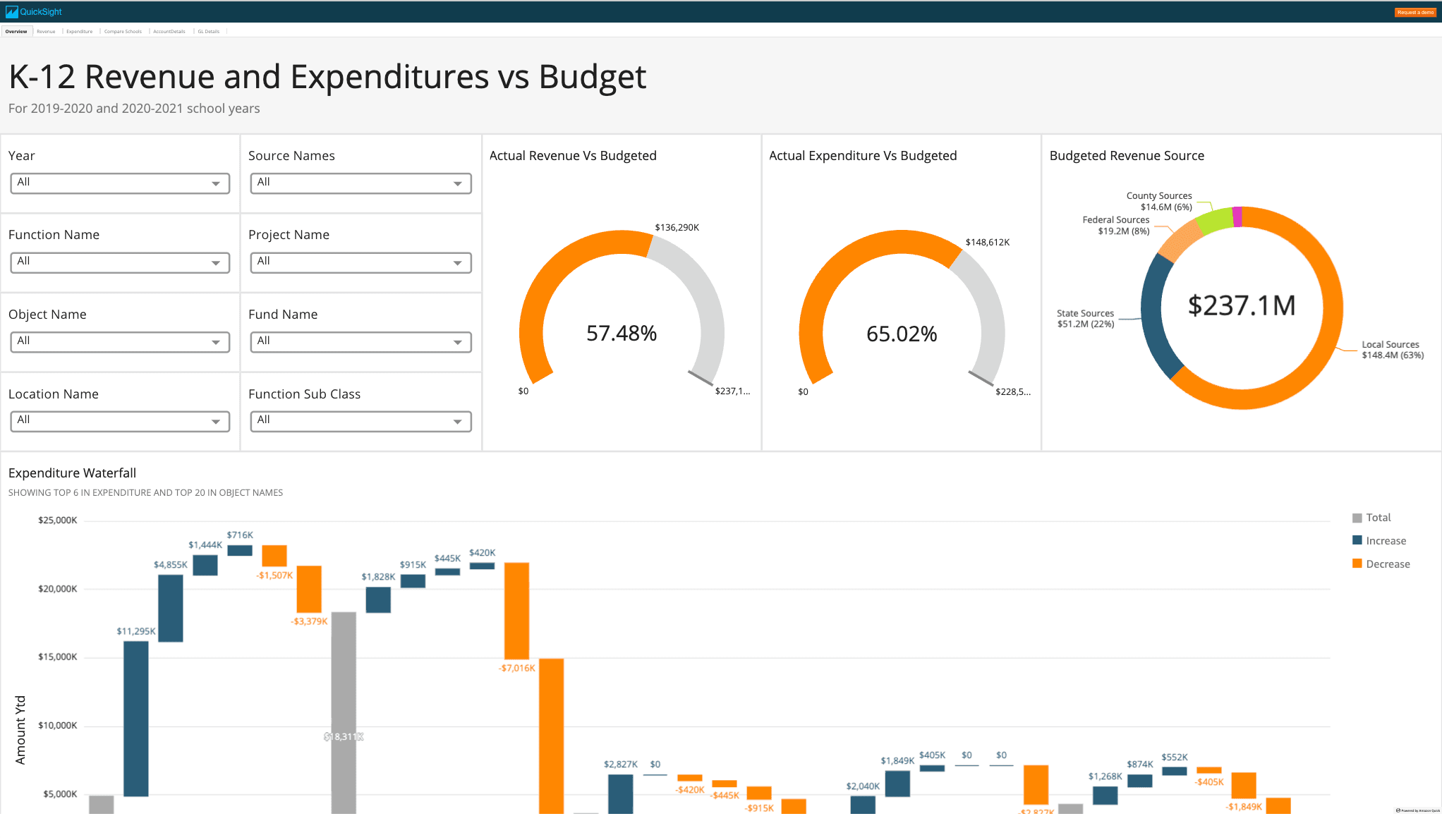
AWS QuickSight is serverless, scales elastically, and connects tightly with the rest of the AWS data stack. Amazon Q in QuickSight handles natural-language querying, and SageMaker provides the notebook environment for technical users who need to go deeper than the BI layer.
The friction shows up in the integration. SageMaker isn't woven into the BI workflow the way Power BI's Fabric notebooks are, which means analysts and business users still end up working in separate environments. That said, compared to Hex, you get wider data connectivity across the AWS ecosystem and more room for AI-driven exploration.
Key features
AI assistant: Q suite for natural-language queries and insights
Notebook integration: SageMaker environment for deeper analysis
Serverless architecture: Elastic scaling without extensive infrastructure management
AWS-native connectivity: Direct integration with the broader AWS data stack
Pros
Amazon Q opens up natural-language analysis at scale.
Native integration across the AWS ecosystem.
The pay-per-session pricing model is flexible for occasional viewers and users.
Cons
Notebook integration less seamless than Fabric's.
Relies on a static semantic model.
Full conversational capabilities require the Premium tier.
Beyond the notebook: Analytics for the whole organization
The most successful data leaders don't pick sides between analysts and business users. They build for both, because the real leverage shows up when both groups are working off the same source of truth without waiting on each other.
This is where Hex starts to feel out of step. Analysts get a clean workspace, while business users get locked out. They wait for someone else to run the analysis and share the result, which defeats the whole point of data democratization.
WisdomAI gives both groups the tools to shape decisions proactively, with governed, trusted answers. Everyone gets a way in, on their own terms.
Book a demo to see the impact on your data.