
Why GoodData's technical depth starts to feel limiting for embedded analytics teams
How seven GoodData alternatives compare on flexibility, AI, and pricing
What to look for when switching embedded analytics platforms with confidence
PUBLISHED:
UPDATED:
GoodData is a well-known embedded analytics tool. That is, if you have the technical depth to manage it.
It handles multi-tenancy, white-labeling, and workspace-based distribution well. But as your customer base grows, the cracks show up fast: a proprietary query language that creates bottlenecks, workspace-based pricing that scales unpredictably, and an embedding model that still leans heavily on iFrames.
To help you find a better fit, we looked at GoodData alternatives, like WisdomAI and Power BI, based on their embedding flexibility, AI capabilities, multi-tenant support, and pricing predictability. Here's what we found:
GoodData trades modern flexibility for technical complexity
GoodData has been building embedded analytics for over two decades. Its multi-tenant architecture and API-first design still work well for SaaS companies distributing dashboards across customer workspaces.
But the expectations around embedded analytics have shifted. Showing charts inside your app isn't enough anymore. Customers want analytics that feel native to the product and AI features that help them get more value from their data.
Although GoodData has started adding AI features, they're still nascent. Getting them running requires extensive configuration, which limits the value your end users see without significant upfront investment.
What GoodData does well
Multi-tenant architecture: Manages multiple customer environments within a single platform.
White-label deployment: Full control over branding, so your customers can explore dashboards and visualizations freely.
Semantic layer: Define business metrics once and use them consistently across all workspaces and reports.
API-first design: SDKs for React and Python, REST APIs, and programmatic workspace management.
Data source connectivity: Connects to Snowflake, BigQuery, Redshift, PostgreSQL, Databricks, and most major warehouses.
Where it starts to feel limiting
MAQL creates a bottleneck: GoodData uses a proprietary query language that requires specialized knowledge to build and maintain. If your team doesn't have MAQL expertise, every pipeline update becomes a dependency.
Workspace pricing gets unpredictable: The Professional plan charges per workspace, which works when you have a handful of customers. Once you're managing dozens or hundreds of tenant workspaces, forecasting costs becomes harder.
Customization hits a ceiling: Despite SDKs, many teams report that embedding creates performance and integration challenges, especially for responsive mobile experiences.
Visualizations feel dated: Users point to missing basics like reference lines and limited visual controls, making it harder to deliver a polished experience to your customers.
Steep learning curve: Teams new to embedded BI consistently describe the learning curve as steep. Between MAQL, workspace configuration, and data modeling, expect a long runway of "setup work" before you can actually start shipping value.
7 GoodData alternatives compared: features, pricing, and fit
Here’s a quick look at how top GoodData alternatives stack up on AI, deployment, and pricing:
Tool | Best For | Embedding approach | Multi-Tenancy | Pricing Model |
WisdomAI | Teams replacing static dashboards with conversational analytics | API-driven, embeddable agents | Yes | Custom pricing |
Power BI Embedded | Microsoft-native teams needing capacity-based embedding | iFrame and JavaScript SDK | Limited | Capacity-based, starts at $735/month |
Sisense | Enterprises with complex data modeling | SDKs, REST APIs, JavaScript | Yes | Starts at $399/month |
Qlik Sense | Organizations prioritizing data exploration | API-driven | Limited | Starts at $300/month |
Domo | Smaller teams wanting fast embedded deployments. | APIs, iFrames, or JavaScript. | Limited | Custom pricing |
Looker Embedded | Cloud-native teams with governed data needs | API-first, LookML-driven | Yes | Custom pricing |
Luzmo | Developer teams needing component-level embedding | Web components and SDKs | Yes | Starts at $495 /month |
Let's break down exactly what each platform brings to the table:
1. WisdomAI: Best for AI-native embedded analytics
GoodData assumes customers want dashboards. WisdomAI gives them answers.
While GoodData requires your team to build, maintain, and distribute dashboards across workspaces, WisdomAI embeds conversational BI directly into your product. Your customers ask questions in plain language and get contextual answers across structured and unstructured data. They can ask follow-up questions and pull in governed data for comparison analysis—all within the same conversation. And when they do need a visual, WisdomAI generates interactive AI-powered dashboards based on what's being asked, not what someone pre-built weeks ago.
Let’s take Blend, a digital mortgage leader, as an example. By embedding WisdomAI directly inside its Loan Officer toolkit, lenders cut time-to-insight from seven days to near-instant. Instead of waiting on a report, lenders can ask a question, get an answer, and act on it without ever leaving the Blend product experience.
Key features:
Conversational BI: Embeds directly into your product so end users can ask questions in plain English and get answers without writing SQL.
AI-powered dashboards: Every conversation can turn into an interactive dashboard. Users create visualizations from their questions, drill into the data, adjust filters, and explore freely.
Deep analysis: Automatically breaks down metric changes, identifies drivers, and explains why results shifted through multi-step analysis.
Analytics Agents: Monitors business conditions continuously, detects anomalies, and pushes alerts before users have to ask.
Cross-platform analytics: Connects structured and unstructured data into a unified layer without manual modeling.
Pros
Replace static dashboards with automated analysis.
Proactive agents monitor metrics and push alerts before issues escalate.
Your team spends less time on analytics infrastructure and more time exploring.
Adding new customers doesn't require spinning up a new, billable workspace.
Cons
May require vendor consultation for pricing details.
2. Power BI Embedded: Best for Microsoft ecosystems
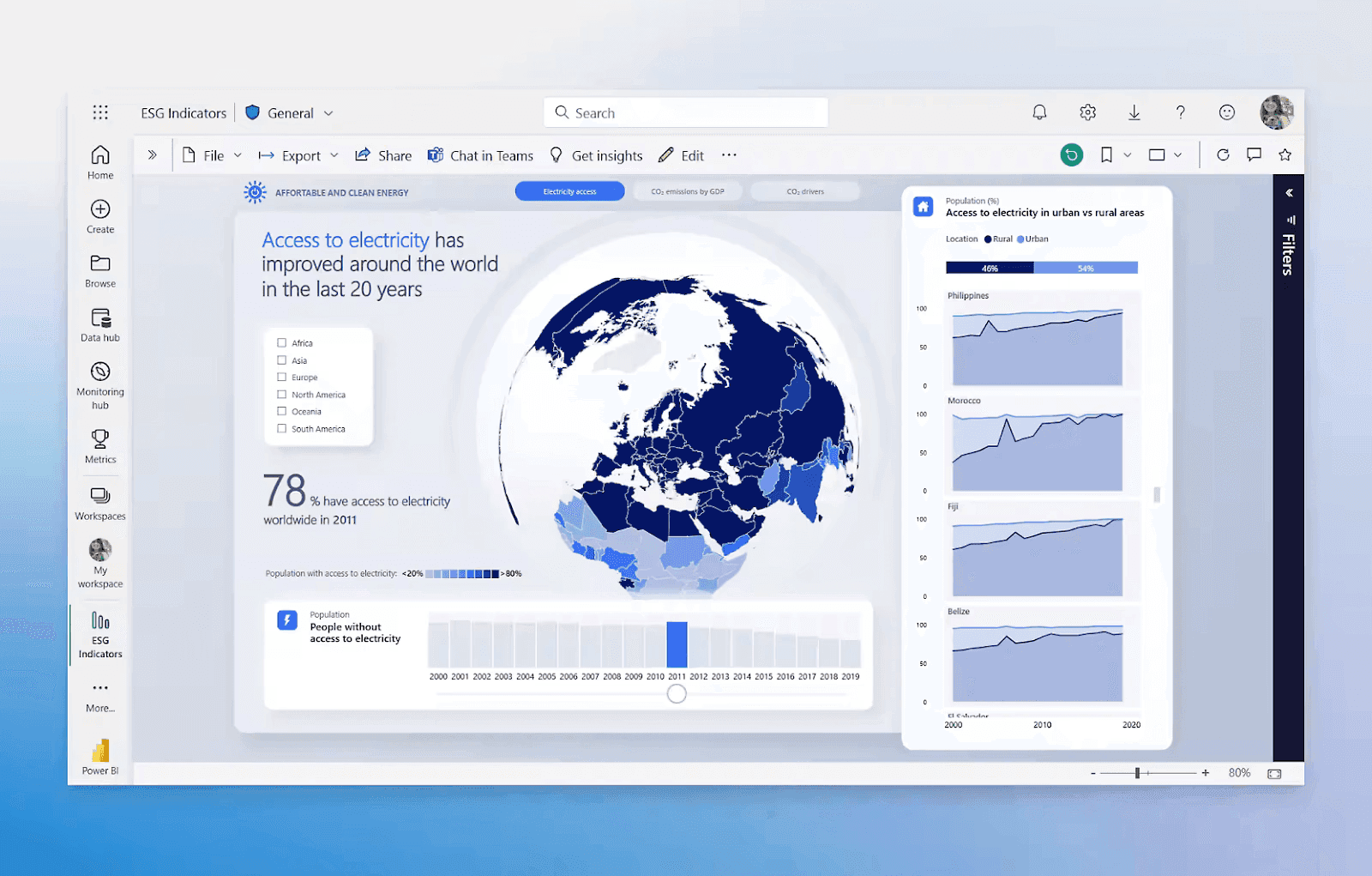
Power BI is the obvious choice for teams already deep in the Microsoft ecosystem. It swaps GoodData's unpredictable workspace fees for a capacity-based pricing model, making it much easier to forecast costs as your customer base grows.
The trade-off: Power BI wasn't built for embedded analytics. Multi-tenancy requires manual setup with row-level security, the embedding relies on iFrames and JavaScript SDKs, and white-labeling options are more limited than purpose-built platforms.
Key Features
Microsoft ecosystem integration: Connects to Excel, Teams, SharePoint, Azure, and the full Microsoft 365 suite.
Power Query and DAX: Enterprise-grade ETL and analytical modeling for structured data.
Capacity-based embedding: Embed reports and dashboards into your app using Azure capacity, billed by compute rather than users.
Extensive visualization library: Embed custom visuals for your users.
Pros
Deep integration across the Microsoft ecosystem.
Large community with extensive training resources.
Enterprise-grade security and compliance certifications already in place.
Cons
No true multi-tenant architecture for embedded use cases.
DAX has a steep learning curve, and complex data models require dedicated expertise.
Performance degrades noticeably with large datasets or complex calculations.
3. Sisense: Best for complex data modeling and caching
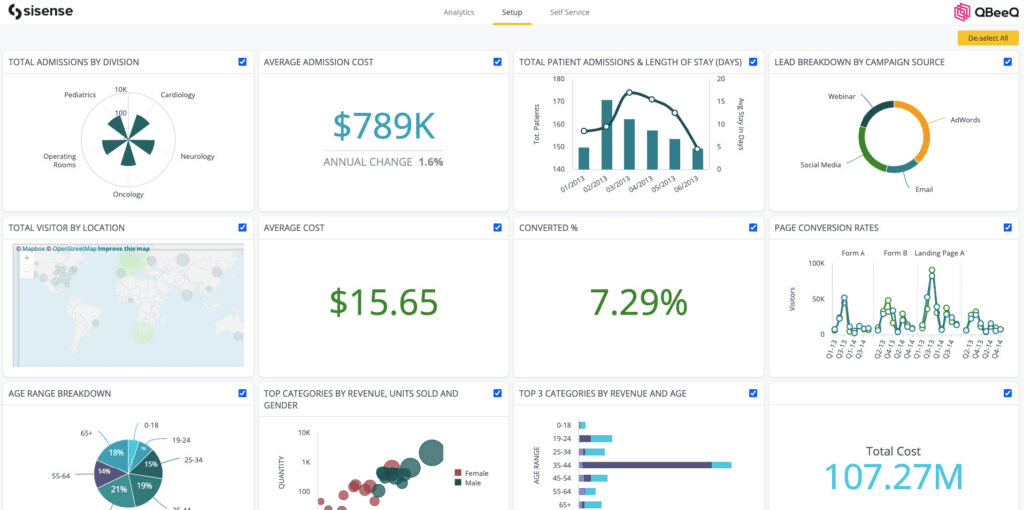
Sisense is the closest direct competitor to GoodData. It's designed for SaaS companies that want to white-label dashboards and analytics inside their own products.
While GoodData relies on MAQL and rigid, pre-defined metric structures, Sisense uses its proprietary ElastiCube engine to cache and process complex data from multiple sources in-memory, meaning there is still a learning curve. For enterprise environments dealing with large datasets and heavy joins, the difference in query performance is noticeable.
Key Features
Embedded analytics: Multiple embedding paths: iFrame, Embed SDK, Compose SDK, and SisenseJS.
AI-Powered insights: Generates natural language summaries, identifies key drivers behind changes, and detects anomalies.
Fusion platform: Combines traditional BI, data preparation, and AI in one environment.
Custom dashboards: Embed customizable visuals, widgets, and filters.
Pros
More embedding flexibility than GoodData through multiple SDKs and APIs.
ElastiCube caching handles complex joins and aggregations faster than GoodData's query engine.
AI features like natural language summaries and anomaly detection are baked in.
Cons
Higher price point than most alternatives on this list.
Limited visualization variety compared to tools like Power BI or WisdomAI.
Implementation is slow. SSO, white-labeling, and tenant configuration all require significant engineering time.
4. Qlik Sense: Best for data exploration
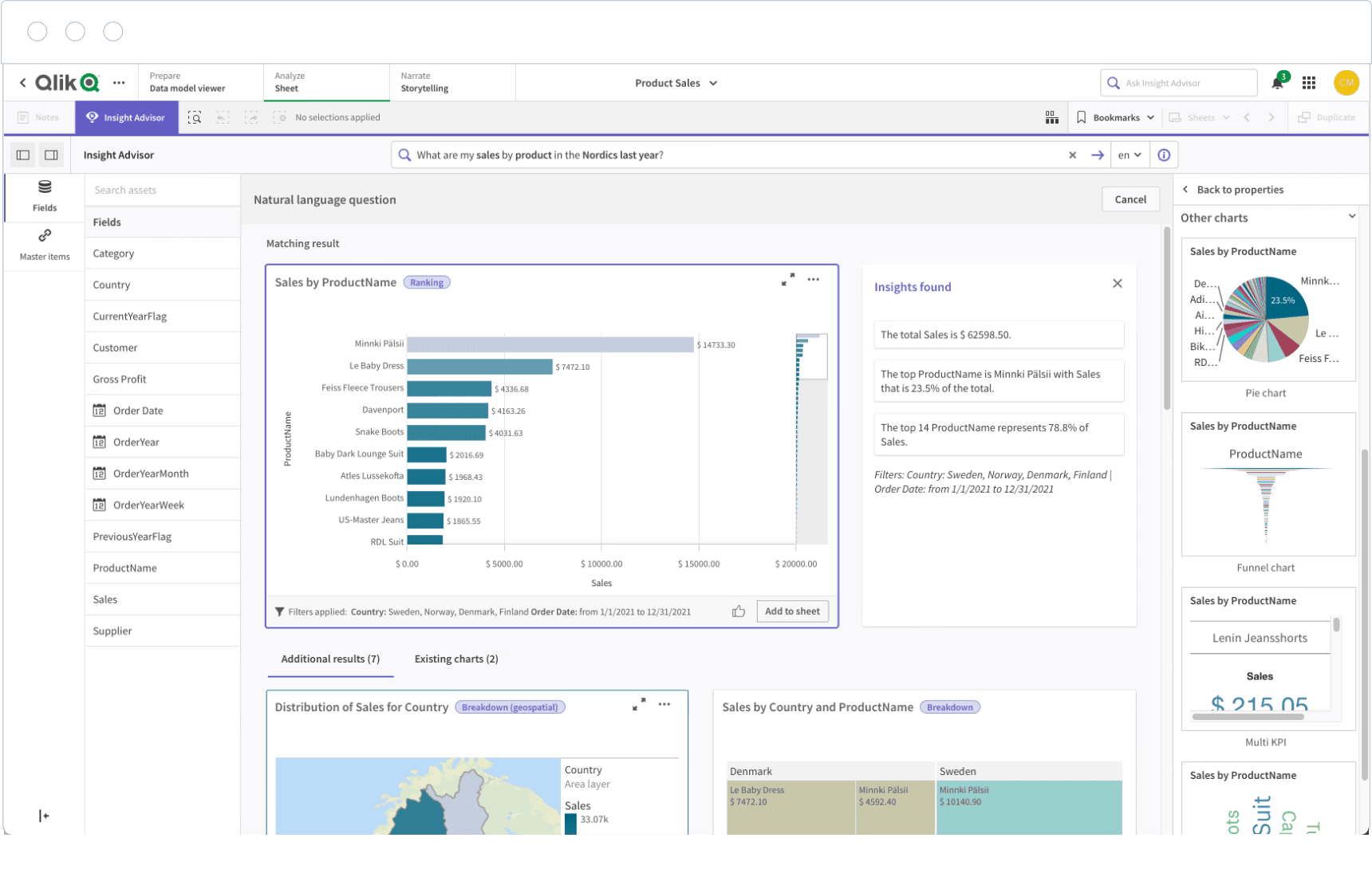
Qlik lets you embed visualizations and capabilities into your product, automate workflows with pre-built blocks and connectors, or build custom, lightweight visuals using JavaScript with Qlik's API libraries.
That's how Qlik describes its embedded analytics offering. The real differentiator, though, is the associative engine. It indexes every relationship across your datasets automatically, so your end users can explore freely, rather than being stuck with whatever views your team has pre-built.
Key Features
Associative Analytics Engine: Automatically indexes data relationships and enables free-form exploration.
AI/ML integration: Built-in AI automates data preparation and surfaces natural-language insights.
Embedded analytics: Pre-built blocks and JavaScript APIs for embedding visualizations.
Set Analysis Expressions: Complex filtering, comparative analysis, and custom aggregations for analytical depth.
Pros
Free-form exploration gives end users more analytical flexibility than GoodData's structured approach.
In-memory processing handles complex calculations quickly.
AI-assisted insights and anomaly detection.
Cons
Advanced use cases require scripting knowledge, which limits self-service BI for business users.
Limited export functionality and mapping capabilities frustrate teams that need to share results outside the platform.
Pricing jumps significantly between tiers, making it hard to predict costs as you scale past Starter.
5. Domo: Best for fast, no-code embedded deployments
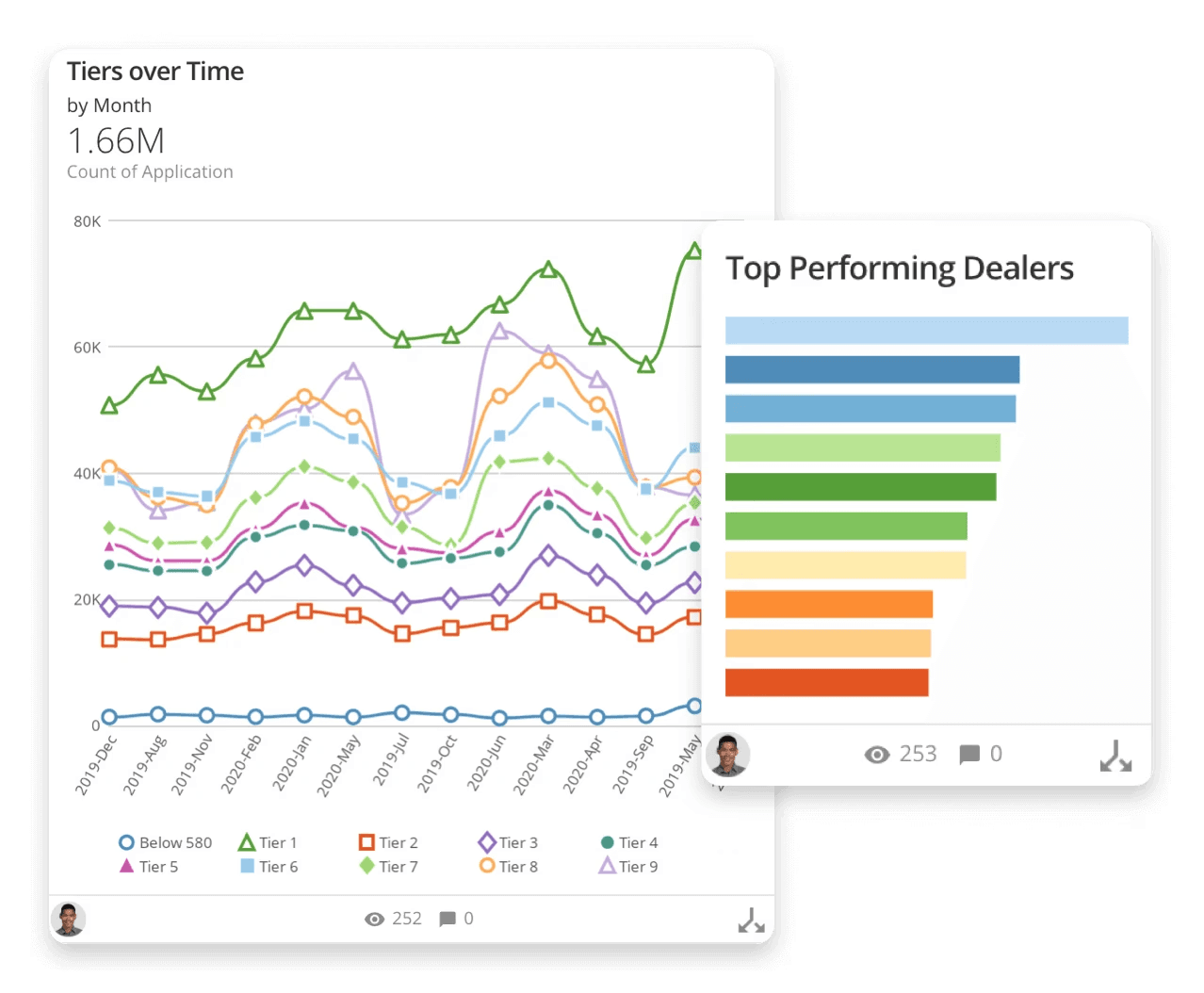
Domo positions itself as a full-stack BI platform, but its embedded analytics capabilities have grown significantly. Where GoodData requires a heavy technical setup, Domo's no-code environment let product teams ship customer-facing dashboards faster.
If you're a smaller team that needs embedded analytics up and running quickly without a long implementation cycle, Domo gets you there. But if you need sophisticated AI-driven analysis or granular multi-tenant controls, you'll outgrow it.
Key features
Embed framework: White-label support, custom filters, and SSO integration for customer-facing analytics.
App Builder: No-code tools for building interactive data apps and dashboards.
AI and automation: Automated alerts, anomaly detection, and natural language querying across embedded dashboards.
Data integration: Pre-built connectors with built-in ETL, so data preparation and visualization live in the same platform.
Pros
Faster time-to-embedded than most embedded tools out there.
Strong connector library reduces the need for custom ETL work.
Non-technical teams can build and maintain data apps independently through the App Builder.
Cons
Embedded analytics is an add-on, not what Domo was built for. The core product is an internal BI platform
Less granular multi-tenant controls compared to competitors.
Performance can slow with complex dashboards and large datasets.
6. Looker Embedded: Best for governance and code-based control
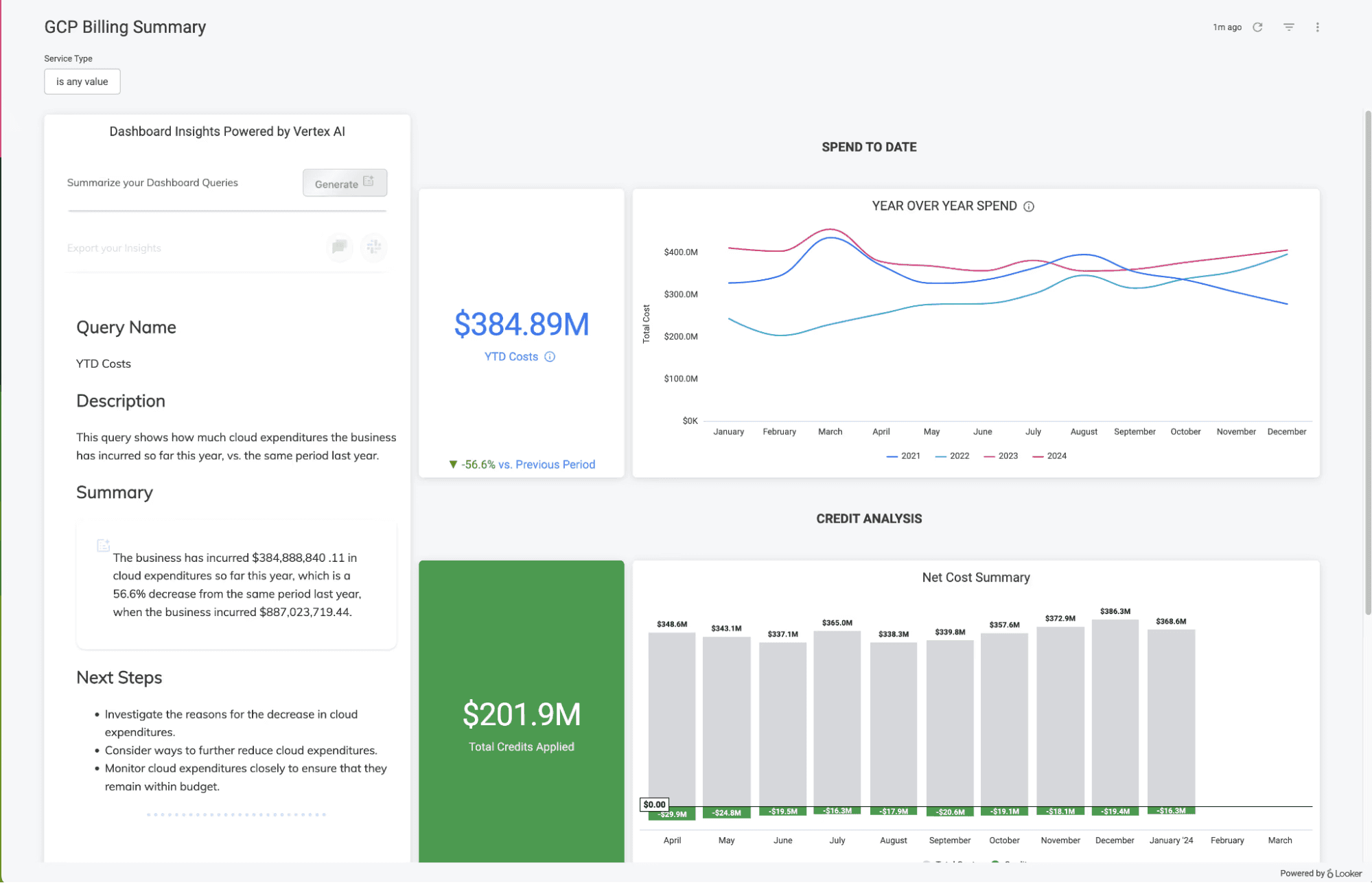
Google’s Looker is for Google-based teams that care about data governance above everything else. Its LookML semantic layer defines business logic, ensuring every embedded dashboard—across every customer—pulls from a single source of truth.
LookML also supports Git-based version control, CI/CD pipelines, and the collaborative workflows modern engineering teams expect. It treats your analytics like software, making it a good choice for massive, enterprise-grade deployments.
The catch: Looker is not a plug-and-play tool. Setting it up requires deep SQL and LookML expertise, making it a heavy lift for leaner teams.
Key Features
LookML semantic layer: Defines reusable business logic and metrics in code.
Google Cloud integration: Direct connectivity with BigQuery, Vertex AI, and the full Google Cloud ecosystem.
API-first architecture: REST APIs and SDKs for building custom data applications and embedding analytics.
Git-based version control: Manage analytics logic like software development with proper version control and CI/CD.
Pros
Developer-friendly with Git workflows and version control.
Direct access to BigQuery performance and Gemini AI.
Well-suited for organizations that want code-based control.
Cons
LookML has a steep learning curve requiring SQL expertise.
Higher costs make it challenging for small and mid-sized teams.
Performance is heavily optimized for Google Cloud. Teams on AWS or Azure won't get the same experience.
7. Luzmo: Best for component-level embedding
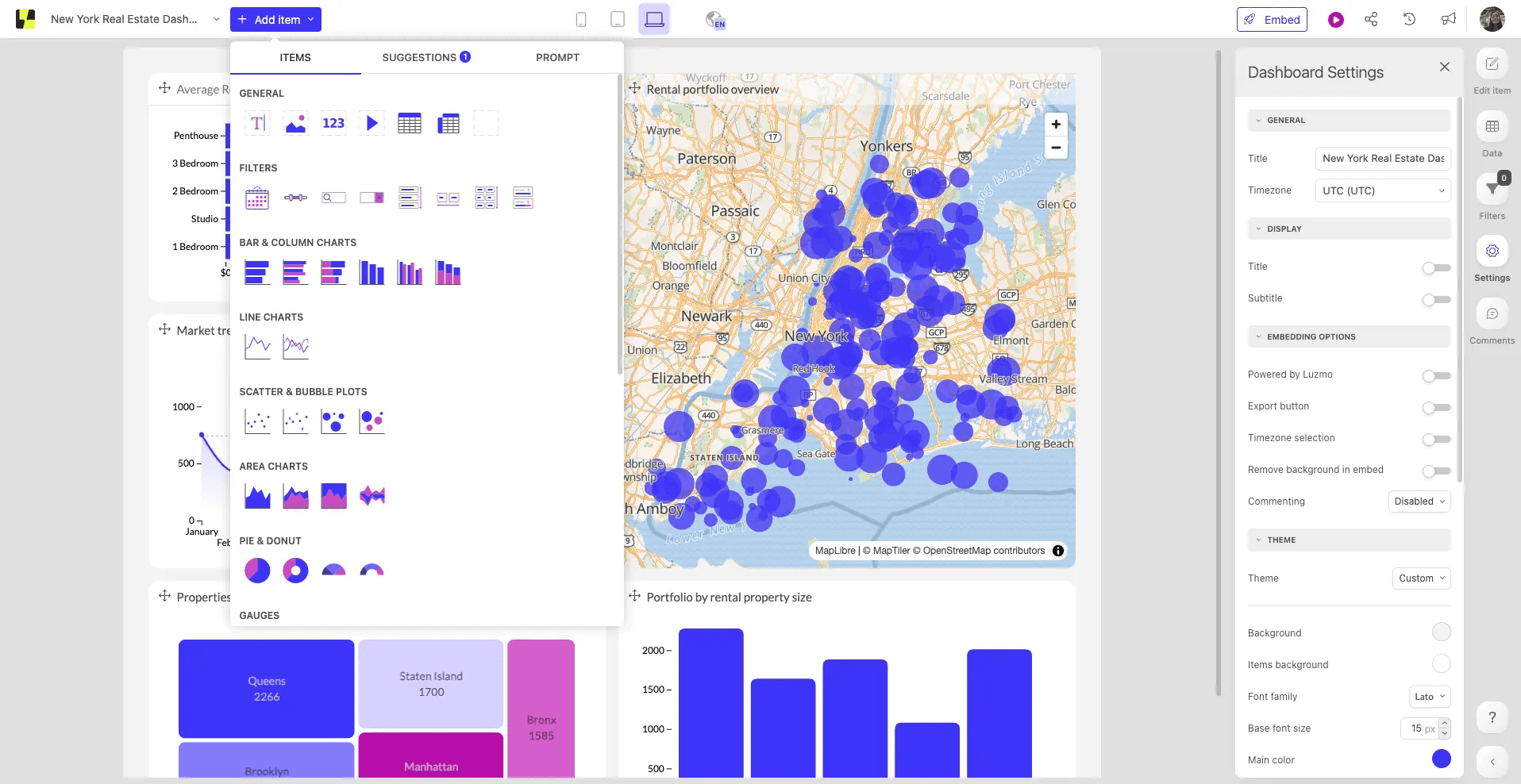
Luzmo’s web component architecture integrates analytics directly into your application's DOM, eliminating the performance and responsiveness issues that come with iFrame-based embedding.
Business users can build dashboards using the Studio Builder, while developers get full programmatic control through the Flex SDK. This balance between speed and customization matters for product teams shipping on tight timelines.
The caveat is scale. If you're planning to deploy a high volume of dashboards to a large user base, performance can degrade, and you'll need to move to higher-priced tiers.
Key Features
Studio Builder: Visual builder for creating responsive dashboards, filters, and web components.
Flex SDK: A code-first toolkit that lets developers create visualizations programmatically using React components or web components.
AI features: Built-in AI agent that lets end users ask natural language questions directly inside dashboards.
Data connectivity: Pre-built connectors, API access, and plugin support for connecting to your existing data stack.
Pros
Feels more native than iFrame-based tools.
Wide visualization library with chart types and customization controls.
Localization (multi-language, timezone, currency) is built in. Most embedded tools require custom development for this.
Cons
Performance degrades with larger datasets and complex dataset linking.
Lacks advanced analytics features and a semantic layer.
Advanced customization and AI features are locked behind higher-tier pricing.
Stop shipping dashboards. Start shipping answers.
Most teams gravitate towards big names like Sisense or Looker because they’re familiar. They work well for simple embedding needs.
But the "good enough" phase ends the moment you hit the limits of iFrame performance or realize that managing multi-tenancy for hundreds of customers is a full-time job. At that point, you need a tool that matches your actual constraints: team size, technical depth, embedding complexity, and how fast your customer base is growing.
If your engineers spend more time tweaking dashboard layouts and fixing configurations than improving your product, the tool isn't the problem. The problem is that you’re trying to solve modern analytics problems with static dashboards.
WisdomAI replaces manual overhead with automation. Instead of being bogged down by workspace configurations and rebuilds, your team focuses on the end result—delivering the right answers to your customers.
Start a demo today and see how simple embedded analytics can be.
FEATURED RESOURCES

BI Tools Comparison: AI Capabilities and Features Comparison
Tools
BI Tools Comparison: AI Capabilities and Features Comparison
Looker vs Tableau in the Generative AI Era
Tools
Looker vs Tableau in the Generative AI Era
Tableau alternatives: Why visualization is no longer enough
Tools