
Embedded AI: Bringing AI Analytics into Your Product
What embedded AI analytics involves and how it compares to traditional embedded analytics
How to implement it across four integration approaches
Why it becomes a differentiator, with use cases across finance, hospitality, logistics, and retail
PUBLISHED:
UPDATED:
Your customers already use AI everywhere else. They ask a chatbot to summarize a contract, let an assistant draft their email, and have agents to research, monitor, and act on their behalf. Then they open your product only to find a static dashboard.
Now imagine an agent sitting inside your product instead. It answers their questions in natural language, follows their workflow, and surfaces what matters to them, without a multi-year build behind it. That's what embedded AI analytics does — it turns your product from a place customers pull data out of into the place they make decisions.
Here's what that involves, what it takes to ship, and how it can become a real differentiator in the product experience.
What is embedded AI?
Embedded AI is machine learning, natural language processing, and predictive analytics built directly into the tools your customers and internal teams use. There's no need for exporting data to a separate system, running it through a model, and bringing the result back. The intelligence sits where the work happens.
In an analytics context, that extends to AI analysts working inside your product — answering questions, investigating why a metric moved, and triggering workflows. Your customers analyze their data where they already are, without switching tools to do it.
Whether you need AI to generate daily performance summaries, analyze trends, or predict what might happen next, you can embed these capabilities directly. Your normal day-to-day business workflows just become naturally more intelligent.
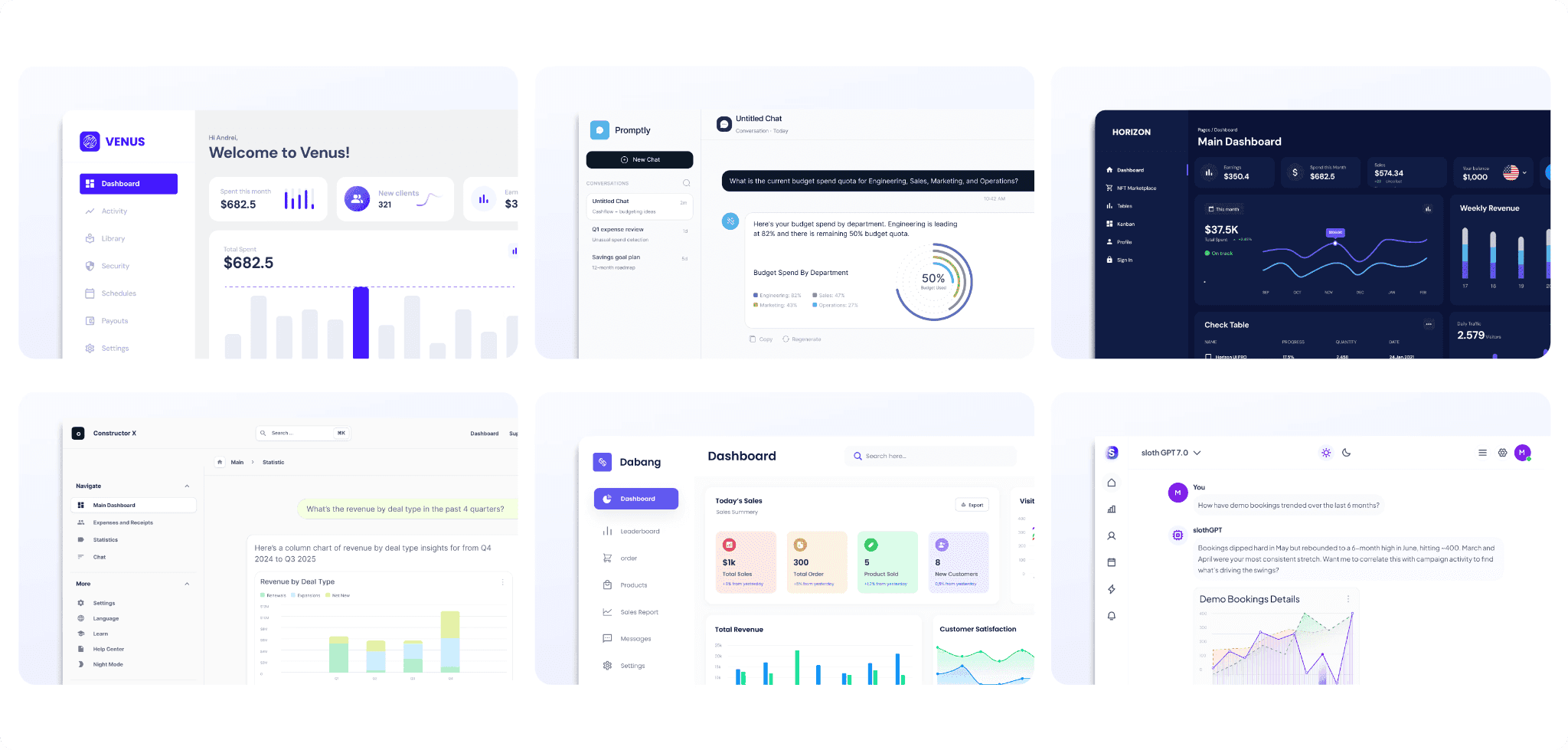
Core components of embedded AI analytics
Modern embedded analytics platforms go beyond dashboards. They let you bring AI directly into the customer experience, white-labeled so it feels like a native part of your product. The capabilities are expanding fast, but three are changing the embedded analytics experience most:
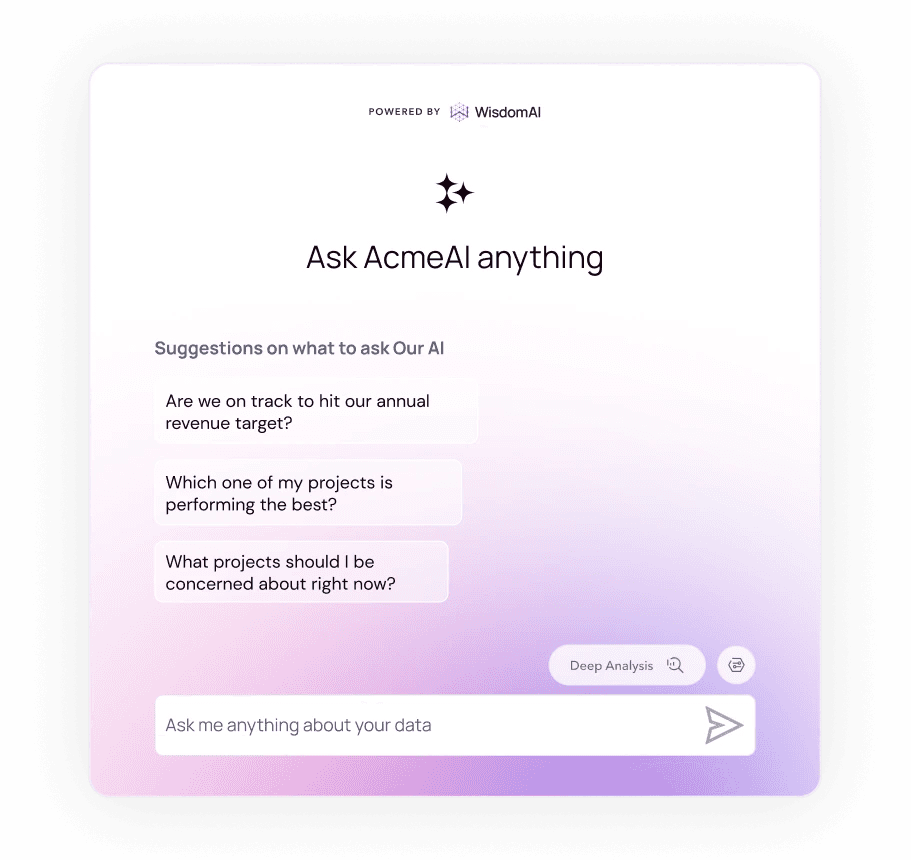
Conversational BI
Customers can ask questions the way they'd ask a colleague. No separate analytics tool to open, no fixed dashboard to work through — they start broad, follow up as new things occur to them, and keep exploring in the same conversation. That puts real-time analysis directly in the hands of business users, without requiring SQL, jargon, or a data team in the middle.
Multi-step investigation
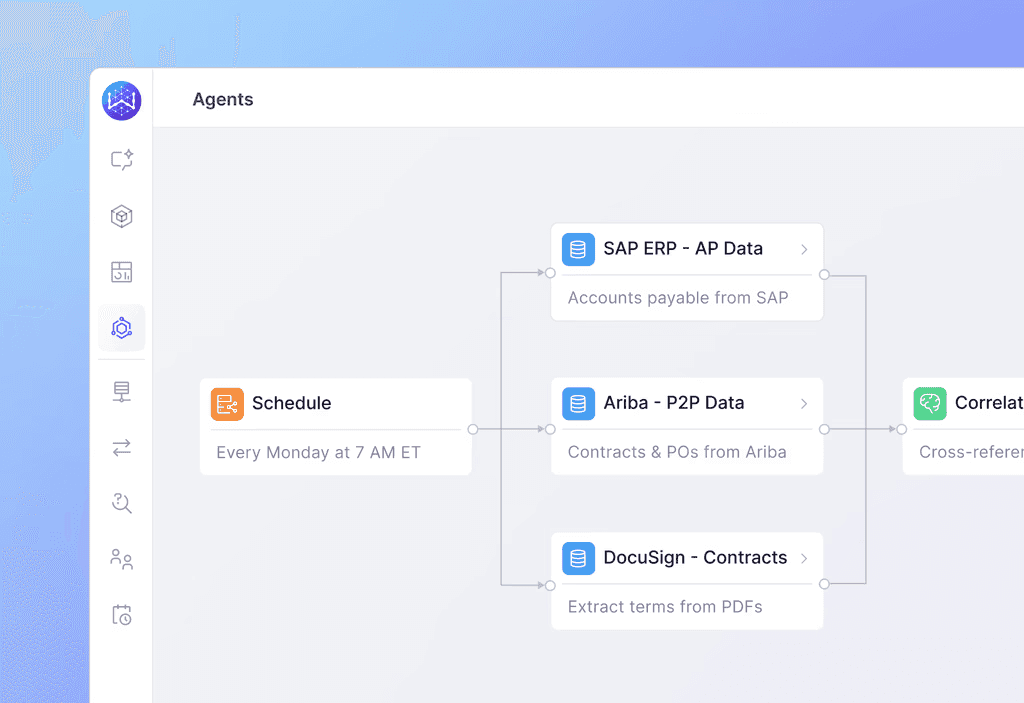
AI agents can plan multi-step investigations the way an analyst would: breaking a question into smaller questions, joining tables across disparate data sources, and reasoning about the result. Users can inspect every step, adjust the plan, and re-run it. What used to take a senior analyst half a day can be done in just minutes.
Agentic action
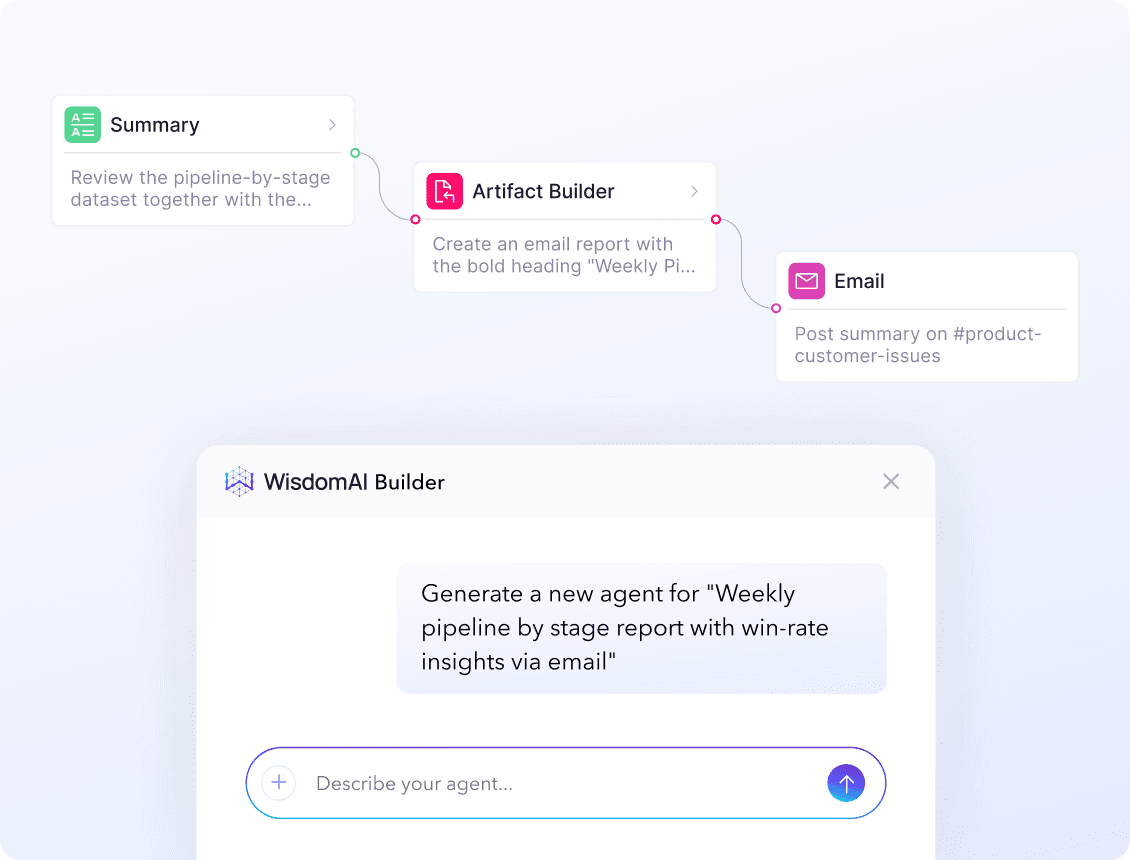
Agents do more than fire rigid alerts. They act on what they find — creating a record, sending a notification, triggering a workflow, or escalating to the right owner.
With text-to-agentic workflows, customers can set up agents themselves. They describe what they want in plain English — alert me when a shipment is more than 12 hours behind schedule — and the agent gets built around it: the data it monitors, the condition that matters, and what happens when it's met. Forget learning complex configuration or coding.
WisdomAI's Analytics Agents go further and reason across structured and unstructured data in the same investigation, so a movement in a metric can be explained by what other people said about it — in reviews, support conversations, or contract terms.
Traditional analytics vs embedded AI: Key differences
Traditional analytics shows customers what happened. Embedded AI lets them ask what happened, why it happened, and what to investigate next in the same workflow. Here’s how the two approaches compare:
Traditional analytics | Embedded AI | |
Interface | Dashboards, filters, and pre-built reports. | Natural-language conversations with contextual follow-ups. |
Question scope | Limited to what was modeled in advance. | Expands as customers ask new questions. |
Exploration method | Users can interact with their data through charts and filters. | Anyone can describe what they want to know in natural language. |
How insights arrive | Customers open a dashboard, look for changes, and start investigating. | Insights proactively reach customers, and agents can take action through autonomous workflows. |
Depth of analysis | Users manually drill through predefined views. | AI can carry multi-step investigations across multiple data sources. |
How to implement AI in embedded analytics systems
Embedded analytics brings many smart features, including natural language understanding, predictive analytics, agentic experiences, and more — right into your software products. You can integrate these capabilities in various ways, depending on your goals and the level of control you require. Here are four common methods:
SDKs and low-code frameworks
Consider Software Development Kits (SDKs) as convenient toolboxes for developers. They include pre-built components, libraries, and even pre-trained models, making AI integration much faster and more flexible than utilising raw APIs.
SDKs are particularly useful when you want to add AI capabilities without building every component from scratch. Common use cases include:
Trend analysis: Identifying meaningful shifts in a metric and distinguishing them from normal volatility, seasonality, or historical patterns.
Sentiment analysis: Analyzing customer messages, reviews, and support conversations to understand tone, themes, and changes in sentiment.
Agentic workflows: Giving an agent a broader objective, then letting it break the work into steps, reason through each one, and carry the task through to an outcome.
The challenge is maintenance. Every model update, prompt change, and edge case your customers hit lands on your engineering team's roadmap. You get control over the experience, but the responsibility to keep it flawless still falls on you.
Custom model deployment
When off-the-shelf models cannot handle your product’s specific requirements, custom deployment gives you more control over how the AI behaves, where it runs, what data it can access, and how customers can use it.
You can train or fine-tune models on proprietary data, deploy them in the cloud, a dedicated VPC, or on-premises, and connect them directly to your product experience. This route is valuable when analytics is central to your product, and the use case is highly specialized, or security and regulatory requirements demand tighter control.
The tradeoff is ownership. Custom models require more work to evaluate, monitor, maintain, and keep aligned as your data and business logic change.
Custom APIs
There comes a point where prebuilt components stop being enough — where you want control over how analytics looks, behaves, and fits into the rest of your product.
A GraphQL API gives your application direct access to the analytics layer. Your team builds the experience around your own interface, workflows, and interaction patterns rather than adapting to a vendor's component library. The practical advantage is flexibility. GraphQL lets you request exactly the data your experience needs in a single query, which can simplify how your product pulls together metrics, dimensions, and AI-generated results.
Blended approach
You do not have to build the full AI experience at once. Start with the capability that is easiest to ship, such as embedded AI chat through an iframe or SDK, then expand from there.
As adoption grows, you can add deeper use cases such as multi-step analysis, proactive monitoring, and agentic workflows. This lets you prove value early without committing to the most complex implementation on day one.
Arm took exactly this path. The procurement team started with Conversational BI in WisdomAI, then expanded to Analytics Agents once the value was clear — moving from asking questions to agents that monitor supplier spend and act on what they find.
Benefits of embedded AI analytics
Monetizing and competitive difference
Embedding AI directly into your product turns analytics into something you can monetize. With the ability to deliver personalized dashboards, agentic analytics, and self-serve insights, you can introduce premium features, tiered pricing models, or data-driven add-ons that customers see real value in.
The upside is not just expansion revenue. When customers rely on your product to answer questions, analytics becomes part of how they work every day. That creates more reasons to return, deeper product adoption, and a stronger case to stay when renewal comes around.
Fewer requests reaching your team
Every question your product cannot answer creates work somewhere else. It becomes a support ticket, a CSV export, a Slack message to your data team, or a request to the customer’s own analyst. Your team absorbs the operational load, while your customer learns that the real analysis happens outside your product.
Embedded AI analytics closes that loop. Customers can ask questions and investigate on their own, while recurring analysis comes off your team’s plate. Fewer requests reach support, and your engineers spend less time servicing one-off analysis and more time building the product.
Proactive insights
Your customers aren’t short on reporting. They may already have dashboards and prebuilt reports spread across eight or nine systems. The problem is what happens when the answer isn’t in any of them. Someone has to pull data across tools, stitch it together manually, and work through a one-off analysis while the business waits.
That is where agentic analytics differs from earlier generations of BI tools. Instead of waiting for someone to open a dashboard and start investigating, you can give an agent a goal and let it continuously monitor the data and surface important insights proactively. The model shifts from pull to push.
Just ask Blend. The digital lending platform processes more than $1.3 trillion in loan applications annually, and its lenders had rich application data sitting in the platform with no way to see it in the flow of their work. After embedding WisdomAI, time-to-insight went from days to near-instant.
Top use cases of embedded AI analytics across industries
"AI" can mean anything from autocomplete to autonomous systems. For product teams, the more useful question is what those capabilities let you build for your customers.
Here's how embedded AI analytics shows up across industries, from self-service analysis to proactive agents:
Financial services: Loan origination and portfolio analysis
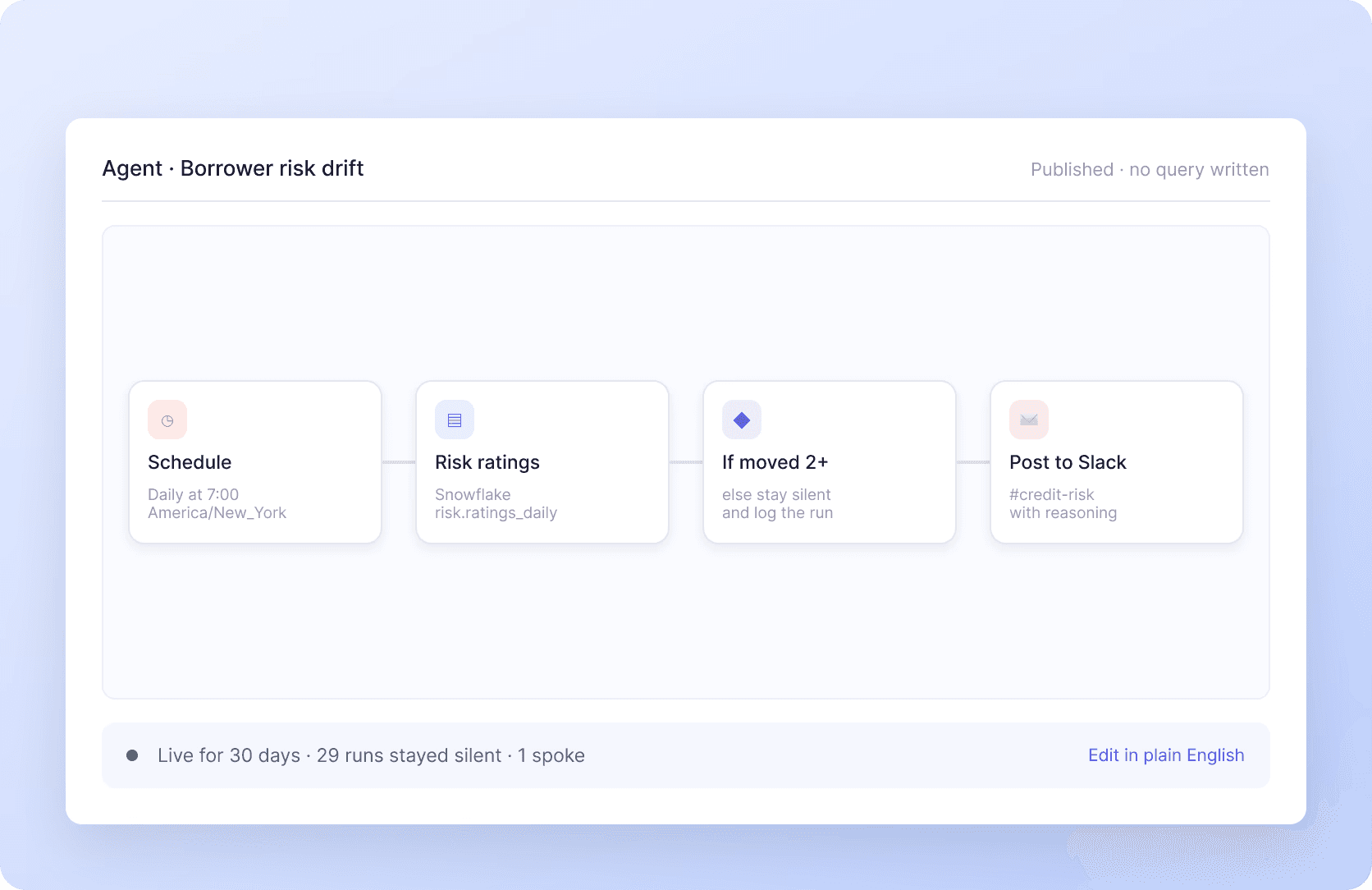
Financial decisions often happen in narrow windows, and different teams need different answers from the same underlying data. A loan officer may need to know why approval rates dropped and whether the decline is concentrated in one channel. A portfolio manager may care more about which vintage is deteriorating before more capital is committed.
Embedded AI agents can monitor application volume, approval rates, delinquency, margin, and other key metrics, investigate what is changing, and route the finding to the person who owns the decision.
That means the loan officer gets the channel-level issue, while the portfolio manager gets the vintage-level risk. Same data, different context, and a personalized insight for each owner.
Hospitality: Staffing and operations
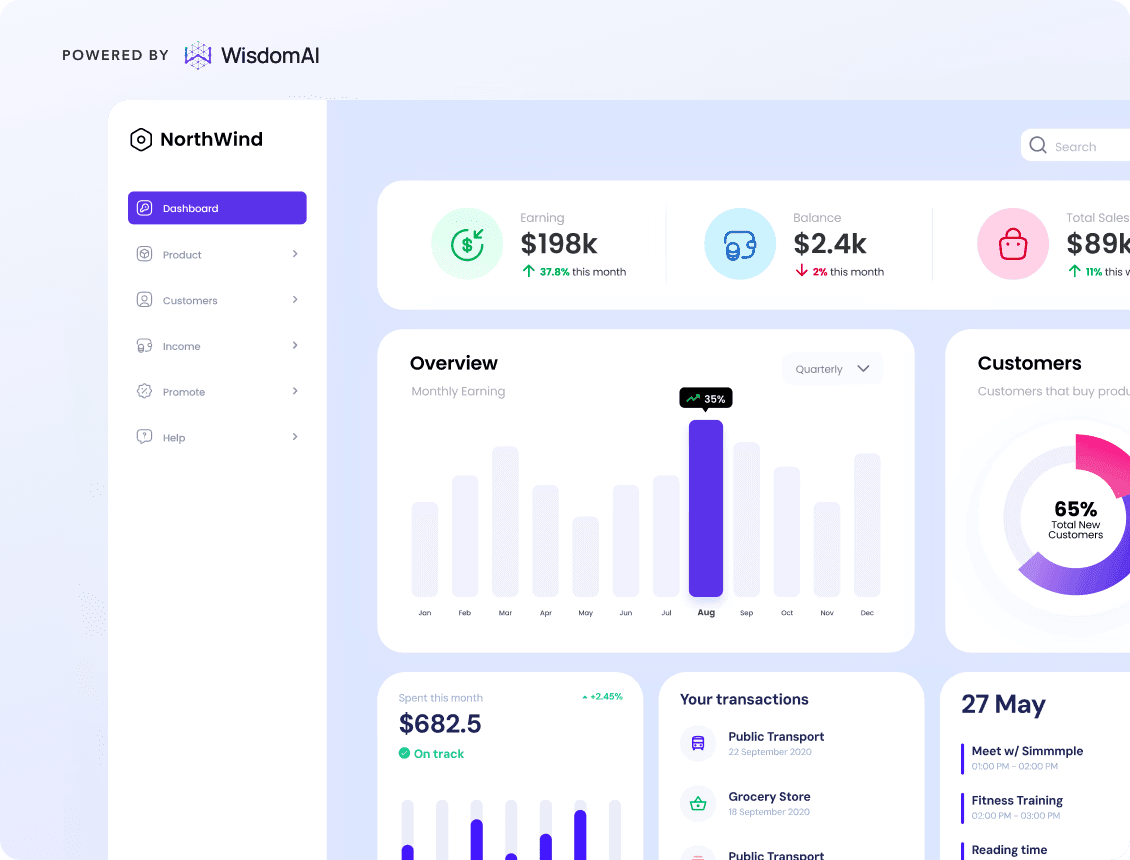
Hospitality teams make dozens of operational decisions every day across staffing, occupancy, pricing, cancellations, and guest experience. However, the answers often live across reservation systems, property management tools, loyalty platforms, and customer feedback, so decisions get made with only part of the picture.
Embedded Conversational BI brings those answers into the hospitality software they already use. A property manager can ask, ‘Why did occupancy fall this weekend?’ or ‘Which room types are seeing the most cancellations?’, and get answers within seconds.
Instead of jumping between dashboards or asking an analyst to pull everything together, operators can move from a broad question to a specific answer without leaving the product.
Logistics: Alerting supply chain managers
Logistics teams cannot afford to discover a delay after it has already disrupted the delivery plan. If delivery times from one distribution center begin rising beyond their normal range, an agent can investigate whether the issue is tied to a specific carrier, route, or warehouse bottleneck and surface the finding directly inside the logistics platform.
Instead of waiting for a manager to spot the problem on a dashboard, the product brings the issue and its likely driver to them while there is still time to reroute shipments or adjust capacity.
Retail and e-commerce: Forecasting demand
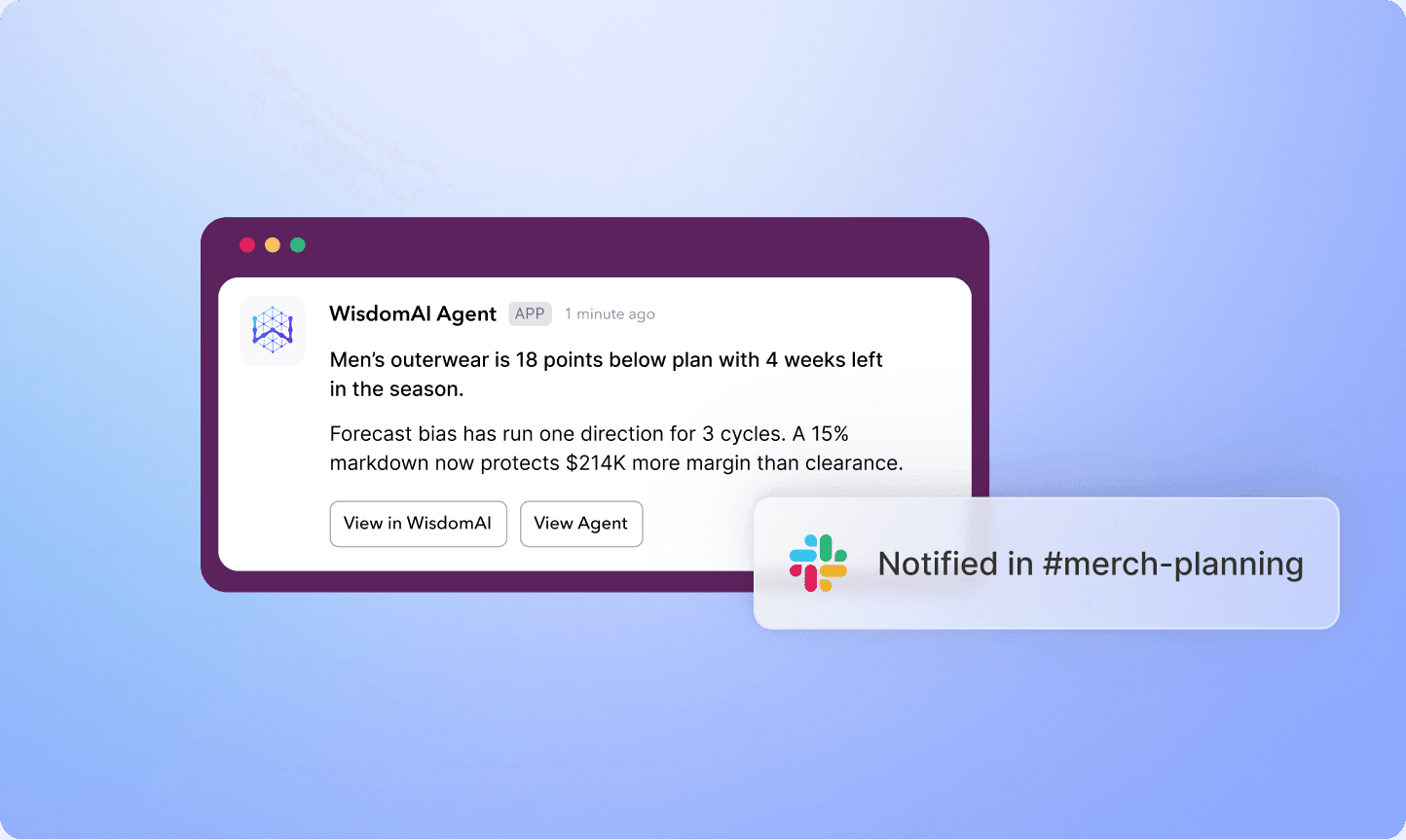
Demand can shift faster than planning cycles. Embedded AI can forecast what customers are likely to buy by analyzing sales history, seasonality, promotions, inventory levels, and other demand signals directly inside your commerce or merchandising platform.
If demand for a product starts rising faster than expected in one region, the system can update the forecast, flag the risk of a stockout, and surface the finding to the right user in the channel where they already work.
Ship analytics your customers can act on
Most traditional BI platforms were built for analysts first and adapted for embedding later. That leaves your customers with something that still feels like a separate tool, even though it's technically inside your product.
WisdomAI Embedded was built the other way round. Product teams embed anything from an AI-powered dashboard to a conversational analytics experience, delivered through an iFrame, React SDK, or GraphQL API,
Behind it all sits the Adaptive Context Engine, the grounding layer between your customers' data and the agent reasoning over it. It learns how each customer defines their metrics and which sources to trust, and it keeps improving with every interaction — so accuracy holds as the business changes underneath it.
Put trusted answers inside your product. Book a demo today.
FEATURED RESOURCES

What is Embedded Reporting? Benefits and best practices
Embedded Analytics
What is Embedded Reporting? Benefits and best practices
The case for white label analytics: Is it worth investing in?
embedded analytics
The case for white label analytics: Is it worth investing in?
Embedded analytics: The complete guide for product leaders
Embedded analytics