Guide
Embedded analytics: The complete guide for product leaders
Say you've built a logistics product. Your customers sell CPG products and use you to manage their orders, shipment tracking, and returns.
Their customers are buying, shipments are moving, and business is booming. Then the questions start.
How are my on-time rates trending against last quarter? Which lanes have the highest damage rates? Can you pull this into a report before my ops review on Monday?
That's just one customer. Now picture this at scale. If you’re asking customers to download a CSV and do their own analysis, you’re missing a critical value add. And if you’re trying to answer all of these questions manually, you’re swimming through a backlog of support requests.
User expectations have changed. Nobody wants a "download a CSV and figure it out" or “open a ticket and wait” experience anymore. Your users are looking for AI-native products that help them spot opportunities and make the next decision without leaving the tool.
So how do you get there? You could pull your best engineers off the product roadmap, hire a data team you didn't budget for, and wire up a warehouse to power it all.
Or, you could pick the smarter path: embedded analytics.
What is embedded analytics?
Embedded analytics integrates data and reporting capabilities directly into your product. Customers can explore AI dashboards, run their own queries, and get contextual insights without leaving your application.
Right now, most of your customers are hopping between your product and some standalone BI tool to answer questions about their data—data that your product generated in the first place. That experience is a bit silly when you think about it.
Embedded analytics closes that loop. Think of a procurement platform where businesses see shipment trends without switching tabs, or a manufacturing services company where customers check defect rates in the same portal they use to place orders.
And because the whole experience sits inside your product, you can shape it to match your brand: your colors, logo, and product's feel. Users never leave your app, and they never see anyone else's name on the analytics they're using.
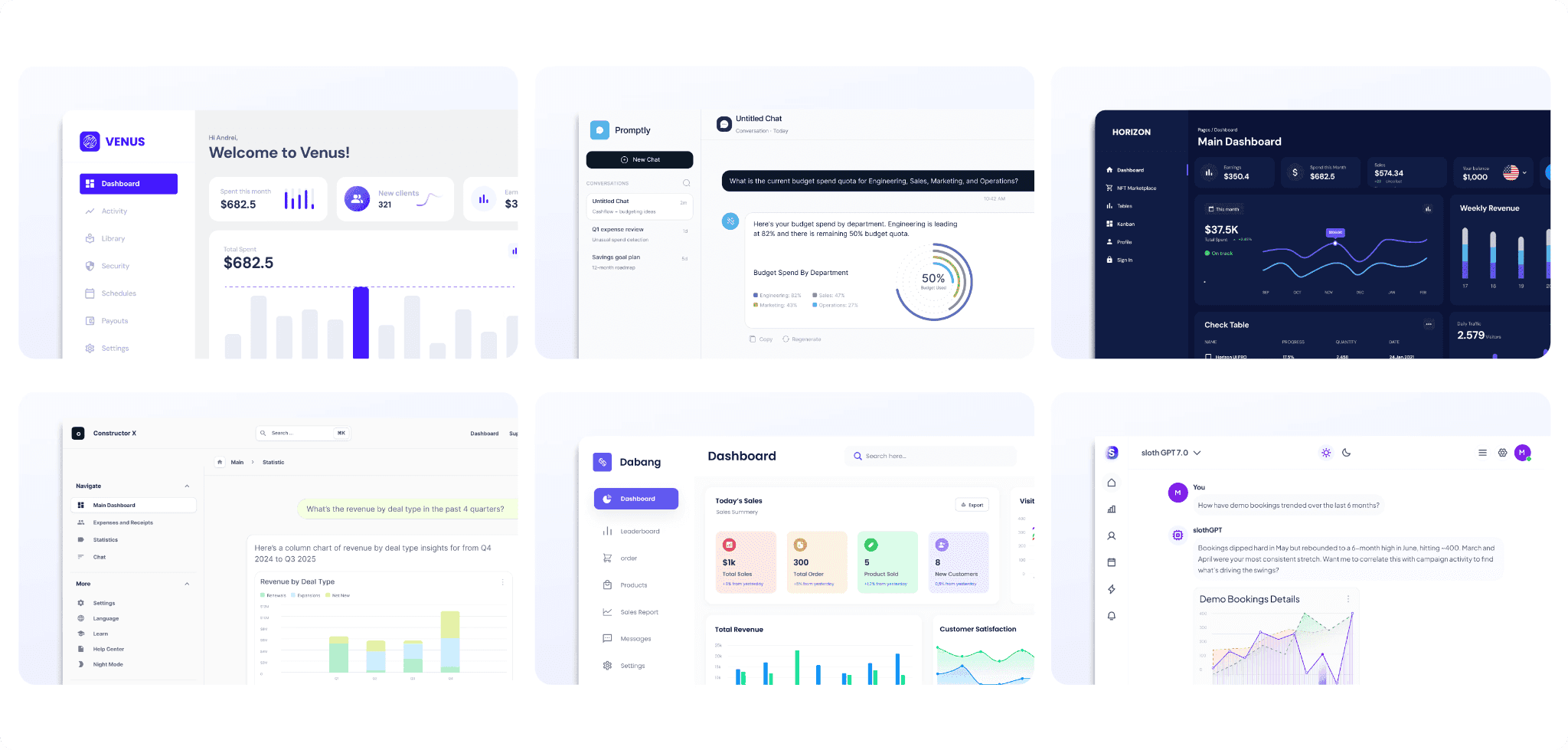
The different methods for embedding analytics
Embedded analytics runs on a headless BI architecture, letting you add AI analytics features inside your app without rebuilding the underlying infrastructure. However, delivering a native intelligence experience in your app requires the right set of tools and resources — especially if you want to launch quickly. This is where working with an established vendor pays off.
There are four methods of embedding analytics, each with a different level of control over how it looks and behaves inside your app:
iFrame embedding
This is the fastest lane to production. The vendor gives you a URL, you drop it into an iframe, and it renders inside any framework. The analytics runs in its own sandbox, which means nothing in your existing codebase changes. Modern iFrames offer themes, filters, and events, so you still get room to customize.
Web components
Components are a step up from the iFrame, but require a bit more setup. The embedded BI tool ships building blocks—charts, filters, dashboards, or chat modules — as custom HTML tags that every modern browser can interpret. You can customize these components to match your product's colors and fonts, adapt to what users do in the app, and work side by side with the other features your team has already built.
Developer SDKs
With SDKs, your team gets the most control possible while still using the vendor's pre-built charts. The process is straightforward: engineers install the vendor's package, usually React, first. From there, they can shape almost anything: how a chart looks, how it responds, what happens when the underlying data changes, and how the embedded BI features interact with the rest of your application.
Programmatic APIs
With this method, you gain full control over both the front and back end of the analytics stack. The API does everything the vendor's own product does: provision users, manage tenants, configure row-level security, and fetch results. Your team designs and builds every screen the user sees, while the vendor quietly runs the analytics underneath. Pick this path when the analytics experience is central to your product, not a feature bolted on the side.
Choosing the right method
The right method depends on how much engineering time you can dedicate, how fast you want to deploy, how native the analytics needs to feel, and how central it is to what your users are paying for.
And no, you don't have to pick just one way. Agentic Analytics Platforms like WisdomAI let you mix and match: start with an iframe to ship within a few weeks, add web components as you customize, and move to GraphQL APIs when analytics becomes core to the product. The choice stays yours and remains flexible, at every stage.
Analytics tools you can embed in your product
Embedded analytics covers a lot more than pretty charts. Here's what you can offer your customers:
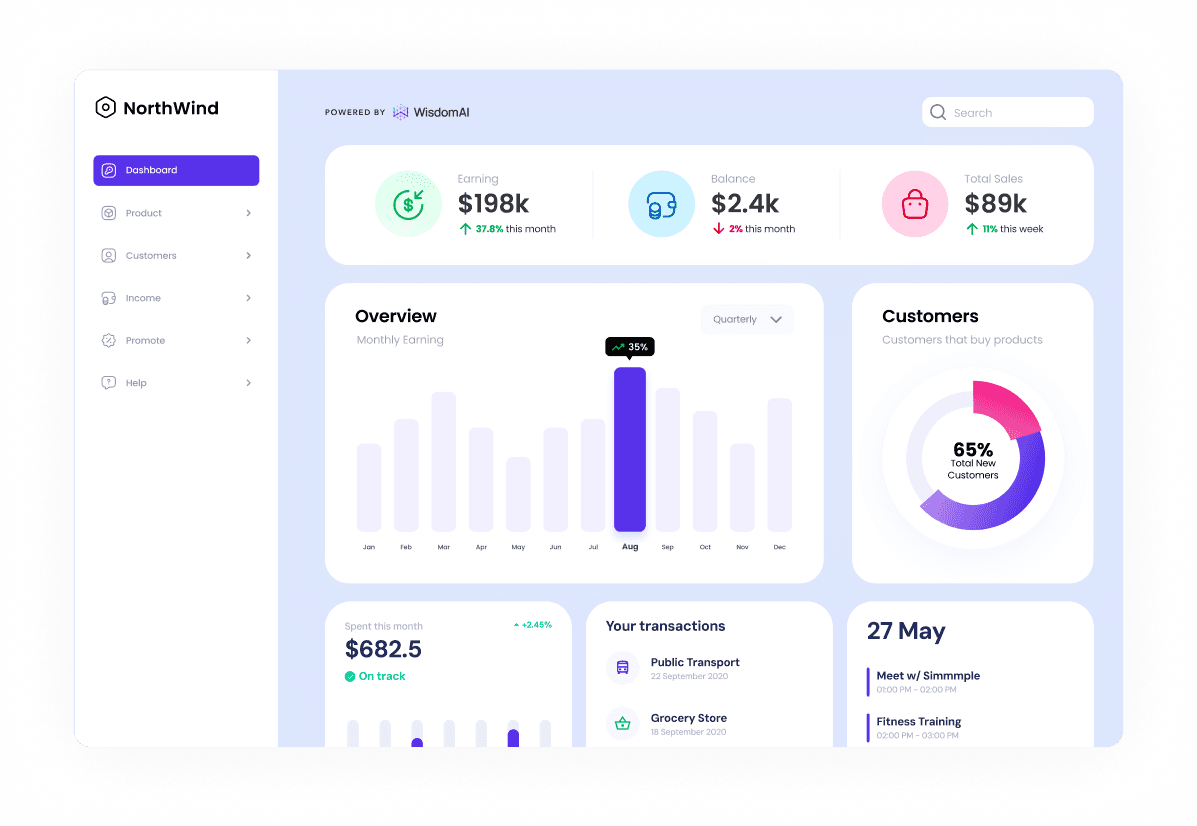
AI dashboards and visualizations
Custom AI dashboards turn your users' data into something they can actually act on. They can track performance, spot what's trending up or down, drill into the numbers behind a metric, and get AI summaries that call out what's changed and what to do about it. Your users get their answers where the work already happens, instead of learning a separate BI tool just to make sense of their own data.
Embedded reporting
Building custom reporting from scratch can drain your engineering team fast. Embedded analytics takes that off your plate. Your customers can pick a template, choose the metrics they want to track, and schedule when the report should go out, whether that's weekly ops reviews, monthly board decks, or client summaries.
From there, the reporting engine pulls live data from your product every time the schedule hits, so customers can stop chasing numbers across tabs and start spotting the trends worth acting on.
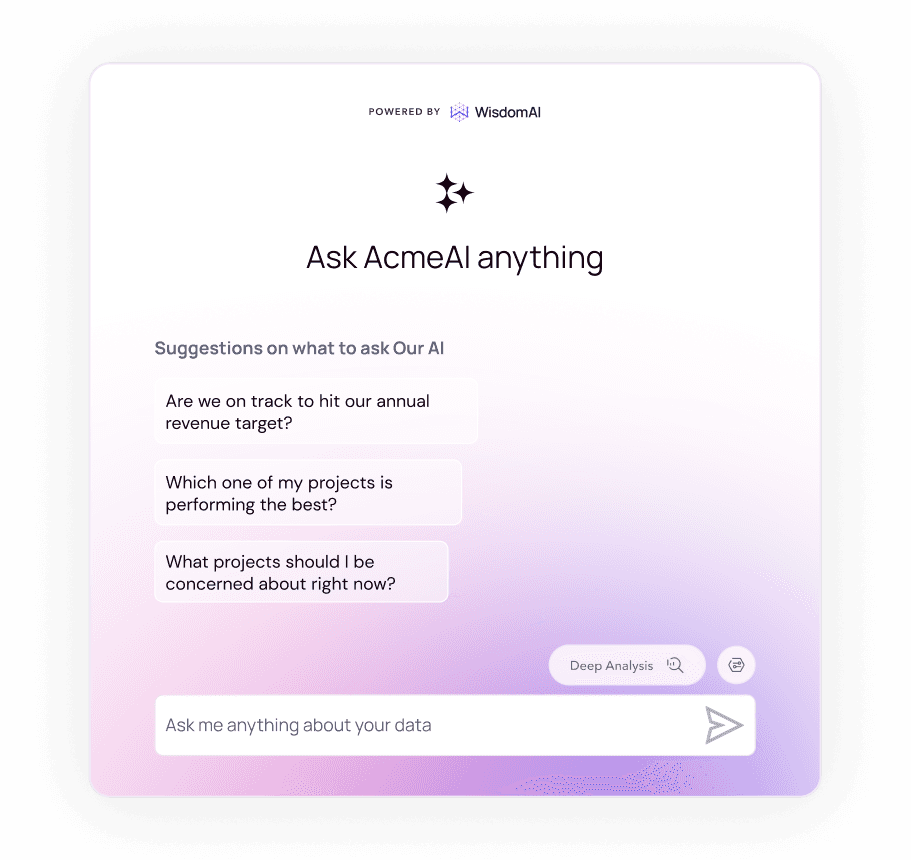
Conversational BI
Embedding conversational analytics lets your users ask questions about their business in plain language and get answers back. They can pull a number, compare it across categories, or follow up with another question to get a chart, a summary, and the reasoning behind it. Instead of filing a request or building a dashboard, you can ask a question the same way you’d ask a teammate.
Triggers and agentic workflows
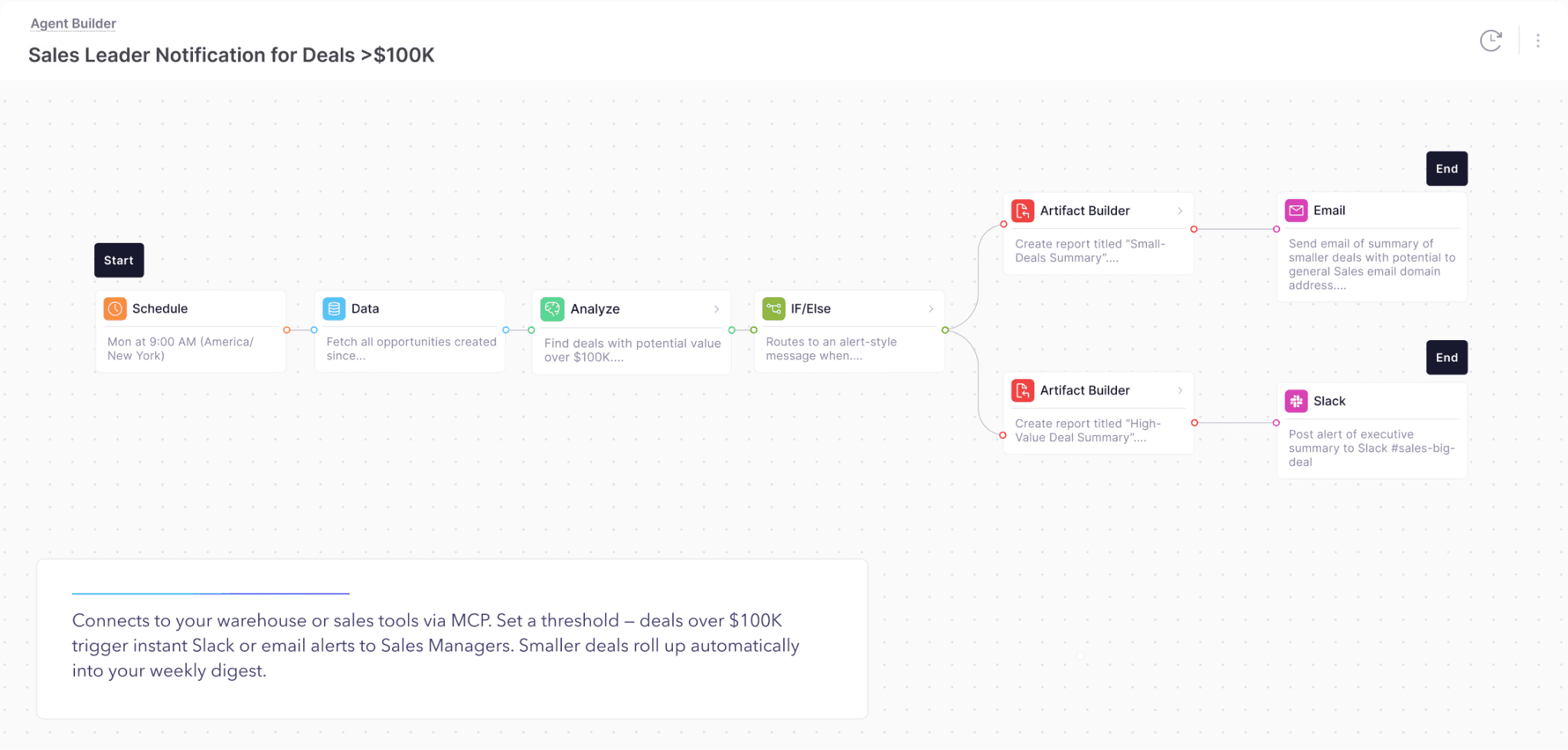
There's a lot more your customers can do than just look at their data. Embedding a full suite of AI analytics lets them set KPI triggers, build workflows around them, and hand the work over to the product when a metric crosses a threshold. Picture an alert that fires the moment payment failures spike and drops a summary in the on-call channel with the accounts to check first. All of it before anyone even opens your product.
The possibilities go a lot further: churn signals that flag at-risk accounts, threshold breaches that trigger an investigation, and Analytics Agents that run multi-step analysis end-to-end. The gap between insight and action closes inside your product.
How to monetize your data with embedded analytics?
Data monetization is the practice of turning the data your product collects into a source of revenue. That can mean selling it, packaging it into new features, or using it to reach buyers you couldn't reach before.
Here’s how embedded analytics helps enterprises do this without asking customers to leave the product or learn a new tool:
A new revenue line
When you give users something valuable they can't easily get anywhere else, they'll readily pay a premium for it.
Take a job hunting platform that already tracks applications, interviews, and offers. All of that data can become a career insights dashboard to show how a user's response rate compares to others in the same role, which resume changes correlate with more callbacks, and which companies interview candidates like them. Gate it behind a premium tier, and users who want to land that role will pay for that edge.
Providing customers with these powerful analytics tools allows your business to generate new income streams through high-value subscription plans, pay-per-use models, or other licensing strategies.
A new set of buyers
Embedded analytics can move your product into a market category it wasn't built for.
Take a customer support platform. Today, it sits in the customer support category and sells to support leads who need to close tickets fast. Bake analytics in, and the same product also belongs in the customer experience platform category. Product leaders can analyze issue clusters mapped to product areas, track resolution trends by feature, and identify the relationship between spikes in tickets and the release behind them. The same product now shows up in two categories, in front of two buying committees.
Whatever your product does today, analytics can get it in front of buyers you haven't sold to yet.
A new distribution channel
Some of your customers might be using your product to serve someone else. Embedded analytics lets you reach the businesses on the other side of them, without selling to them directly.
Say you're an operations platform for franchises and resellers. Today, one HQ signs the contract and uses your product to run the network from the top. Now, imagine you add an analytics tier that HQ passes down to every location underneath them. A pizza franchise with 200 stores gives each owner a live dashboard of their own numbers, branded as the franchise's. One contract with HQ, and now your product is in front of 200 businesses.
Every customer you close becomes a way to reach the ones you haven't.
Build vs buy: making the business case
Most product teams end up at the same crossroads: build the analytics layer yourselves, or embed a vendor's. Building sounds like the more strategic move, until you factor in the roadmap tradeoff, the maintenance load, and the months it takes to ship.
Four arguments that can help you close the build vs buy debate:
Faster time-to-market
Building analytics from scratch is a 12- to 18-month engineering commitment, and the work only compounds after launch. AI keeps raising the bar on what users expect, so you're redesigning interfaces, rebuilding query layers, and shipping new AI features just to keep the experience feeling current. Most enterprises spend millions a year just keeping their analytics layer alive.
Embedded analytics ships in four to eight weeks. Your team can use iframes, SDKs, and prebuilt components to shape a UI that matches your brand pixel for pixel, while the maintenance load stays with the vendor. Engineers stop shouldering a huge infrastructure burden and get back to the work that actually makes your product different.
Total cost of ownership
Most teams budget for the two most visible line items: engineering headcount and cloud bills. However, building a multi-tenant architecture costs considerably more than that.
You still have to license some of the components underneath the build, including a visualization library, a semantic layer, and a query optimization layer. Each one is a six-figure line item that renews every year. Security and compliance renewals follow, with the specific obligations depending on the industry you serve. Then comes the data pipeline work, which never ends, and maintenance becomes a permanent line on the P&L.
Embedding consolidates most of those line items into a single vendor contract. Since the vendor has already built the architecture and spread the cost across every customer they serve, the total cost of ownership drops significantly.
Enterprise readiness
Analytics touches your customers' most sensitive data, from revenue records to internal performance. Enterprise buyers know it, and they won't sign until you clear the compliance checks their security teams run: SOC 2, HIPAA, or GDPR where they apply, row-level security at the data layer, audit logs, along with a real incident response plan.
Established vendors in this category have cleared all of these bars already, because they've been serving enterprises for years. Enterprise readiness takes years of audit cycles, deal reviews, and a secured, governed architecture. You can't ship it in a quarter and be done with it.
A defensible moat
Without AI analytics, your product is a tool your customer uses to do a job. They come in, complete the task, and leave. Features can be copied. The workflow your customer runs their whole business through can't.
Once you build an analytical workflow, your product becomes the place where your customers actually come to do their job. They open your product to see how the team performed this week, to spot what's slipping, to decide what to prioritize next. A competitor can match your feature list, but they can't match two years of a customer's accumulated context.
Top embedded analytics use cases
Self-serve exploration for business users
Nothing pushes customers toward churn faster than filing a ticket for every question they have. Give them tools to monitor real-time data, slice it themselves, and share reports with their team, and the wait between question and answer drops from days to minutes.
Look at Blend, a mortgage platform. Their lenders were sitting on rich application data but had no way to see it in the flow of their work, and every question turned into a request routed back to Blend's data team. Blend embedded WisdomAI directly into their platform, reducing time-to-insight from days to near-instant.
Executive reporting for internal tools
Embedded analytics isn't just for customer-facing products. Your leadership team can use it too, embedded right inside the internal tools your teams already love. Instead of chasing numbers across ten dashboards and three spreadsheets, executives get a single view of the entire business.
Agentic Analytics Platforms like WisdomAI take it further by pulling in unstructured data alongside your CRM data. Sales call transcripts, support tickets, social media sentiment, and product feedback all live in the same view as pipeline and revenue. Leaders can analyze the data that usually stays buried in unread transcripts, and they act on the full picture the moment a trend shifts.
Operational alerts and monitoring for websites
Retail customers expect a flawless digital experience. If your team finds out the web checkout has been broken since noon because a customer complained, the reputational damage is already done . That's why the shift from reactive to proactive monitoring is critical.
Embedding alerts directly into web applications and portals lets you investigate anomalies the moment they surface, without switching tools. Whenever checkout conversion drops, page load times spike, or payment systems start failing, the portal catches the signal and the alert lands in your Slack or email, ready to act on.

The role of AI in embedded analytics
AI makes embedded analytics more powerful and more fragile at the same time. It summarizes dashboards, generates queries on demand, and answers your questions at speed. In a multi-tenant architecture, though, the same capabilities put new pressure on security, accuracy, and trust. Let’s take a look at both sides:
What AI makes possible
Traditional analytics forces you within a boundary. AI-powered embedded analytics gives you the freedom to make decisions at the time it matters most. Here’s how they compare:
Exports and external BI tools | AI-powered embedded analytics | |
How customers get to their data | Download a CSV or Excel file every time anyone wants to look at the data. | Ask a question in plain language and get an answer inside the app. |
Where the answer lives | In a separate tool: a spreadsheet, a BI dashboard, or another tab. | In the same app itself, where the customer is already working. |
How current the data is | Goes stale the moment it's exported. | Stays live, updating as the product does. |
Who can use it | Only the analyst who knows the tools. | Anyone with a login can ask a question and act on the answer. |
What happens with a new question | A support ticket, a data pull, or a manual rebuild. | AI shows what happened, why, and what to do next. |
The result: every insight becomes an action, without your customer switching apps to make it happen.
Three must-haves in every embedded analytics tool
The upside of AI in embedded analytics is bigger than anything traditional BI ever offered. So is the cost of getting it wrong. In a multi-tenant product, you have to consider three things:
Security has to live at the data layer
Row-level security has to be enforced where the data actually sits, not just in the dashboard on top of it. When security controls stop at the visualization layer, direct queries, APIs, and misconfigured assets all turn into accidental doors into another tenant's data. And once tenant A sees tenant B's numbers, the trust is gone.
Performance has to hold at scale
Keeping performance consistent at scale requires an embedded analytics platform with built-in query optimization, intelligent caching, adaptive resource management, and elastic scaling. Skip any of those, and one big account slows everyone else down. The other customers end up paying for that overload.
AI has to be grounded in context
Without the right AI context, the model fills in the blanks on its own, and those guesses show up as hallucinations in front of your customer. It’s important to ground every response with the customer's own metrics, definitions, and data through a shared context layer. Over time, the system should pick up how each customer talks about their business and get smarter the more they use it, without ever crossing tenant boundaries.
Ship embedded analytics your customers can trust
In-app analytics is table stakes now. But in the AI era, shipping fast isn't enough. Every answer your product gives has to be one your customers can trust, or they'll stop acting on any of them.
WisdomAI delivers that level of trust. Ship conversational BI and AI-powered dashboards in weeks—not months—ensuring every answer is grounded in the customer's own data. Security lives at the query layer, with row-level and column-level rules applied through user attributes in the JWT. Set the rules once, and every surface—Chat, Dashboards, Analytics Agents—inherits them automatically. Your product stops handing customers data to interpret and starts giving them answers they can act on.
Bring trusted AI to your product. Book a demo today.