
AI Retail Data Analytics: Turning Customer Data Into Decisions
What is AI retail data analytics, and how it moves beyond traditional reporting
How merchants, planners, and marketers can investigate their own questions without waiting on the data team
Where retailers apply AI analytics across ecommerce, inventory, merchandising, and in-store operations
PUBLISHED:
UPDATED:
For years, digital tools have been reshaping how people shop. The path that once ran from ad to aisle now runs through search, social, marketplaces, apps, and online stores. That leaves your team with more channels and touchpoints than any dashboard was built to hold.
AI retail analytics offers a smarter way to work with that data, one where a question about customers, products, or operations gets answered within seconds. Better still, AI analysts can reason through the entire customer journey and tell you what to do about it: where to move ad spend, how to price a category that isn’t moving, which loyalty cohort is quietly churning, or what’s driving a spike in returns in one region. And those are four out of the hundreds of questions your team could be asking.
Retail analytics is moving from reporting on shopper behavior to helping teams act on it while there’s still time to make a difference. This guide shows how that shift is happening.
What is AI retail data analytics?
AI retail data analytics uses machine learning, statistical methods, and predictive modeling to turn massive streams of retail data into insights your team can act on. This includes the structured sources you'd expect, like POS transactions, e-commerce sessions, and inventory movements, alongside unstructured data, such as product reviews, support conversations, and supplier agreements.
Instead of working through a fixed dashboard one filter at a time, teams can ask questions directly, follow up as new questions emerge, and keep exploring until they understand what is driving a change.
The bigger shift is toward agentic analytics. Proactive agents can continuously monitor key metrics, investigate unusual changes as they happen, and deliver the findings into the tools your team already uses. That gives retailers faster time to insight and a more current view across stores, channels, and customers, so teams can respond while a change is still small enough to influence.
Core components of AI retail data analytics
Retail analytics tools vary, but the ones that produce fast and trustworthy answers tend to share the same building blocks:
Unified customer and transaction data: Brings POS, ecommerce, loyalty, CRM, and clickstream data so you can analyze the customer journey across channels.
Unstructured data analysis: Extracts signals from product reviews, support transcripts, supplier agreements, and merchandising notes to explain the context behind changes in sales, returns, demand, and customer behavior.
Predictive modeling: Forecasts demand, flags churn risk, predicts purchase likelihood, and surfaces the behaviors that distinguish high-value customer segments.
Chat: Lets users ask questions in natural language and get answers in seconds, with the underlying tables, filters, and logic visible.
AI-powered dashboards: Build views around the question being asked and pair them with written summaries of what changed and what drove it.
AI agents: Monitor metrics continuously, investigate changes as they appear, and route findings to whoever owns the decision.
Governance and lineage: Enforces row and column-level access controls and records the sources, joins, and queries behind every result.
Traditional analytics vs AI retail analytics: Key differences
Traditional retail analytics is built to show you what happened through static dashboards, reports, and predefined metrics. It tells you conversion dropped in the Southeast last week, then hands the problem back to you. AI retail analytics is built to get you to the why, so you can dig into the drivers behind a change, see what's likely to happen next, and act sooner. Here's where the two diverge:
Traditional retail analytics | AI retail data analytics | |
Data | Primarily structured data from POS, e-commerce, CRM, loyalty, and inventory systems. | Combines structured data with unstructured sources like reviews, support transcripts, and supplier documents. |
Analysis | Explore predefined dashboards, reports, filters, and segments. | Ask in natural language, analyze against live data, and hand recurring analysis to agents. |
Speed of insight | A new question means a new report or a request to the data team, often a wait of weeks. | Answers new questions in seconds, and follow-ups continue the thread. |
User access | Anything past pre-defined views needs familiarity with BI tools, filters, or SQL for deeper analysis. | Lets merchants, marketers, planners, and store ops teams explore data through natural-language questions. |
Action | Analysis usually ends with an insight. | AI agents can reason through data, route findings, trigger workflows, or alert the person responsible for the decision. |
Role of data teams | Owns the entire chain of analysis from modeling to building new reports. | Focus on modeling, governance, and architecture while business teams handle routine exploration. |
How is AI changing retail analytics: Key areas
Connects the full omnichannel picture
Retail data is split across the entire customer journey. A shopper discovers your product through a paid ad, browses on mobile, buys it in store, contacts support about delivery, and leaves a review a week later. That's one continuous relationship with your brand, with each interaction landing in a different system.
Then there’s the context that traditional reporting often misses: product reviews explaining why an item came back, merchandising notes documenting assortment changes, or supplier agreements that help explain shifts in cost and availability.
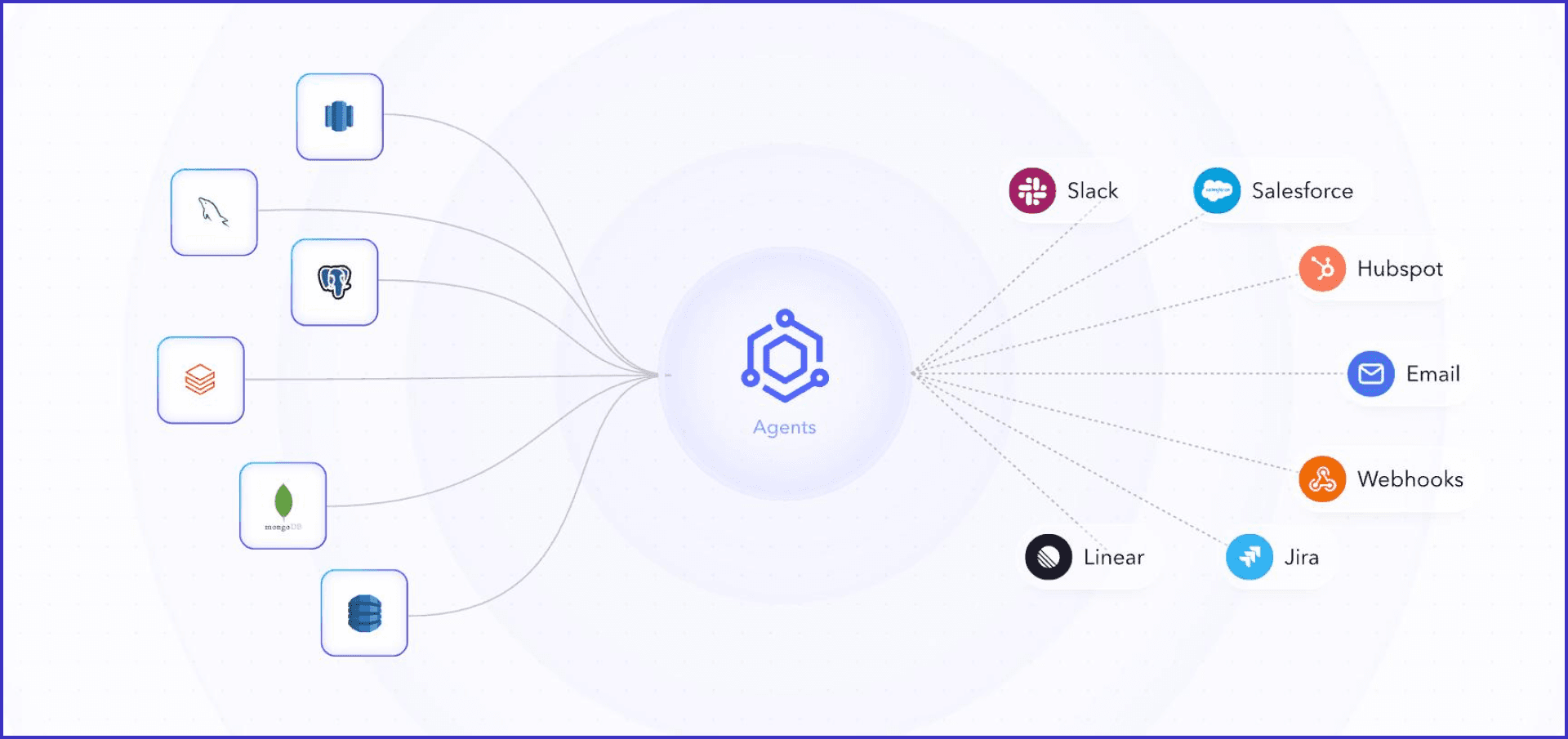
AI retail analytics brings all these signals together during the analysis. WisdomAI, for example, takes a federated approach, letting teams query data across sources without first moving everything into one centralized store. So when returns climb on a product, you can read what customers are actually saying in the reviews, check whether the complaints cluster around one batch, and trace those units back to a single supplier run.
Ultimately, teams get an omnichannel view of what the shopper experienced from first touch to repeat purchase.
Puts merchants back in the driver's seat
Merchants make decisions on assortment, allocation, pricing, and promotions every week. When a key SKU starts underperforming, another report isn't much use. What you need to know is what changed last week so you can adjust the next allocation run.
Conversational BI closes that distance. A merchant can ask why sales dropped, break it down by store, channel, promotion, or customer segment, then narrow further: price, availability, demand, or product mix.
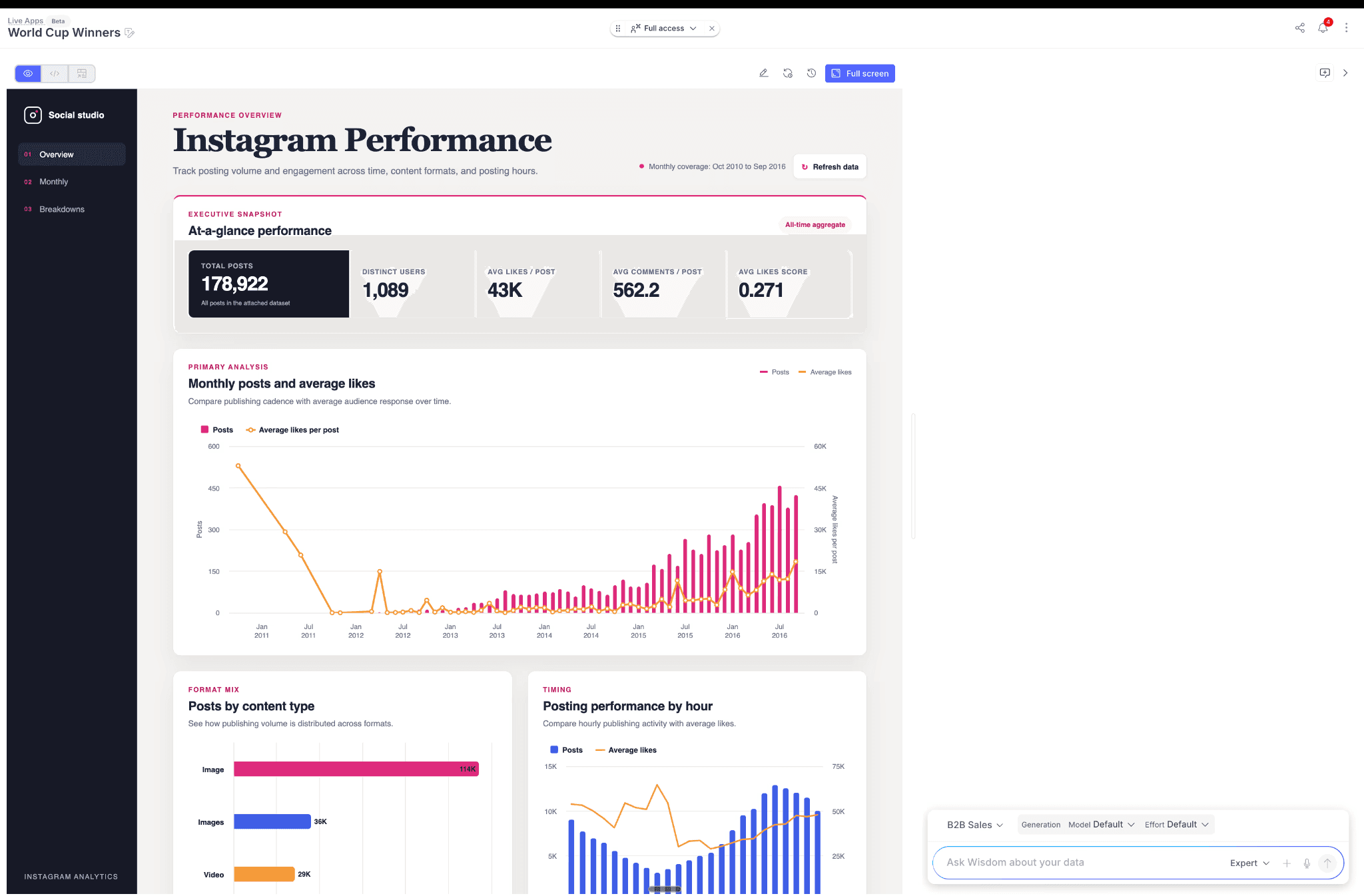
WisdomAI's Chat works this way. A single natural-language question can run a long, open-ended analysis, while Expert mode takes on the harder ones that would normally turn into a data team ticket or a follow-up meeting.
The analysis ends up with the person making the decision. A merchant can work out why a promotion missed or where an allocation went wrong, then act on it without waiting for someone else to investigate a number they already own
Surfaces key drivers instantly
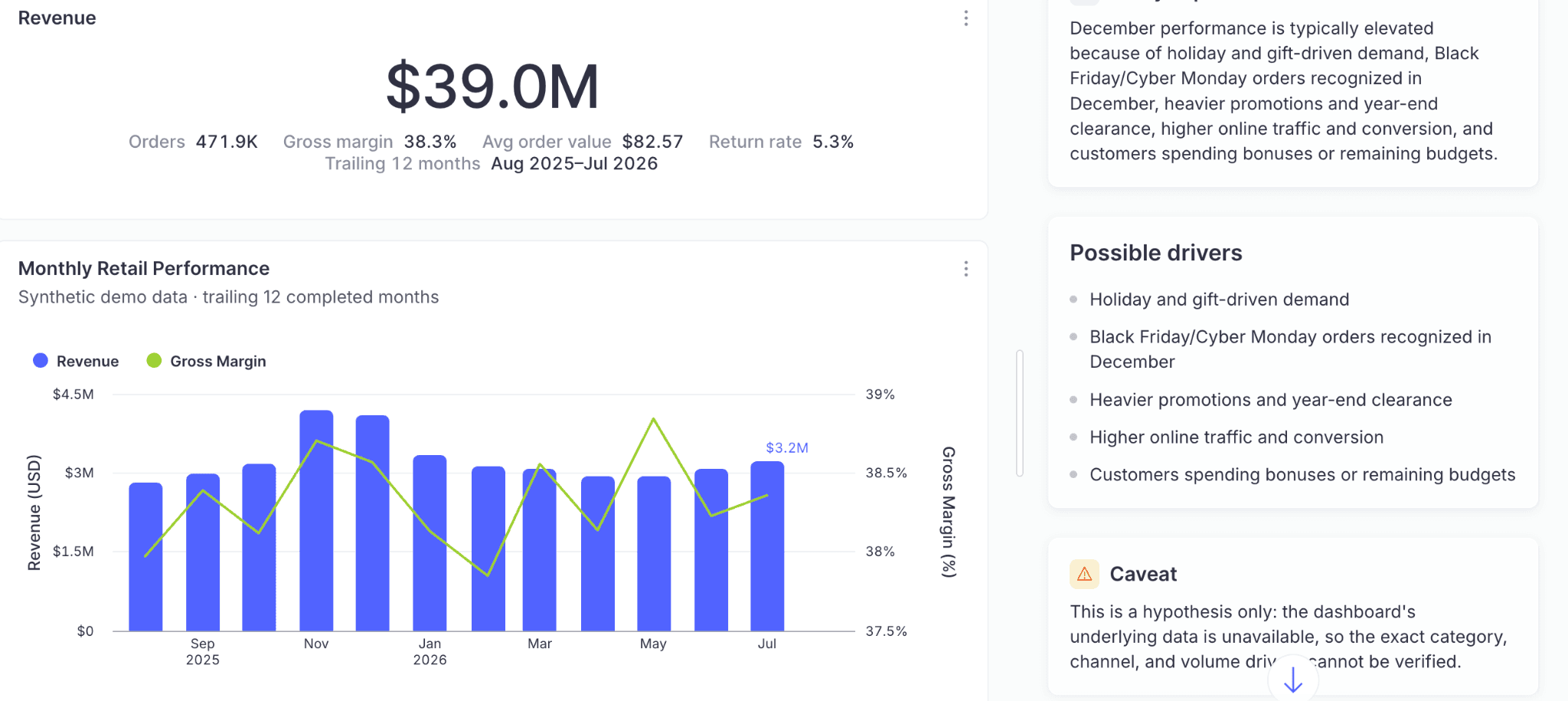
A dashboard tells you a number changed. It rarely tells you which of the 40 tiles on the page deserves your attention. AI-powered dashboards hand you the takeaway first. Every view opens with a written summary of what moved, what drove it, and which customers were involved. Instead of scanning dozens of tiles, you see that repeat purchases slipped in the Northeast and that most of the decline came from shoppers acquired through paid social.
From there, the whole loop stays in one place. You ask a question in plain language and get a dashboard built around it, drill from the headline number into the cohort behind it, and read a written summary of each view as it changes.
When analysis and visualization take minutes, a category lead walks into the Monday meeting with a recommendation, and the conversation starts with what to do next.
Moves from alert to action
Retail has always run on alerts, covering stock thresholds, margin floors, and conversion drops. The trouble is that a threshold can only tell you a line was crossed, not why it moved or who owns the decisions, so every alert creates another investigation for the data team.
Agentic analytics works the other way around. If conversion drops 12% overnight, an agent can trace the decline to mobile traffic from a specific campaign, identify a landing-page slowdown after a recent release, and determine which team owns the issue.
From there, it can trigger the next step based on rules you set: open a ticket for the web team, notify the channel owner, or escalate when the revenue impact crosses a threshold. The alert arrives with the cause identified, the right owner notified, and the next action already underway.

Top use case of AI retail data analytics
Website analytics
Web analytics measures how people behave across your site so you can improve performance and experience. Rather than showing every shopper the same promotion or product order, merchants can use AI analytics to find patterns in browsing history, past purchases, discount response, and inventory signals, then work out what each shopper is likely to respond to.
A shopper who regularly buys running shoes and takes free-shipping offers should be treated differently from someone who always pays full price. The same signals shape what people see on the site: a first-time visitor gets bestsellers for their location or items converting well among similar shoppers, while a returning customer gets what they've bought before and the accessories that go with it.
Testing happens quickly, too. Your team can ask which offer moved the margin for a particular cohort and adjust the campaign while it's still running.
Inventory analytics
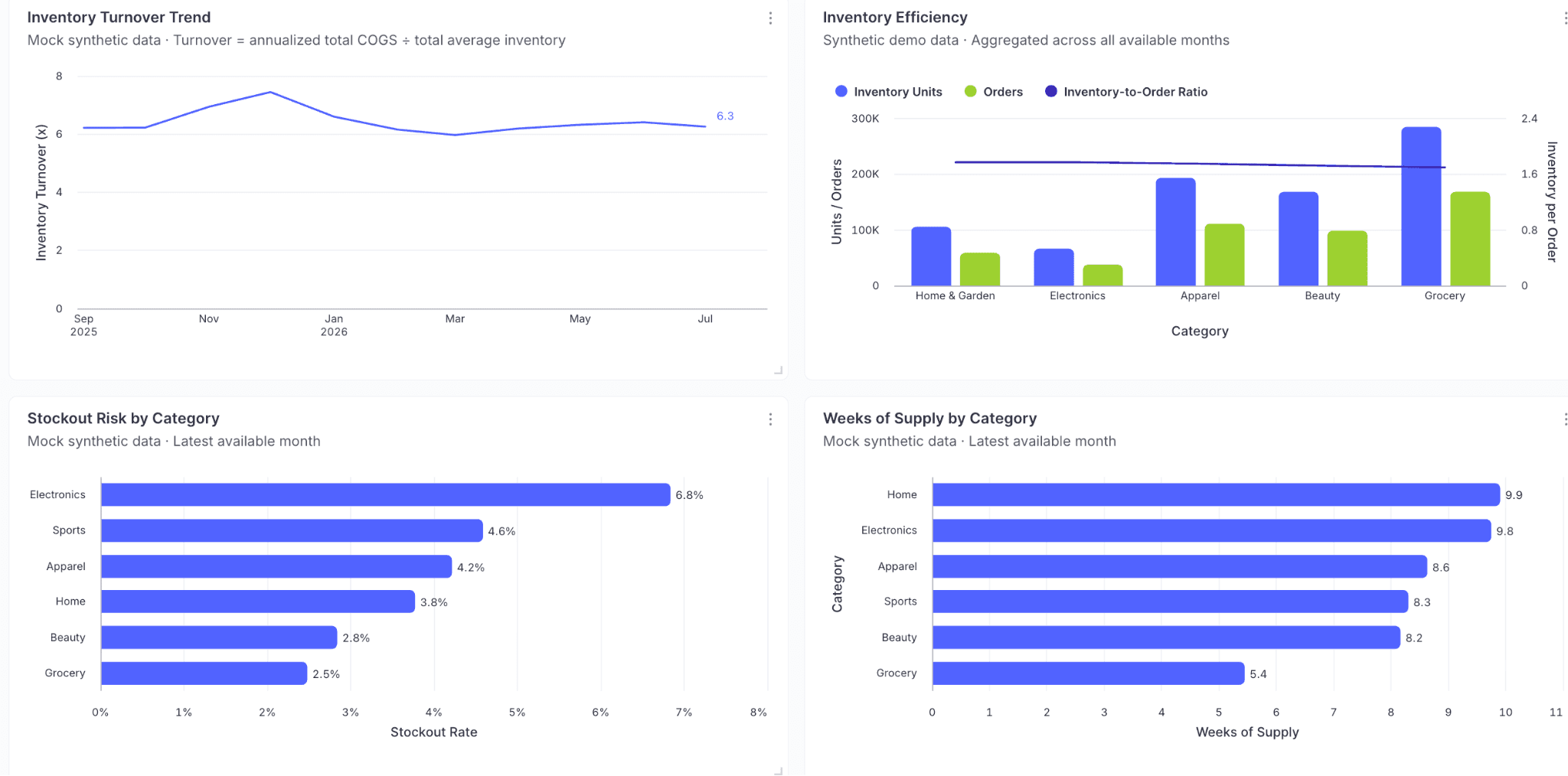
Inventory analytics helps retailers understand what they have, where it sits, and how quickly it is moving. The challenge is that most systems only flag a stockout once the shelf is already empty. By the time a size shows as unavailable, the customers who wanted it have bought it elsewhere.
Real-time analysis gives planners more room to act. They can compare sell-through against forecast by SKU, store, and channel, then drill into the locations where demand is starting to outrun supply.
That makes it possible to reorder earlier, transfer stock between stores, or adjust replenishment while there's still time for a reorder or a transfer.
In-store analytics
Online retail analytics is different from in-store. Online you see everything: what someone searched, what they compared, what they abandoned, how long they hesitated. In-store, you get the receipt. Everything that happened before it — what they picked up, what they came in for and couldn't find, whether anyone was on the floor to help — leaves no trace.
AI retail analytics narrows the gap by putting the pieces together, starting with your POS data. Transaction records hold more information about customer behavior, including what sells alongside what, whether they buy discounted items more, and how basket composition differs from a weekend to a weekday.
Bring in competitor data, and the picture gets clearer, giving you a firmer basis for the promotions and offers you can put in front of individual shoppers.
Best practices for AI retail data analytics
Roll out by data domain
Start with one business area — merchandising, e-commerce, supply chain — before expanding across the organization. Each domain has its own data, its own metric definitions, and people who know how pieces fit together, which makes it a natural boundary to work within.
Getting that context right for one domain gives AI a much better foundation for answering real questions, because a bounded scope means fewer places for a definition to drift and someone who can actually own it. Once that domain is answering reliably, you have a template for the next one.
Keep the context current as the business moves
Assortments change, fiscal calendars shift, teams reorganize, and definitions written for last year's structure stop matching how the business runs now. Agentic analytics tools rely on that context to interpret questions correctly. If definitions, ownership, or business rules go stale, the AI can give an answer that looks convincing but is built on the wrong assumptions.
Treat context as something someone owns and reviews on a schedule, not as a setup step. And give users an easy way to flag an answer that looks wrong, so the correction gets encoded once and applies to every question that follows.
Test against answers the business already trusts
Before opening AI analytics to a wider group, run it against questions where you already know the answer. Take a recent sales report or margin analysis and ask the AI to reproduce it.
If the numbers differ, you have something concrete to debug: the metric definition, source table, filter, join, or business rule. It is much easier to earn trust when teams see the system consistently agree with analyses they already rely on.
Educate users beyond the first use case
Most people stop at the first thing that works, out of habit. A supplier who learns they can ask a question in plain language will keep using the tool that way. What they may never discover is that the same platform can monitor that metric continuously.
So onboarding should cover the full range of what the tool can do. Show users how to ask and refine questions, but also how to set up recurring analysis, follow key metrics, and use agents to carry open-ended explorations.
Choose a tool with built-in observability
Speed counts for little if users can't tell where an answer came from. When AI says margin fell because promotional sales increased, you should be able to see the data, filters, definitions, and logic behind that conclusion.
Good observability makes that trail visible. If something looks wrong, your data team has a clear path to find whether the problem sits in the source data, business logic, or AI interpretation.
Winning with agentic analytics in retail
The next generation of AI retail analytics is moving past dashboards to on-demand answers. These tools connect your data, reason through enterprise context, and trigger the right action at scale, so your entire team can find answers without going back to the dreaded queue.
WisdomAI makes retail analytics actionable. It reads across POS, e-commerce, loyalty, inventory, and supplier data, applies the definitions your teams already use, and lets merchants, planners, and marketers ask their own questions. Analytics Agents handle the rest, monitoring data continuously and pushing insights — anomaly alerts, scheduled digests, threshold notifications — into the tools your team already uses.
Give your users the experience they deserve. Book a demo today.