
What is Business Intelligence? A 2026 Guide to AI-Powered BI
What is business intelligence, and how did the traditional BI pipeline work?
Why does AI raise the stakes on accuracy and trust in modern BI?
Which type of BI fits your team: traditional, self-service, Gen BI, or embedded?
How do you launch AI-powered BI the right way?
PUBLISHED:
UPDATED:
On a Reddit thread, a data practitioner recently asked whether users are actually moving from dashboards to conversational BI. It's the kind of question that says a lot about where the industry is right now. We aren't debating what business intelligence (BI) is anymore; we're discussing how we should be using it.
The core of BI hasn't changed: it's still about getting the right insight to the right person so they can make a decision. What's changing is the distance between the two. Traditional BI put a dashboard, a ticket queue, and often, an analyst between a question and an answer. AI-powered dashboards and natural language querying are shrinking that gap. Now, you can simply ask, get an answer, and move into decision mode.
If you're wondering how BI is changing and which parts of it AI is reshaping, here's the full picture.
What is business intelligence (BI)?
Business intelligence is the practice of turning raw data into insights you can act on. It covers the complete analytics lifecycle: collecting, organizing, and analyzing your data so you can actually use it. Whether you're looking at a live dashboard, reading a report, or getting an answer, BI gives you the clarity you need to make the right call.
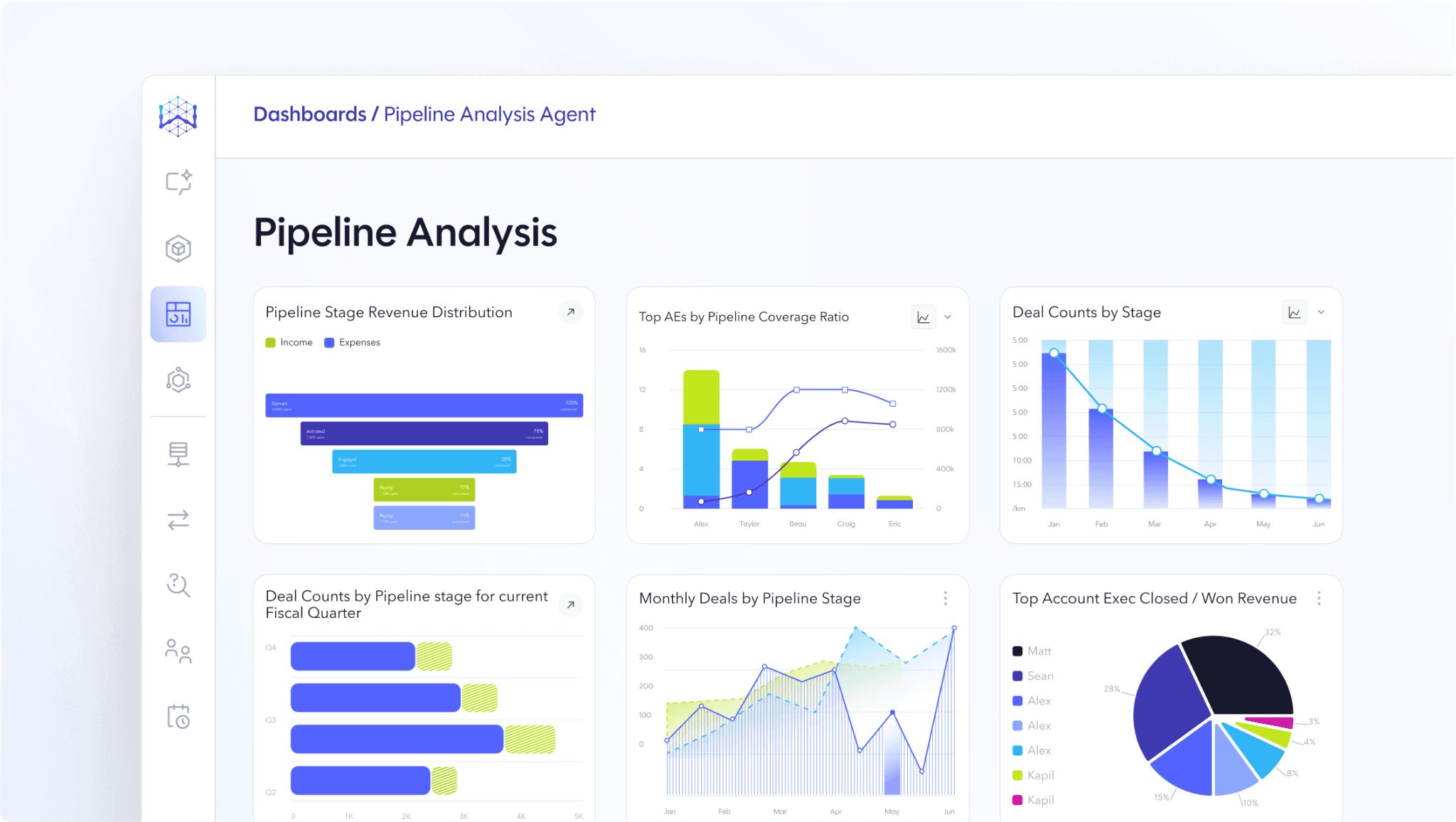
Consider a familiar scenario. The VP of sales wants to know why a quarter is falling behind. The answer lies across three systems: the CRM has the pipeline data, the marketing platform has the lead sources, and the finance system has the closed revenue. None of these systems alone can explain the miss.
BI is what connects those dots. The data from all three systems flows into a central warehouse where it is cleaned and matched. From there, the pipeline analysis shows that deals from one lead source are closing at half their usual rate, and they happen to be concentrated in one region. Armed with that picture, you can deploy a targeted fix.
How does business intelligence work?
The BI pipeline is how your data is collected, made trustworthy, and delivered back to you as an insight you can act on. It happens in four stages:
1. Data collection
BI tools start by pulling in fragmented data from everywhere the business operates. That means collecting data from your CRMs, ERPs, product databases, marketing platforms, and spreadsheets. Each system holds its own piece of the truth, and the tool's first job is bringing those pieces into one place.
2. Storage and preparation
These fragments get centralized, typically in a data warehouse or data lake, and cleaned along the way. Your data team removes duplicates, standardizes formats, and corrects errors. This is also the stage where you sit down with stakeholders to define business terms, like what "cash flow" or "burn rate" actually means. The outcome is a single source of truth, where the data is complete, consistent, and ready for analysis.
3. Analysis
Once the data is cleaned and transformed, the analysis begins. Analysts run queries, write code, and apply statistical models to find patterns, track trends, and compare performance across the business. Traditionally, that work belonged to the data team alone, and each question meant a request, a queue, and a wait that could stretch to weeks. Now, AI/ML techniques can run investigations in minutes, surfacing underlying patterns and even recommending next steps.
4. Presentation and action
Analysis is only useful if it reaches the person who has to act on it, in a form they can actually use. With BI tools, insights get delivered as dashboards, reports, alerts, or direct answers, each matched to the audience. Executives see strategic KPIs at a glance, operations teams watch real-time metrics, and now anyone can simply ask their question and get an answer.
Why AI raises the stakes on accuracy and trust
The four stages have held up for twenty years, but AI is finally changing them. The old model required data to be extracted, moved, and remodeled into a warehouse before anyone could ask a question. Federation removes that step entirely: it creates a virtual layer over your existing sources and queries them where they already live, so nothing has to move to be usable. That's what lets AI agents reason across warehouses, lakes, and operational systems in real time. Now the work that once required a ticket to the data team happens the moment someone asks a question.
But that speed comes with a new problem. When analysts wrote the queries, they carried enterprise context in their heads. They knew which tables to trust, which definitions applied, and which records to filter out. AI has none of those instincts. Ask it about "cash flow," and it will confidently pick a table and hand back a number, whether or not it matches your intent.
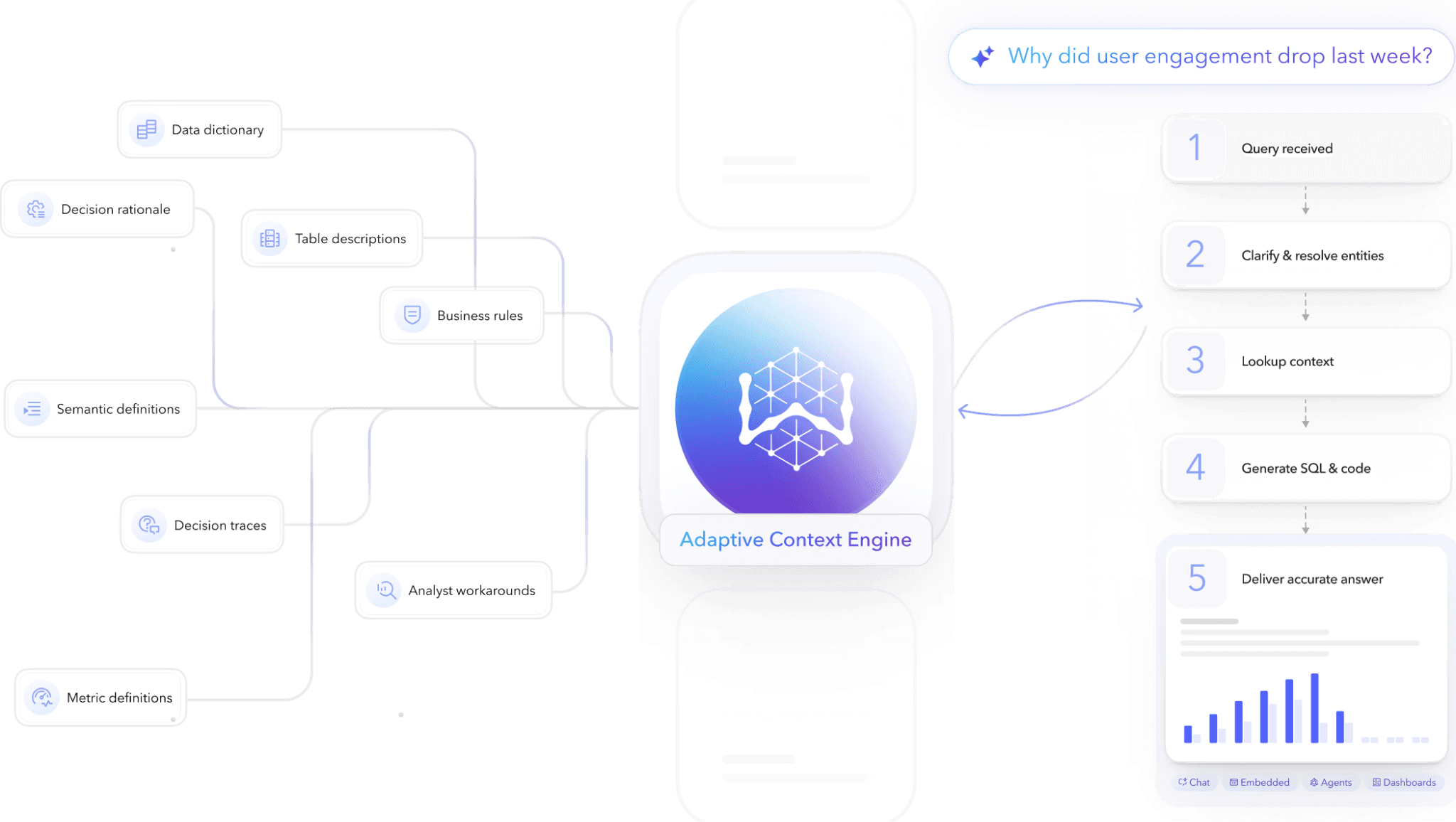
That's why AI-powered BI depends on a governed context: a layer between the model and the raw data that encodes what things mean and grounds every answer in your business logic. Semantic layers formalize definitions and metrics, but they stop at the surface. They can't tell AI which table it should extract from, which definition to use, or which records to filter out.
An Adaptive Context Engine like WisdomAI's captures the business rules, access controls, and quality signals that used to live only in analysts' heads. That's what lets your AI Analyst answer a question with the same judgment an experienced analyst would apply.
In effect, the data stack as we know it is collapsing. What matters now isn't how many layers sit between your data and your users, but making sure every AI answer is grounded in what the business actually means. Context, not infrastructure, is the new foundation.
Which type of BI is right for your team?
BI comes in four main flavors, and choosing the right one depends on two things: who's asking the questions, and how much freedom they need to explore. A compliance team consuming fixed monthly reports and a product manager investigating an unexpected drop need very different tools. Let's compare them so you can see which fits your team:
Traditional BI
This is the classic model most of us grew up on. A central data team owns the entire pipeline. They model the data, build the reports, and publish dashboards on a set schedule. You consume the weekly or monthly reports, and anything new — a different cut of the data, an unfamiliar question — goes straight into the ticket queue.
Traditional BI delivers consistency and control, which is why heavily regulated industries still lean on it. The tradeoff is speed: the answer you need next week arrives next quarter.
Self-service BI
Self-service BI hands business users an ensemble of tools and platforms that allow them to perform quick data analyses without requiring a deep technical understanding of the subject. Analysts still model and govern the data, but instead of requesting a report, you can explore those datasets yourself through drag-and-drop interfaces, drill-downs, and interactive visuals.
WisdomAI's AI dashboards are a good example. You can rearrange and adjust visuals with drag-and-drop ease, and drill into any point on any chart to ask why it looks that way. Every KPI and visualization becomes an insight discovery point.
Gen BI
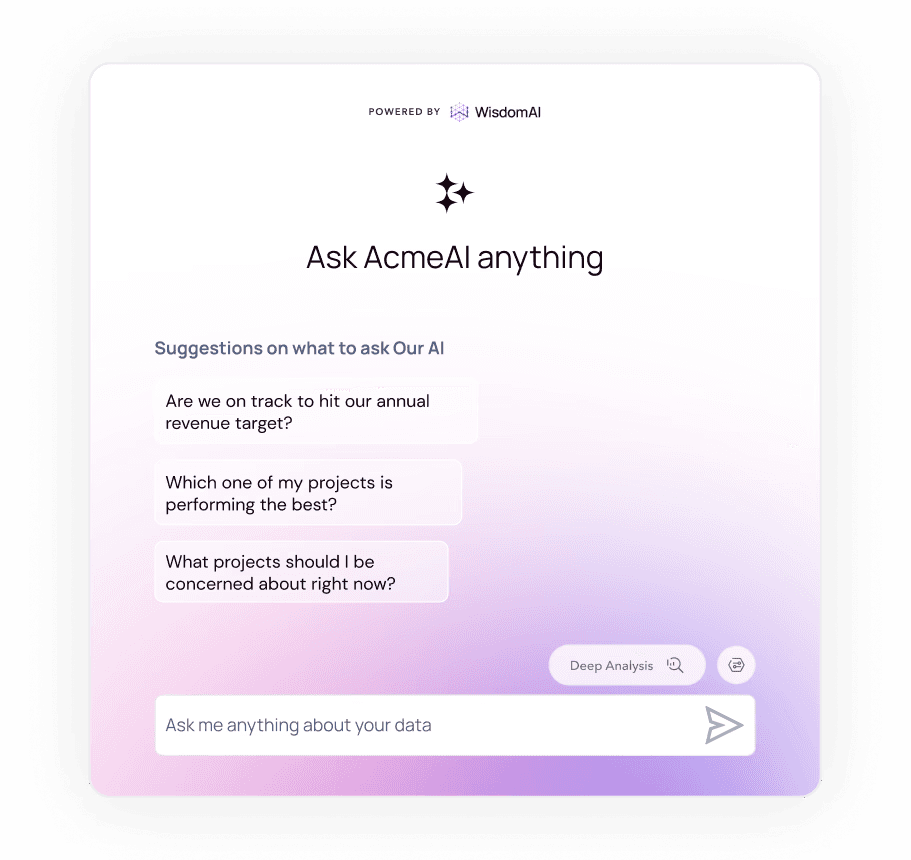
Gen BI, or conversational BI as we call it, lets you interact with data through natural language. You can ask a question the way you'd ask a colleague, and AI returns an answer, usually with supporting charts and the reasoning behind it.
What separates a good platform from the basic ones is what happens after that first answer. Ask "When did our customers from North Carolina churn?" and most analytics tools stop at the first number. A good one shows you why it changed, which segments drove it, and what's worth looking at next. One question starts the whole conversation.
Embedded BI
Embedded BI puts insights inside the tools people already use, rather than making them switch to a separate analytics app. You can either offer analytics to your customers inside your own product, or bring insights into the internal tools your teams live in. Either way, the insight shows up where the work happens, which is often the difference between a number that gets seen and a number that gets acted on.
How does AI change the way we consume BI?
The data community consensus has long been that AI will completely change how we look at data. Half of that is right. You can now ask a question and get an answer. However, an instant answer isn't the same as a useful one. Whether it's relevant to your role, how deep you can go, and what it surfaces on its own — that's where BI is actually being rewritten. Let's see the three ways AI is reshaping BI:
Personalized experiences
A traditional dashboard is a communal object: everyone looks at the same chart, tailored at best to a department. The regional ops manager and the CFO are staring at the same tiles, and neither is seeing the cut of the data they actually need.
Conversational BI produces answers shaped to the person asking: your role, region, and level of detail. You ask your version of the question, while your colleagues ask theirs, and each gets a thread you can pull as deep as you need. The analysis adapts to you, instead of you adapting to your BI tool.
Look at Descope. Their commercial and enterprise sales teams run different cycles in different market segments, which under a traditional setup would mean two sets of custom dashboards. With WisdomAI, each team simply asks its own questions and gets answers shaped to its own motion. They now spend 90% less time creating reports and get insights 5x faster.
Insights where you work
Traditional BI assumes you’d log into the tool, check the dashboard, notice the dip, and do the analysis yourself. Every question meant switching tools, and learning every new BI tool meant more training.
AI-powered BI flips this. Insights arrive where the work gets done. An anomaly alert lands in your Slack, a pipeline summary arrives before the Monday standup, and the answer to "how did the campaign do" arrives inside the channel where the campaign team lives. Consumption shifts from pull to push.
Take Blend as an example. Every ad-hoc request for deeper insights went through Blend's CSMs and product data teams, so a question about loan-officer-level profitability or pull-through rates could take 7 days or more to answer. Embedding analytics directly into their platform changed that. Lenders now ask questions and get answers immediately. Instead of waiting on a report, they ask, see, and act in the same flow.
The analyst moves from answering to governing
When the ticket queue shrinks, data teams reclaim their time for the work that actually matters. Instead of answering one-off requests, they can focus on building the context engine that powers accurate answers — mapping trusted data, deprecating old tables, codifying business logic, and drawing clear lines between the business and the numbers.
Providing context and insight has always been the true mark of a great analyst. And now that judgement can be applied to govern the intelligence: defining access, setting guardrails, and shaping how the organization interprets AI insights.
Learn more about the emerging role of the AI Context Engineer.
How are teams using modern BI to make smarter decisions?
Saving at-risk accounts
Say a renewal call with a client is next week, and the account has gone quiet. The story of why is out there, but it's scattered across systems, and pulling it together means filing a data request that won't come back before the call. So you walk in with a hunch, only to learn mid-meeting that the champion left and two teams stopped logging in months ago. At that point, the only save left is a discount.
With conversational BI, the analysis happens well before the meeting. You know how usage has trended, which teams went quiet, and what changed when they did. If the drop traces back to a broken integration, the save becomes a fix and a re-onboarding instead of a price cut.
Monitoring supplier risk automatically
Procurement teams have a tough gig. They have to juggle hundreds of suppliers, go through contract details, and detect risk signals across them, which is just impossible for a human to do consistently.
Arm's procurement team solved it with conversational BI and then moved to Analytics Agents. Take supplier risk as one example. Their team programmed agents with a simple condition: flag any supplier where total spend exceeds $10 million. The agents fetch publicly available risk signals, filter for what's actually actionable, and route only the relevant findings to the teams who need to act. No one runs a report. They get risk signals instantly.
Fixing campaigns while they're still running
The classic marketing rhythm is launch, wait, and then take action. By the time you realize a campaign is underperforming, the budget is already spent.
AI-powered BI allows you to fix the campaign while it’s still running. If your cost per lead is creeping up, you don't wait for an end-of-month report. You can simply start by comparing performance and see which channel is causing the spike. Instantly, you might notice a specific audience segment is quietly burning through ad spend. Now, you can take action on the spot by pausing the underperforming segment and shifting budget to the channel that drives deals.
How to bring AI-powered BI into your org?
Every failed AI-BI rollout follows the same script: buy the tool, connect it to the warehouse, announce it in all-hands, watch usage spike for two weeks, and die. If you want your BI programs to thrive, you have to get it right from the start. Here’s a matrix you should follow:
Phase 1: Prepare | Phase 2: Pilot | Phase 3: Scale | |
Key actions | Round up the 20 questions your business actually asks, get that data in shape, and build your context layer. | Roll the system out to a single team. Have them run it in parallel with their legacy reports to verify accuracy. | Expand to adjacent teams, establish role-based access, and assign a dedicated owner to maintain data definitions. |
Who owns it | Your data team | Data team plus the pilot team's lead | Data team governs, and business teams do their analysis. |
Success signal | All 20 core questions have trusted definitions and easily accessible data. | The pilot team successfully answers their own ad-hoc questions without filing data tickets. | Automated answers are trusted, and complex questions are routed for human review. |
Watch out for | Stalling the rollout until the data is perfect, or building a context layer that nobody is responsible for maintaining. | Running "sandbox" pilots with no real business stakes and ignoring mismatches between old and new reports. | Expansion outpacing data governance and measuring vanity metrics instead of actual business impact. |
By moving methodically from preparation to pilot to scale, you fundamentally change how your organization operates. Your data team stops functioning as a human API for SQL queries and steps into a true context management role. Meanwhile, business teams stop waiting on tickets and start acting on real-time insights.
Making this shift is exactly what semiconductor giant Arm needed. Their team was drowning in report requests because Power BI's static dashboards couldn't keep up with what users actually wanted to ask. Here's how they got out of the backlog:
Drive outcomes with AI that knows your business
The goal isn't just to adopt AI. It's to give your teams the foundation to trust every answer they get from it.
WisdomAI’s Agentic Analytics Platform grounds every question in your business logic, so the insights aren't just fast — they're relevant to your role and ready to act on. And unlike most BI that give you an answer without showing their work, every insight is traceable. You can see which data it queried, which logic it applied, and how it got there. That's what makes AI reliable at scale.
Book a demo and start building the foundation your teams need for smarter, faster decision-making.