BI Tools Comparison
How to Evaluate and Pick the Right Agentic Analytics Tool?
Top agentic analytics tools reviewed and compared. See what "agentic" means, how leading platforms stack up, and what to look for before you commit.
Agentic analytics tools
Agentic analytics tools
agentic-analytics-tools
agentic-analytics
Agentic analytics
Gartner projects that 60% of organizations will add AI agents to their workflows. But what does this mean for your analytical workflows? Conversational BI? A chatbot that spins up dashboards? Or something that entirely changes how your team works?
This guide answers all your questions. We define what makes an analytics tool genuinely agentic, evaluate the top platforms, and tell you what to look for before you commit.
What makes an analytics tool actually agentic?
Agentic analytics is a goal-oriented system built on autonomous AI agents that reason over your data, continuously monitor metrics, and surface insights before you even need to ask.
Say enterprise churn spikes 12% in Q3. An agentic system catches it, traces it to a specific account segment, and tells your team what happened without you having to open a dashboard. Here are the five capabilities that separate an agentic analytics platform from a BI tool with a chatbot bolted on:
Data source connectivity: Handles structured tables, semi-structured logs, and unstructured content in one place. This includes diverse formats such as text, audio, images, and video, enabling comprehensive analytics.
Natural language querying: Goes beyond a single question and a chart. Mature tools understand follow-up context, time-based comparisons, and geospatial framing—with explanations and customizations that help you understand your data.
Automated insights: Proactively scans for patterns, anomalies, and trends and explains what they found in plain language. AI Analysts give you a running summary of what's happening inside the business.
Agent workflow orchestration: Manages multi-step tasks autonomously, including sequencing decisions, error recovery, and adjustments as new data comes in. Your team doesn't have to map out every step.
Data preparation: Explores unfamiliar data structures, fixes quality issues, and suggests meaningful joins without waiting for clean, pre-modeled inputs. For most enterprise teams, this is where analysts save the most time.
With this framework in place, let’s understand how leading platforms stack up.
7 best agentic analytics tools at a glance
Tool | Key features | AI and automation | Pricing |
|---|---|---|---|
WisdomAI | Autonomous agents connect, reason over, and act on structured and unstructured data with governed context | Multi-step autonomous analysis across all data types. | Custom. |
Tableau | Visualization-first platform expanding into agentic analytics with Tableau Next. | Tableau Agent and Tableau+ for natural language querying. | From $35/user/month. |
ThoughtSpot | Search-driven BI with AI agents that assist analysis and surface proactive insights. | Natural language search and AI-assisted insight generation. | From $50/user/month. |
Power BI | Deep Microsoft integration with Copilot assistance and AutoML via Azure. | Copilot, AutoML, and Smart Narratives for natural language querying | From $24/user/month. |
Tellius | Combines natural language search and AutoML in one platform. | Kaiya agent, AutoML, and AI summaries. | Custom. |
AWS Quicksight | Native AWS BI with agentic capabilities through Q and QuickSight automation. | AI Assistant Q with Quick Automate. | Varies by role and plan. |
Qlik Sense | Associative engine that surfaces cross-data relationships. | Natural language search and application automation. | From $20/ user/month |
Let's break down each tool in detail:
1. WisdomAI: Best for agentic intelligence across all your data
WisdomAI solves BI's last-mile problem: turning insight into action.
Analytics Agents connect to every data source and reason through complex questions step by step, the way an analyst would. You can ask a question, follow up, generate visualizations, set thresholds, and detect anomalies without switching tools or rebuilding queries from scratch.
Unlike most AI tools that operate as a black box, you can inspect every step of the agent's reasoning, adjust the plan mid-analysis, and re-run it. The Adaptive Context Engine is what makes every answer trustworthy. It captures your business rules, semantic relationships, and institutional knowledge—so agents don't have to fill the gaps with assumptions. They know exactly how your organization works.
The agent monitors, investigates, and explains. You decide what happens next.
Key agentic analytics features:
Multi-step autonomous agents: Handles complex analysis, such as tracing a metric drop to its root cause, comparing performance, and compiling findings into a report, without you having to orchestrate every step.
Governed context layer: Codifies your metric definitions, business rules, and team-specific logic so answers are grounded in how your organization actually measures things.
Unstructured data analysis: Pulls data from text, audio, images, and documents in the same analysis, so your agents aren't working with half the picture.
Human-in-the-loop controls: You're not locked out of the process. You can pause an agent mid-analysis, inspect its reasoning, and override a decision.
Pros
Agents work proactively; no query needed to trigger analysis.
Handles structured and unstructured data in one platform.
Adaptive Context Engine improves accuracy. Most enterprises experience 95%+ accuracy.
Cons
No published pricing; requires a sales conversation.
2. Tableau: Good for visual analytics with an emerging agentic layer
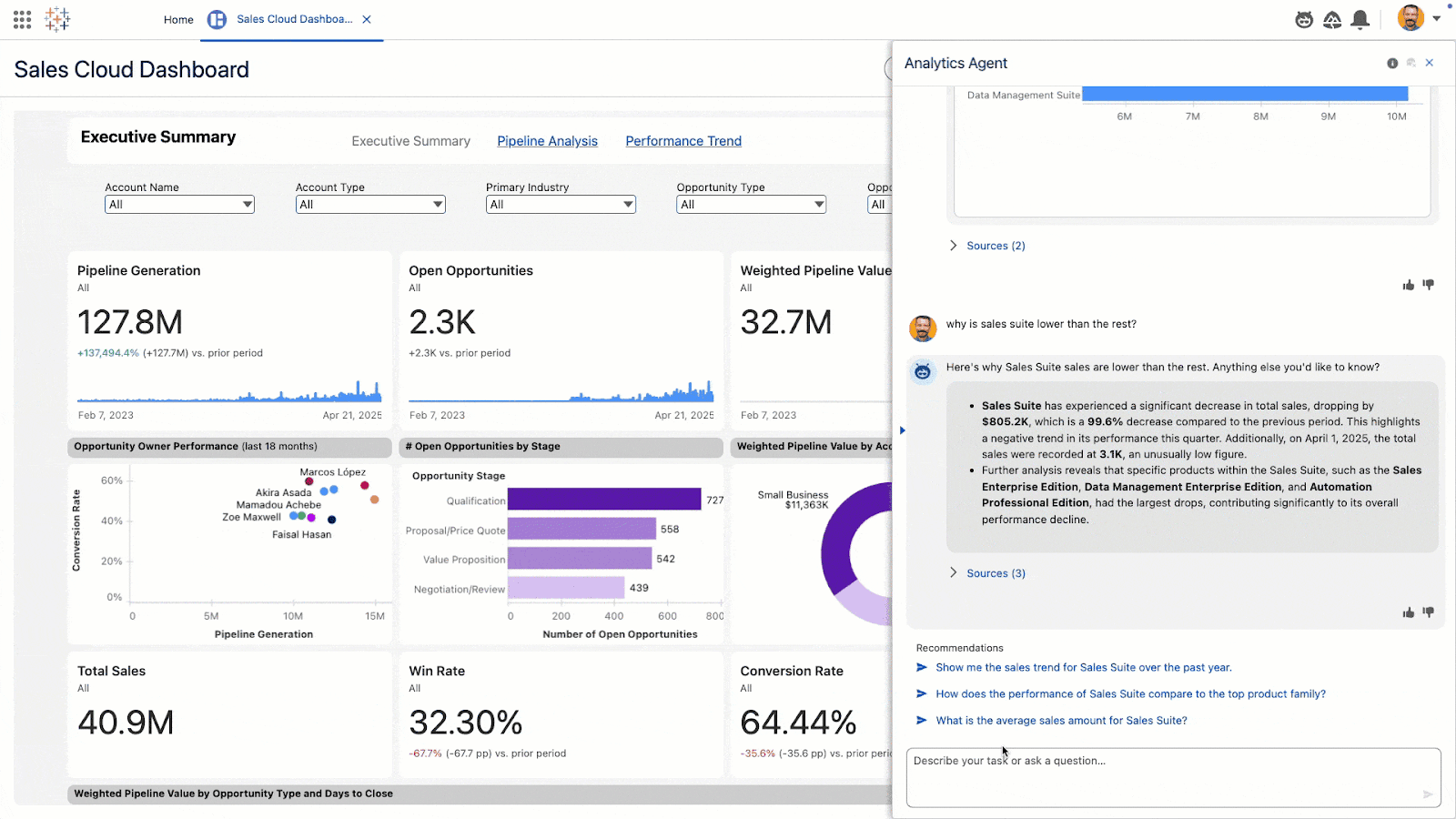
Tableau made the push towards Agentic Analytics with the ‘Tableau Next’ suite. Tableau Agent handles natural-language querying, automated data preparation, and semantic modeling across the platform.
That said, Tableau's roots are still in visualization. The agentic layer sits on top of a platform built for human-driven exploration, which means data teams still do most of the steering. There's also a product clarity problem. Einstein AI became Tableau Pulse, which is now being folded into a broader agentic vision. Each release reframes what came before, and keeping up with all the updates is becoming increasingly confusing.
Key AI features
Tableau Agent: A conversational AI layer to guide exploration.
Auto Knowledge Graph: Learns from how users interact with data over time.
MCP integration: Connects Tableau's knowledge engine to external AI agents and tools.
Pros
Visual exploration tools for complex data.
AI-assisted insights and summaries.
Large ecosystem of connectors and community resources.
Cons
Agentic features require the Tableau+ tier, not available on base plans.
Still primarily analyst-driven; business users can only do surface-level exploration.
Product direction has shifted multiple times, creating uncertainty.
3. ThoughtSpot: Good for search-driven analytics
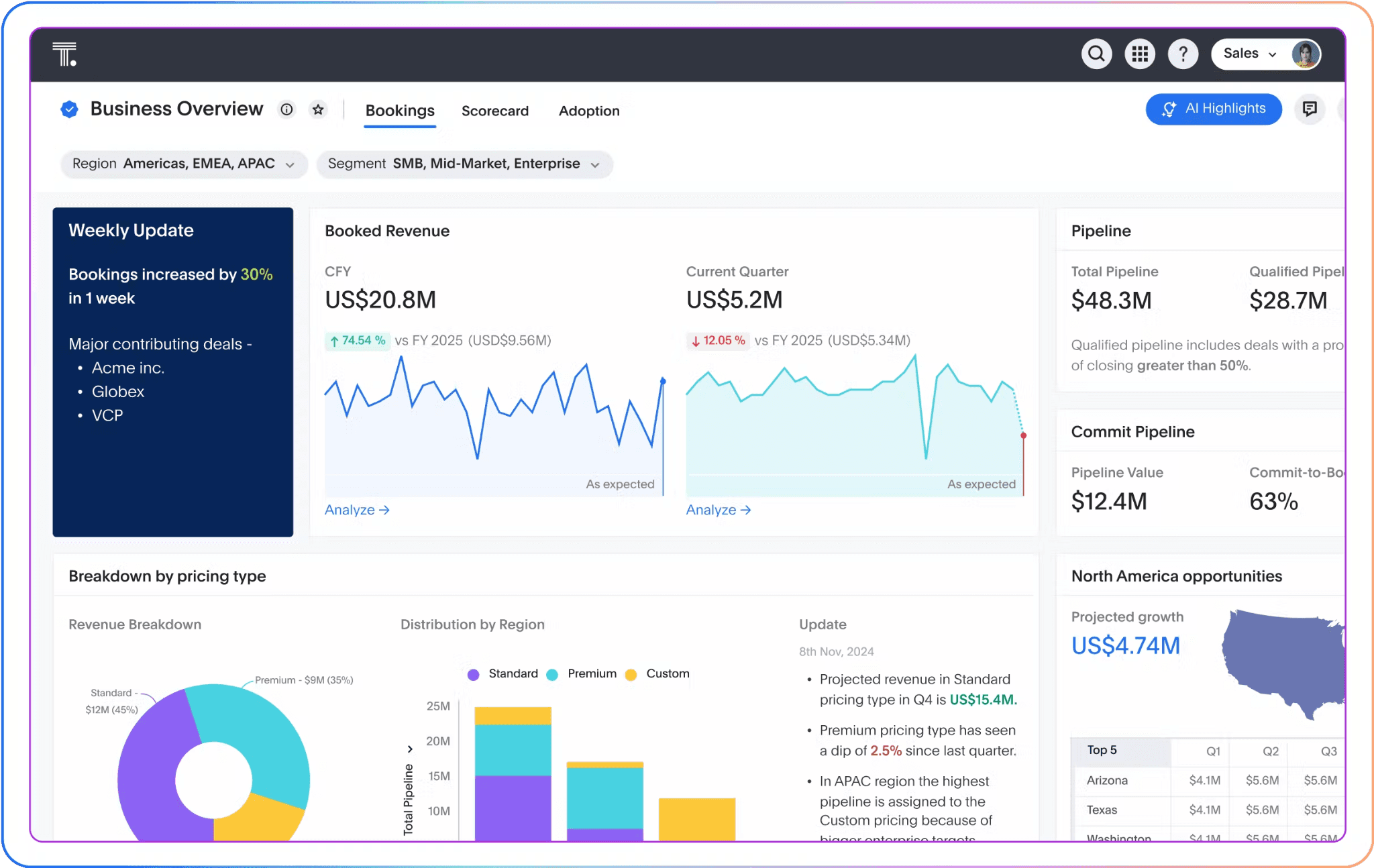
ThoughtSpot's agentic story centers on Spotter, a conversational AI assistant that answers questions via text and visuals. It has a semantic layer that routes natural language questions through deterministic SQL, reducing inconsistency across teams.
Where ThoughtSpot still falls short: it's reactive by design. Spotter responds well to your requests, but it doesn't independently monitor metrics or alert you when something shifts without being asked first.
Key AI features
Spotter AI: Conversational querying with follow-up context.
AI-powered dashboards: Auto-generates visualizations and keeps dashboards updated in real time.
Embedded analytics: Surfaces ThoughtSpot insights inside your own applications.
Pros
Search-first interface works well for teams without SQL knowledge.
Spotter AI automatically catches trends and anomalies.
Embedded analytics options for product teams.
Cons
Limited unstructured data support.
Performance tied closely to your warehouse architecture.
Licensing costs add up quickly at scale.
4. Power BI: Good for Microsoft-native teams that need AI assistance
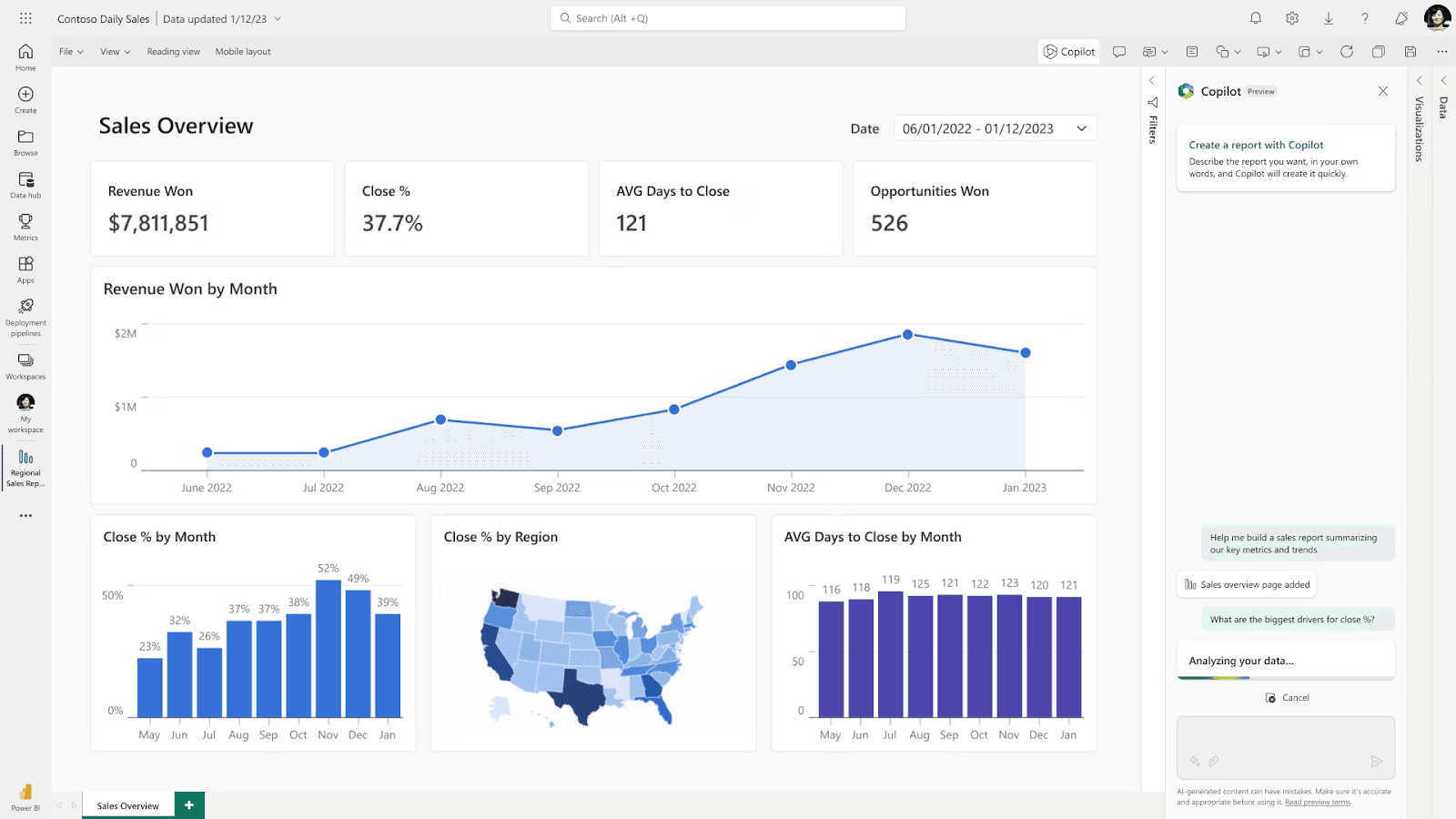
Power BI's agentic credentials are standard. Copilot can generate reports, summarize dashboards, and answer questions in natural language. AutoML via Azure adds a layer of predictive capability on top. But that’s about it.
There's no autonomous agent orchestration—no system that plans multi-step tasks or surfaces insights before you ask.
If your organization runs on the Microsoft stack and needs a BI tool with AI assistance, Power BI is a good fit. If you need agents that operate independently, it won't get you there.
Key AI features
Copilot: Generates reports and summarizes dashboards in natural language.
Smart Narratives: Automatically generates plain-language summaries of your charts and dashboards.
AutoML via Azure: Allows you to add machine learning models on top of your existing data.
Pros
Copilot lowers the barrier for non-technical users.
Broad visualization library for enterprise reporting.
Native integration with Microsoft products.
Cons
No autonomous agent orchestration.
Performance lags on large datasets without Premium capacity.
Third-party integrations outside the Microsoft ecosystem require more effort.
5. Tellius: Good for root-cause analysis
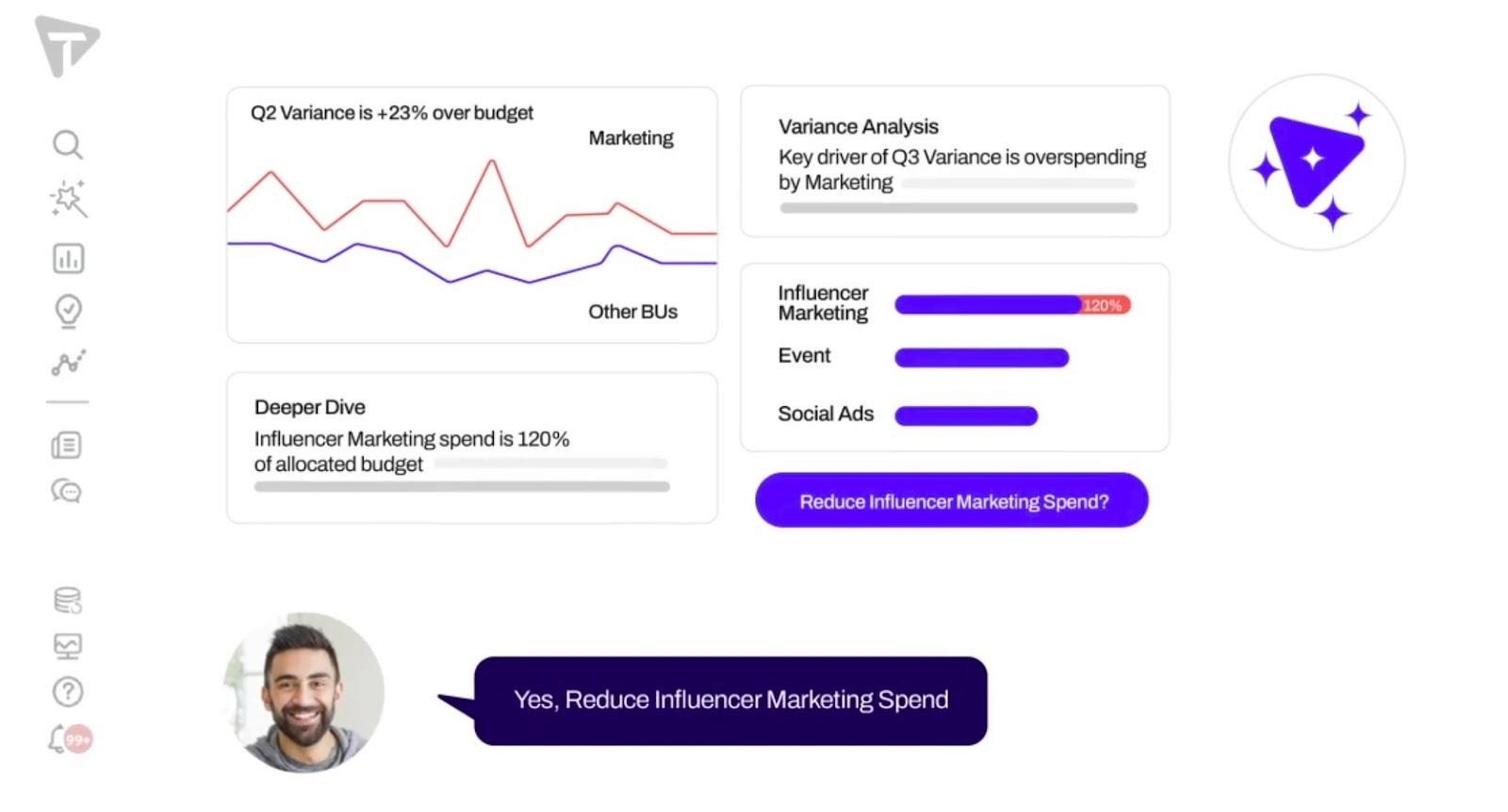
Tellius combines natural-language search, automated root-cause analysis, and AutoML. Its AI agent Kaiya generates plain-language narratives that explain what's happening inside your business and why.
The catch: Tellius is built for data scientists, not business users. Agents require significant configuration to work reliably and data integration can be inconsistent. For teams without dedicated technical resources, the setup time is a real barrier.
Key AI features:
Kaiya agent: Generates natural-language summaries and visualizations.
Data preparation: Suggests meaningful joins across your data sources.
Automated root-cause analysis: Digs into why a metric moved and delivers the findings in plain language.
Pros
Combines data prep, modeling, and visualization in one environment.
Natural language search makes data exploration accessible.
Visualization options for different analytical need.
Cons
Longer onboarding curve than most tools on this list.
Limited third party integrations.
Built for data scientists; business users will need a lot of support to get value out of it.
6. Amazon QuickSight: Good for AWS-native teams
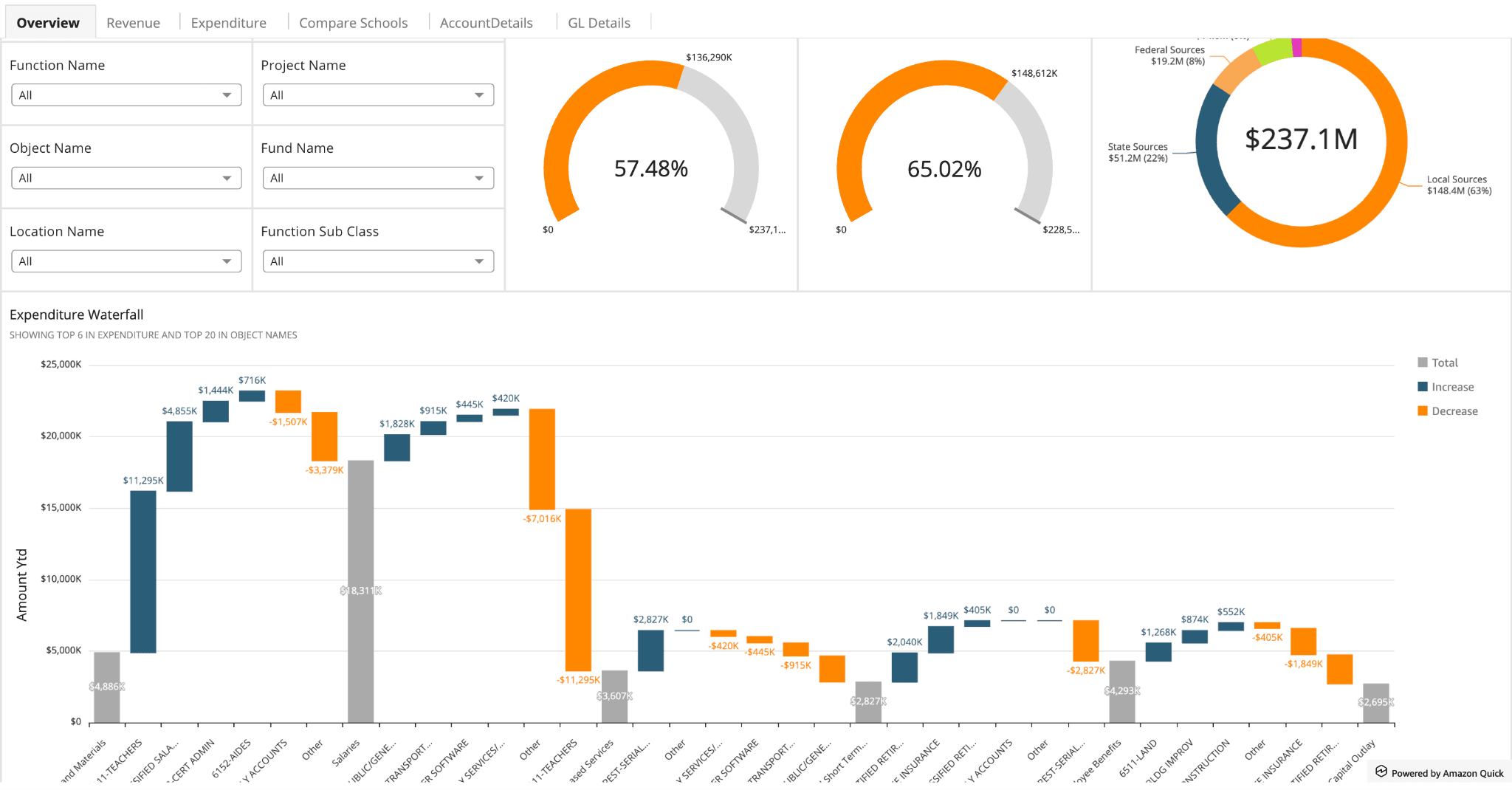
Amazon Quick is AWS's push into agentic BI, with QuickSight handling the analytics and QuickAutomate managing the workflow layer.
This agentic layer works well for straightforward tasks: pulling data, generating reports, triggering simple automations. Complex, multi-step analysis is where it shows its limits. Chaining reasoning across data sources, maintaining context across steps, answering questions that require deeper investigation—QuickSight isn't built for that yet.
If your team isn’t on AWS, the ecosystem lock-in is a real cost to factor in before you commit.
Key AI features
AI Assistant Q: Natural language querying and report generation within the AWS environment.
QuickAutomate: Build custom agent workflows that trigger actions based on data conditions.
Pros
Native AWS integration reduces setup for teams already in the ecosystem.
Pay-per-session pricing works well for occasional users.
Broad data connectivity across AWS and third-party sources.
Cons
Complex, multi-step analysis is limited compared with purpose-built agentic tools.
AI setup is more complex than competitors.
Advanced use cases are difficult to solve.
7. Qlik Sense: Good for data exploration
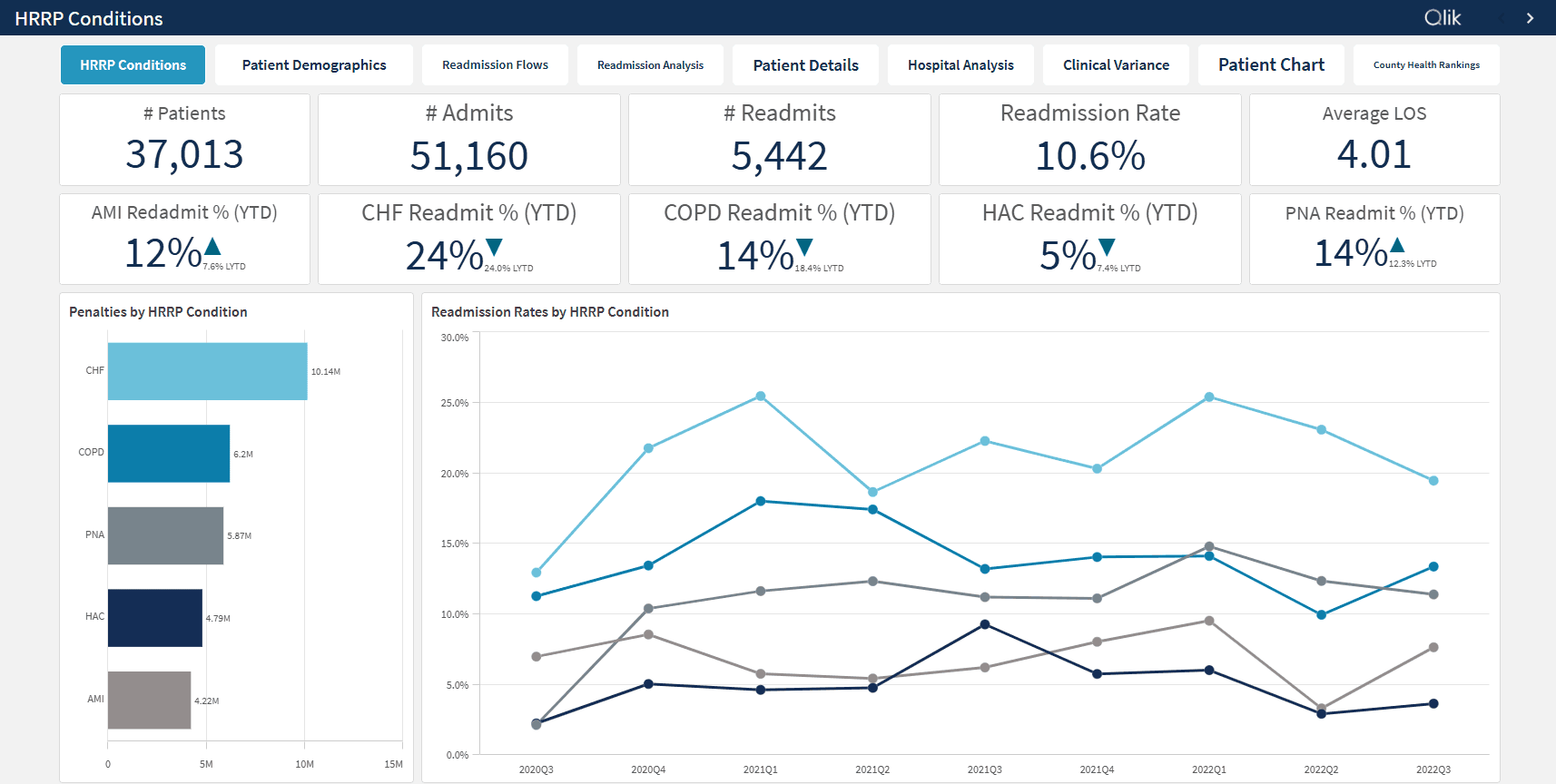
Qlik's core differentiator is the associative engine, which automatically indexes relationships across all data sources and surfaces connections that SQL-based tools miss. Natural language search and automated chart suggestions sit on top, making data exploration more accessible for non-technical users.
Where Qlik is still catching up is autonomous action. The AI layer assists analysts within an existing workflow rather than driving it independently. If your priority is deep data discovery across complex datasets, Qlik is a strong fit. If you need agents that execute complex analysis tasks, it's not there yet.
Key AI features
Associative engine: Automatically indexes relationships across all your data and surfaces connections.
Natural language search: Ask questions in plain language and get chart suggestions back.
Pros
Associative engine surfaces relationships that other tools miss entirely.
Broad data connectivity across cloud, databases, and enterprise systems.
Flexible deployment options for regulated industries.
Cons
No autonomous agent orchestration or proactive monitoring.
Complex pricing structure compared to most competitors.
Steeper learning curve for advanced scripting and data modeling.
Bridging the insight-to-action gap
Most BI tools stop after delivering reports. Your team still has to interpret the findings, decide what they mean, and figure out what to do next—which is where most analyses die.
The next wave of BI is agents that close that gap. They connect your data, reason through your business context, and trigger the right action at scale. Every metric becomes a decision, not just an observation.
WisdomAI makes analytics truly actionable. Describe what you need in plain language and autonomous agents analyze your data, execute workflows, and deliver context-aware insights right where your team works.
The divide between data and decisions has never been smaller—Book a demo today.