
Quick summary
This article explores conversational BI, which makes data easier to access by letting anyone ask questions in plain language and receive instant, reliable insights. We cover what it is, how it works, real-world use cases, and steps to implement it in your operations. Find more guides, reviews, and insights like this in our blog.
Looking to get started with Conversational BI?
Data is everywhere, but turning it into meaningful, high-impact decisions still slows teams down. Conversational BI changes that. It lets you ask questions in a simple language and get instant, trusted answers from their data. No dashboards, no waiting on analysts.
In this WisdomAI guide, we’ll break down what conversational BI really is, why it matters, how teams and businesses are using it to move faster, and how you can do the same. We’ll also show how you can leverage WisdomAI to turn everyday conversations into powerful, data-driven decisions.
Why listen to us?
At WisdomAI, we don’t just talk about conversational BI, we’ve built one. Our platform helps companies turn everyday language into instant, reliable insights across sales, marketing, operations, and more. With real-world experience powering data conversations for teams of all sizes, we know what works, what doesn’t, and how to unlock real business impact using conversational BI.
What is Conversational BI?
Traditionally, getting insights from data meant navigating complicated dashboards, generating reports, or learning specialized query languages. This process created a significant barrier between everyday business users and the information they needed, forcing them to rely on technical data analysts.
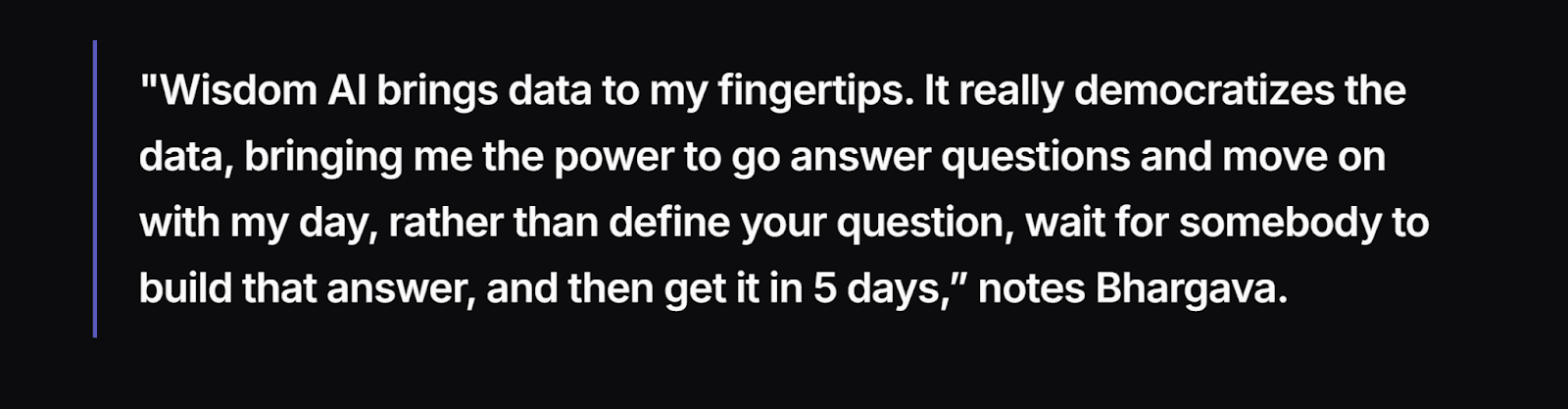
Conversational business intelligence, or Conversational BI, completely changes this. It replaces technical interfaces with natural dialogue between people and data. It’s BI without the barriers: no technical skills, no long waits for reports, and no complicated learning process.
The core components of Conversational BI
While the experience feels simple, conversational BI is built on advanced AI and analytics technology. Three components make it possible:
Natural language interface: Lets users ask questions in plain English without knowing query syntax or field names.
AI agent layer: Understands the meaning, context, and intent of each query, linking related data points and combining datasets for deeper insights.
Real-time analytics engine: Processes queries instantly against live data, delivering up-to-date answers in seconds instead of outdated reports.
Conversational BI vs Traditional BI tools
Unlike traditional systems, conversational BI makes data fast, accessible, and proactive, giving anyone instant answers without technical skills and enabling smarter daily decisions.
Feature | Traditional BI | Conversational BI |
|---|---|---|
Access | Requires dashboards, queries, or analyst support. | Simple natural language interface. |
Speed | Insights take days or weeks. | Answers arrive in seconds or minutes. |
Users | Limited to analysts and technical teams. | Accessible to everyone across the business. |
Insights | Reactive and focused on past data. | Real-time, proactive, and forward-looking. |
Data Types | Mostly structured data. | Structured and unstructured data combined. |
So, instead of building complex dashboards or writing SQL queries, these components create an interface that lets you ask questions, just as you would talk to a colleague, and get clear, accurate answers in seconds.
Let’s see how it works in practice.
How Conversational BI works (under the hood)
Here’s how conversational BI works to give you clear answers to data-based inquiries.
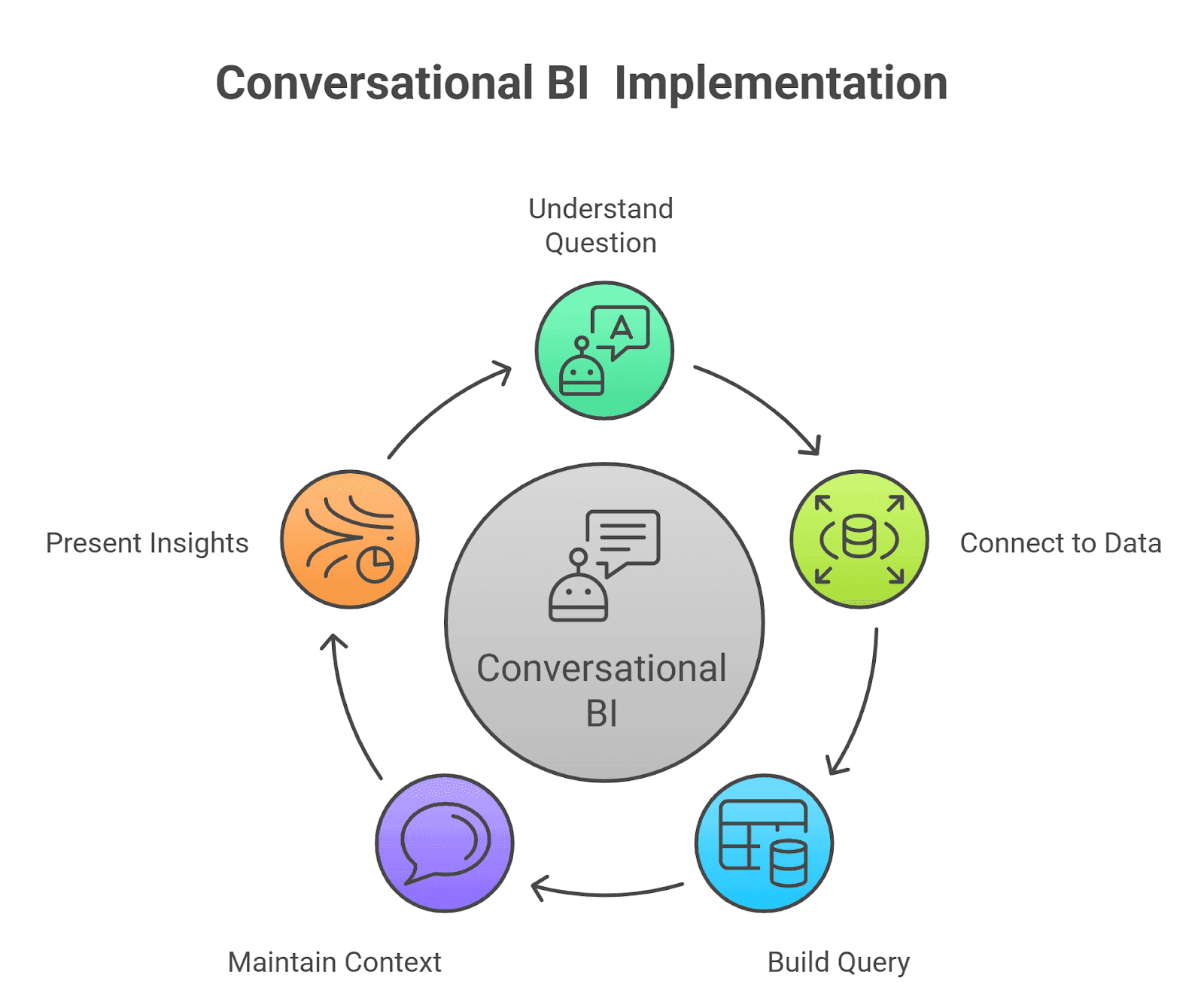
1. Understanding your question using NLP
When you type or say a question, the system uses natural language processing (NLP) to figure out what you mean. It looks for key details like the topic, time frame, and what you’re trying to measure.
For example, if you ask, “What were our total sales last quarter?” it identifies “total sales” as the metric, “last quarter” as the time period, and knows you’re looking for a number, not a list.
2. Connecting plain language to data sources
Conversational BI uses a built-in “semantic layer,” a smart translator that links everyday terms to the right data.
Once the system understands your question, it translates your words into something your data sources can understand. It knows that “revenue” refers to a specific field, that “last quarter” points to certain dates, and that “new customers” means a defined metric. It also searches across all connected systems to combine the needed information.
So, when you ask “What were our total sales last quarter?”, the semantic layer directs the query to the right tables, applies filters, and pulls revenue data from different sources, such as your CRM, finance tool, or data warehouse, to give one clear, accurate result.
3. Building and running the query
Once it knows what you’re asking, the system turns your question into a real query, like SQL, and runs it against your data. This step happens automatically, without you needing to write a single line of code.
So, if you ask a question, “Which product sold the most in Q3?” it becomes a query that groups sales by product, sorts them, and returns the top one.
4. Maintaining context and dialogue management
One of the biggest differences from old BI tools is that conversational BI remembers context. You don’t have to repeat yourself each time. You can keep digging deeper by asking follow-up questions.
Here’s a typical exchange that factors in context:
You: “What were the total sales last quarter?”
System: “$8.2 million.”
You: “Break that down by region.”
System: “North: $3.1M, South: $2.8M, East: $2.3M.”
You: “Which region grew the fastest?”
System: “South grew 15% quarter over quarter.”
5. Insights, visualization and narrative, all in real-time
After pulling the right data, the system presents it in a clear way, often as a simple chart, table, or written summary. Some tools like WisdomAI even explain why the result looks the way it does.
So, instead of just showing a number when you ask about the trend of sales across regions, it might say, “Sales grew 12% in the South because of a new subscription plan launched in July.”
Also, because conversational BI connects to live or near-live data sources, you’re not stuck looking at outdated information. You can act on what’s happening right now. The system can show you the sales growth updated as of this morning, not last month.
Benefits of Conversational BI for businesses and teams?
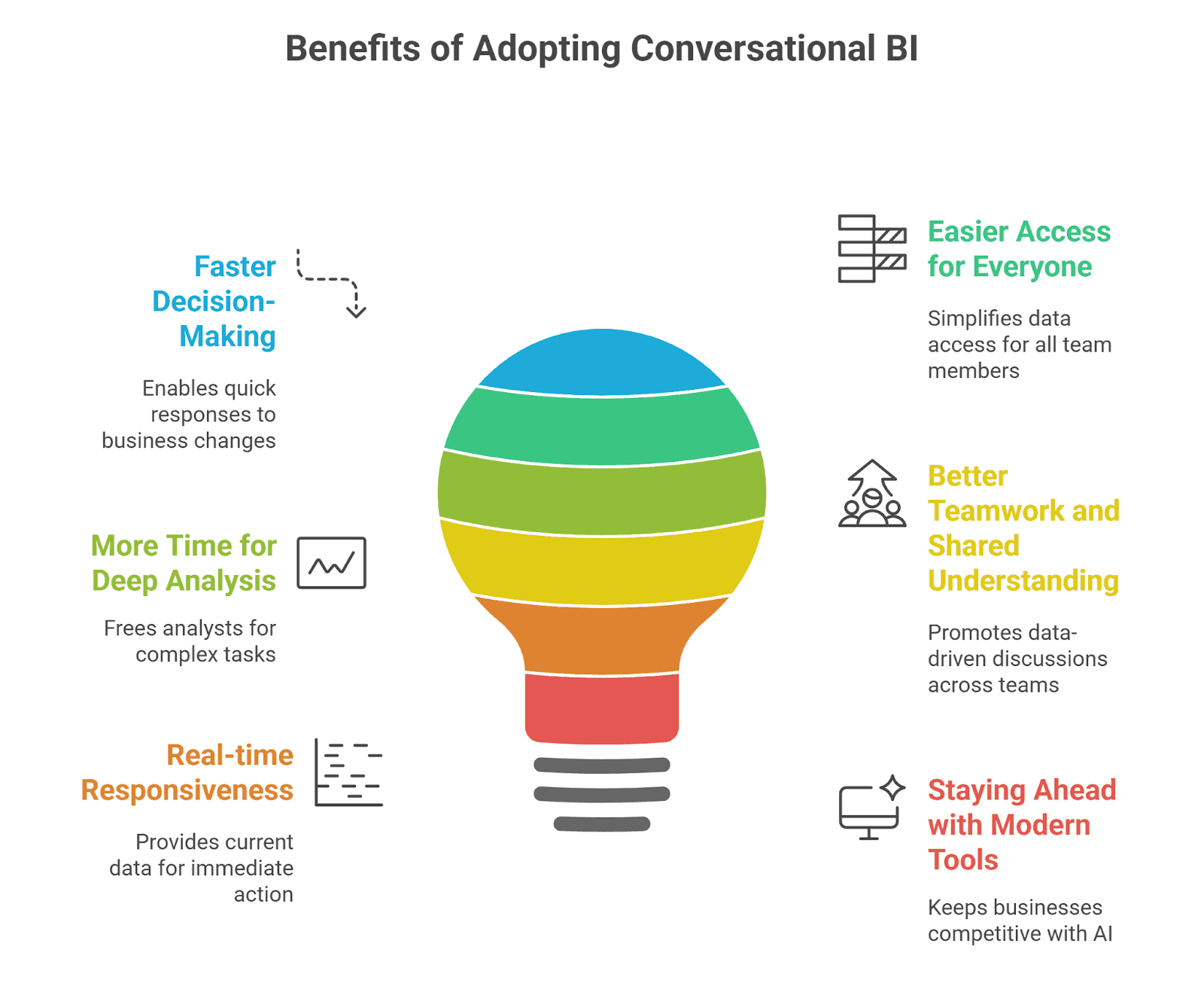
Faster, better decisions
Conversational BI enables your team to ask questions and get answers immediately, without waiting for reports or dashboards. For example, if sales suddenly drop in one region, a manager can ask why right away and take action the same day instead of waiting for the next weekly dashboard.
Quick access to insights means leaders can act sooner, spot problems earlier, and make choices with up-to-date information rather than outdated data.
Easier access for everyone
Most people in a company rely on analysts to get the data they need. Conversational BI removes that barrier. Anyone on the team can use conversational BI without training or technical skills.
For example, your marketing manager, for instance, can simply ask, “Which campaign brought in the most new customers this month?” and get a clear answer without relying on anyone else. This helps more teams use data in their daily work.
More time for deep analysis
Data teams spend too much time answering the same simple questions. Conversational BI lets people find those answers themselves. This frees your analysts to focus on deeper work, such as building better models or exploring new insights, rather than handling routine requests every day.
Better teamwork and shared understanding
Because insights are shared in plain language, people across teams can discuss data more easily. Data becomes part of everyday discussions because everyone can access it easily. This leads to clearer conversations, better alignment on goals, and decisions based on the same facts across departments.
Real-time responsiveness
Reports built on old data can miss what’s happening now. Conversational BI pulls current information and highlights key changes as they occur. It also connects different types of data, giving teams a clearer view of what’s going on and why, so they can make smarter choices.
Your support team, for example, can ask, “How many tickets are open right now?” and see current numbers, helping them decide whether to reassign resources immediately.
Staying ahead with modern tools
Technology is changing fast, and companies that rely only on old BI tools risk falling behind. Conversational BI keeps teams up to date by making AI and natural language a normal part of daily work. It helps you stay competitive, adapt quickly, and make smarter choices as technology evolves.
Top Conversational BI use case across various industries
1. Sales and revenue growth
In growing companies, sales teams usually struggle because their reports are too slow and the data is locked away.
Making quick decisions about which deals to push, which reps need coaching, or where to spend marketing dollars becomes a guessing game when information isn't instantly available.
Conversational Business Intelligence (CBI) fixes this by:
Giving every member of the sales team, from the manager to the newest rep, the ability to get instant answers by simply asking questions in plain language.
Reducing waiting days for an analyst to build a custom report or update a complex dashboard.
This allows sales teams to stop relying on old information and start making decisions based on real-time facts. This speed translates directly into faster sales cycles and better revenue results.
How Descope reduced reporting time by 90% with WisdomAI
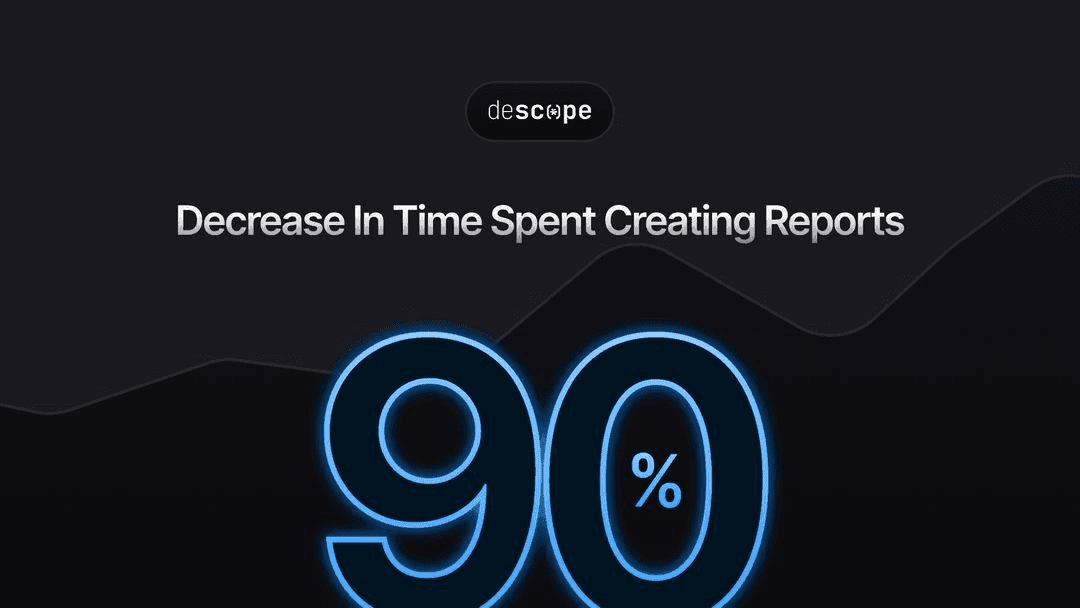
Descope, a fast-growing identity management company, struggled to keep up with multiple sales cycles and make quick decisions because of slow reporting and hard-to-reach data.
Before they had a strong data solution, critical sales moves were delayed. Sales leaders could not instantly see the details they needed.
After deploying the WisdomAI conversational BI solution, Descope completely changed its data workflow:
90% faster reporting, reducing dashboard setup time from days to just hours.
Real-time view into deals, rep performance, and the effect of sales channels for more focused weekly meetings.
Self-service insights, letting non-technical team members get answers on their own without needing help from analysts.
With conversational BI, Descope went from reacting to events to guiding its future. Sales decisions are now faster, smarter, and accessible to everyone, helping the company grow revenue faster.
2. Engineering and operations
In industries where engineering is central, teams deal with complex technical data that must be quickly translated into decisions that reduce risk, improve operations, and keep people safe.
Traditional reporting systems often require engineers to stop what they are doing and wait for a data specialist to write code (like SQL) to access machine logs, sensor readings, or performance metrics.
By putting CBI in place, operations and engineering teams can
Access deep insights directly, right when they need them.
Ask questions about equipment status, performance issues, or field conditions in natural language.
They can react faster to problems and put data into action more quickly, rather than letting information cause delays.
How an energy leader optimized drilling operations with WisdomAI
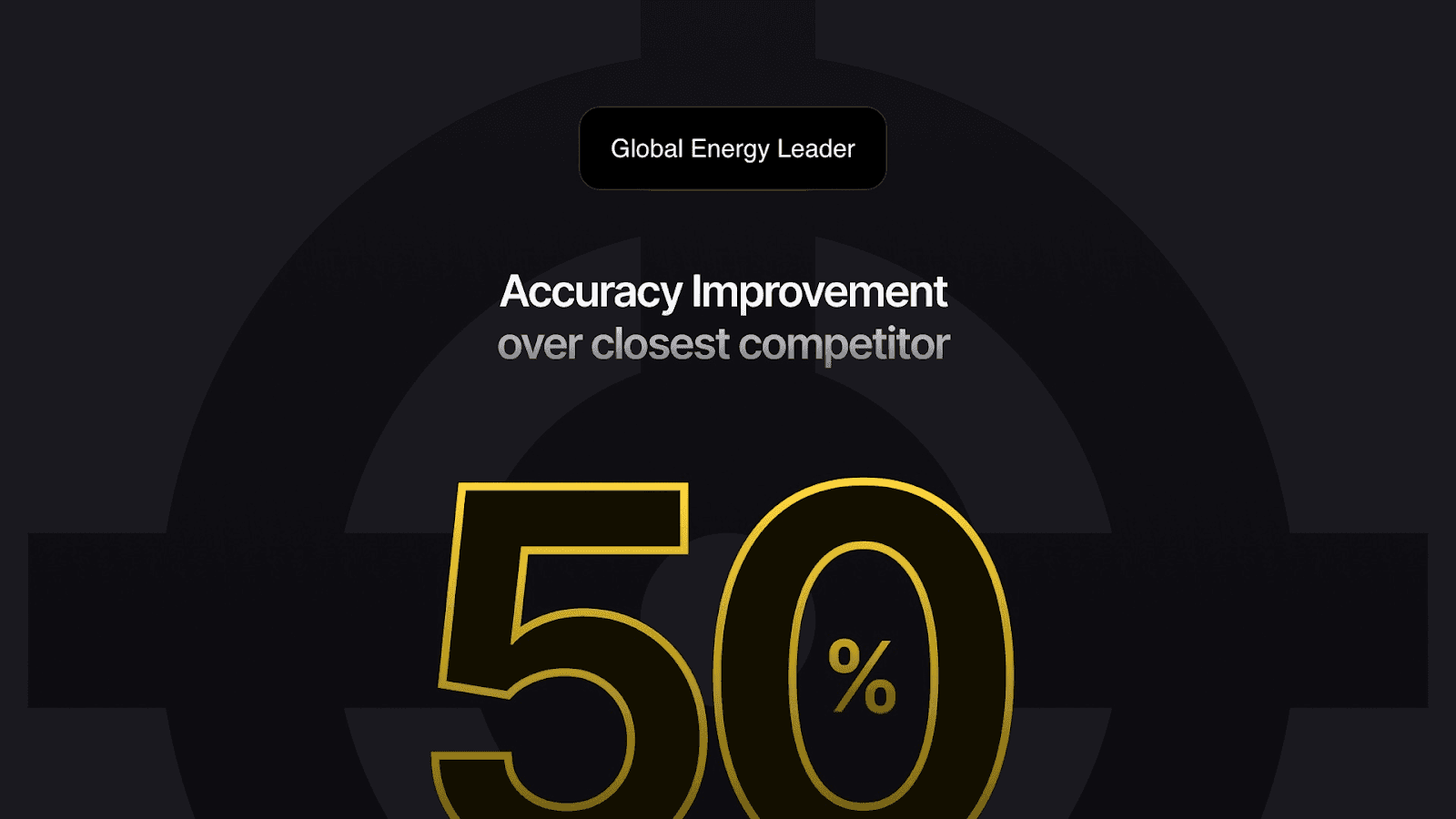
A global energy company with drilling operations in 14 countries and more than 2,000 engineers faced a data slowdown. It’s taking so long to access vital drilling.
Even though they used data systems such as WellView, Snowflake, and Power BI, engineers still had to depend on analysts or SQL support to find answers.
By deploying the conversational BI platform from WisdomAI, the firm lets its frontline engineers get answers from structured and unstructured data using natural-language queries.
This led to:
A 50% accuracy improvement over competing tools.
Reduced reliance on static dashboards and reports.
Significantly cut time-to-insight for drilling data.
Engineers now instantly access well status, event history, and job-performance metrics on their own. This has made decision-making quicker, reduced delays, and improved operational control.
3. Manufacturing and supply chain
Manufacturing and Supply Chain operations generate a massive, scattered dataset across sourcing, production lines, logistics, and inventory systems worldwide.
Traditional data methods struggle to give full, instant visibility across these global networks. Teams waste time on manual reports, which means they are constantly reacting to cost and risk issues instead of preventing them.
CBI, on the other hand, instantly unlocks full visibility, allowing supply chain professionals to:
Skip manual reporting and adopt automated, accurate reporting that takes minutes to create.
Ask questions that instantly affect cost and risk, and get insights that help them manage risk proactively.
Access crucial data to set more accurate inventory levels and ensure optimal production.
How a global B2B tech leader transformed procurement with WisdomAI
A global B2B technology company faced major procurement challenges that were solved with conversational BI from WisdomAI.
Deploying our platform across teams responsible for sourcing, contract management, and spend analysis enabled the company to:
Gain real-time insights into supplier performance, cost trends, and contract compliance.
Significantly slash report creation and data-gathering times
Equip its procurement team with insights needed to shift from reactive work toward proactive strategies.
Unlock fresh savings and supplier improvement opportunities in advance.
This is a clear demonstration of what the right conversational BI tool can do for a manufacturing firm dealing with scattered data across diverse sources.
How to get started with Conversational BI
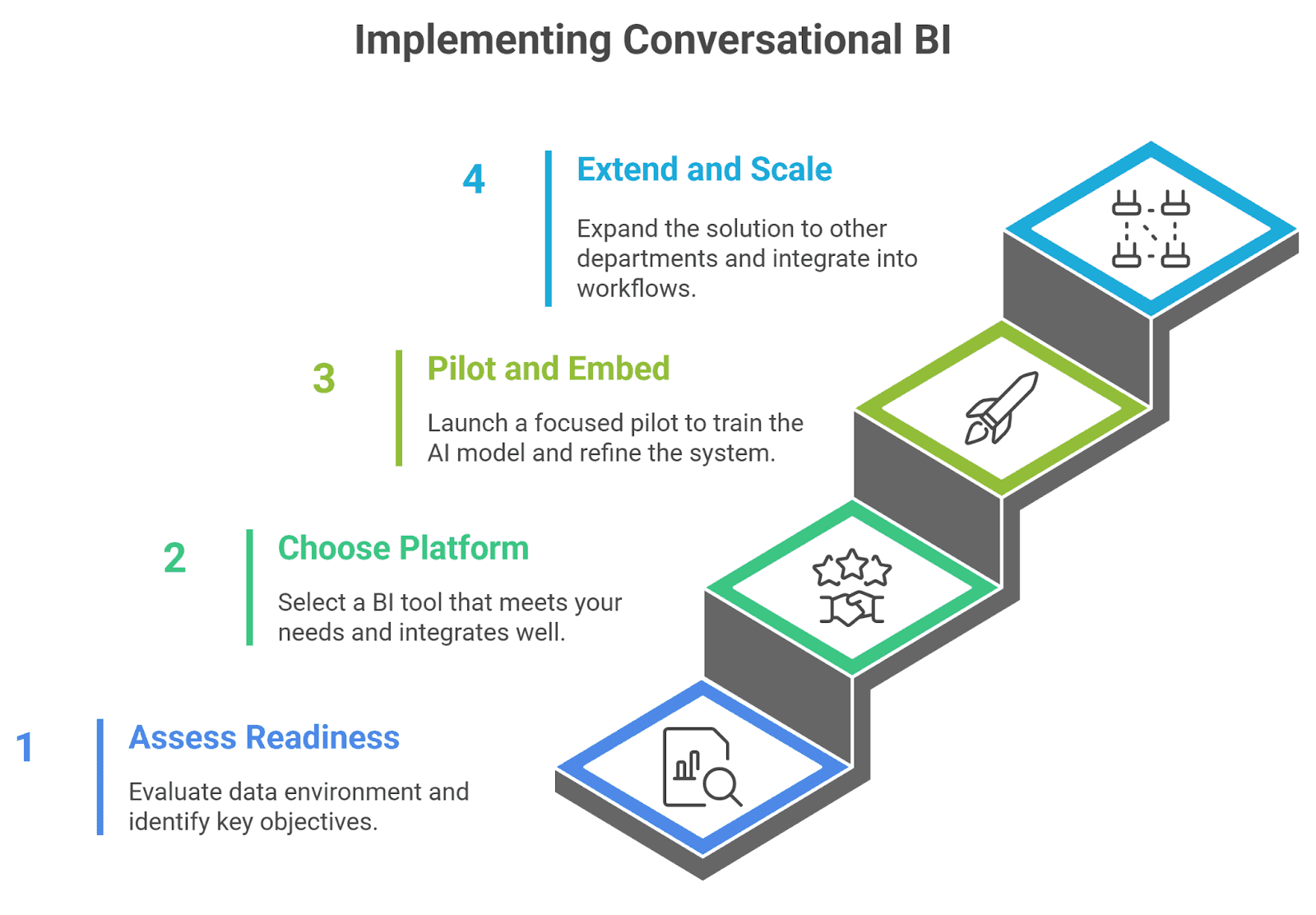
Step 1. Assess readiness and define objectives
Start by mapping out the key decisions you want the conversational BI (CBI) tool to help you make, whether that’s reducing time to insight, broadening access, or supporting rapid decisions.
Next, review your data environment: are you dealing with structured or unstructured data or both, are your data sources integrated, is there a semantic/business layer ready, is data quality sufficient, and do governance and access rules exist?
Then identify the right users and high-impact use cases to begin with.
TIP: For starters, pick a team or domain (e.g., sales or marketing) where you’ll see value fast.
Step 2. Choose the right platform / vendor
Once you’re sure of your needs, search for the BI tool(s) that meet them. Here are a few things to consider:
Natural-language interfaces
A strong semantic/knowledge layer
Text-to-SQL or query translation capability
Trust/validation layer that helps avoid misleading outputs
Also, ensure it works with your data warehouse, BI tools, and cloud setup, and includes strong security, governance, and role-based access.
At WisdomAI, our conversational BI platform ticks all these boxes. It’s equipped with all the features you need to create a unified view of your business data and get key insights when and where you need them.
Step 3. Pilot and embed Conversational BI
Launch a focused pilot with your chosen provider. This allows you to rapidly train the AI model on your specific business language and data structure.
You can start with one team, one domain, and clear KPIs such as time-to-insight, adoption rates, and answer quality. Also, train your team on how to interact with the tool, how to follow up, and interpret results.
Build the semantic/knowledge model: map business terms, metadata, and context so the system understands your domain. Collect feedback, monitor query accuracy, and iterate to refine the model.
Step 4. Extend and scale
Once the pilot is running, expand to other departments, link additional data sources, and build proactive insights or conversational agents that automatically monitor key metrics.
If you’re operating a large, interconnected environment, you can embed your conversational BI solution into your workflows across Slack, Teams, mobile, and voice for broad adoption. Continue reinforcing governance and best practices, such as audit logs, role-based access, and the validation of AI responses, as they remain essential.
Common pitfalls in Conversational BI setup and how to avoid them
Poor or Fragmented Data Sources: When data is scattered across systems or poorly maintained, insights become unreliable. Make sure your data is clean, consistent, and unified before rolling out conversational BI. A strong data foundation ensures the system delivers accurate, meaningful results.
Starting Too Big, Too Soon: Trying to launch conversational BI across the entire business at once often leads to confusion and stalled progress. Start small with a focused, high-impact use case, demonstrate quick wins, and then expand once the technology is proven and adoption grows.
Lack of Semantic or Business Context: Without clear definitions of key terms and metrics, the system can misunderstand queries or return incomplete results. Build a well-structured semantic layer that connects everyday language to your data model, and update it regularly as your business evolves.
Skipping Change Management and Training: Even the smartest system fails if people don’t know how to use it or why it matters. Provide clear training, show real examples of value, and embed conversational BI into daily workflows so it becomes a natural part of how teams work.
Ignoring Validation and Trust: If results aren’t checked or verified, users can lose confidence in the tool. Add validation steps, monitor performance, and review outputs regularly to ensure accuracy. When people trust the insights, adoption increases and decisions improve.
WisdomAI is your #1 choice for Conversational BI
At WisdomAI, we built our platform around a simple idea: data should work for everyone, not just analysts. We know that decisions move faster when people can explore information without friction.
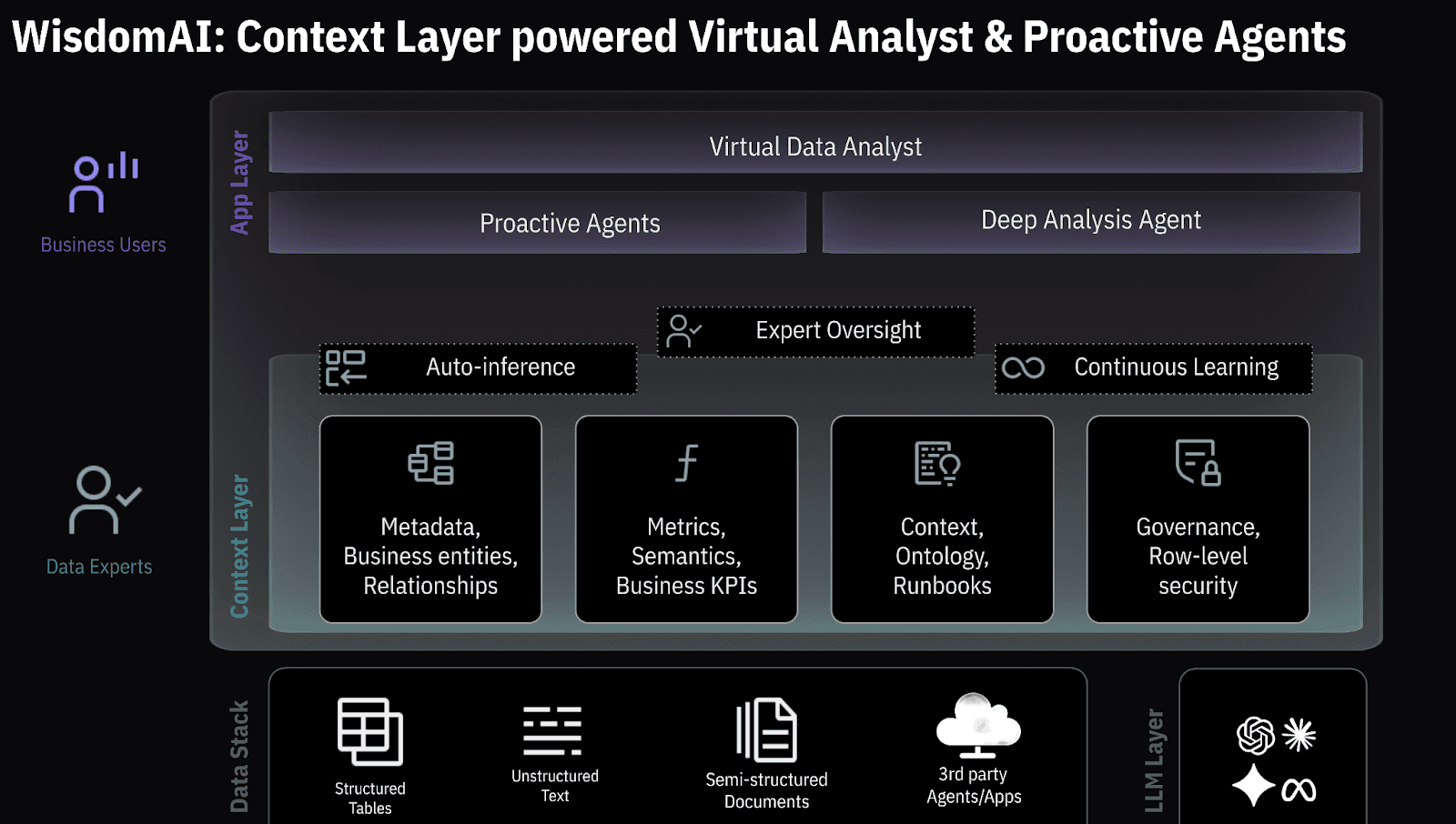
So, we designed a conversational BI solution that makes powerful insights accessible across the entire organization. Here’s how we do it:
Business-Aware Intelligence: Our semantic layer understands your business language, linking everyday terms to the right data so answers are clear, accurate, and meaningful.
Natural Language Querying: Ask questions in plain English and receive immediate, data-driven responses, making complex production data easy to understand and act on.
Accurate Query Generation: Text-to-SQL capabilities translate plain language into precise queries, while built-in validation checks results to ensure trust and reliability.
Seamless Integration: WisdomAI connects easily with existing data ecosystems (BigQuery, Snowflake, BI tools) so you don’t have to rebuild from scratch.
Proactive Insights: We go beyond answering questions. The platform provides proactive agents that surface forecasts, scenario models, and alerts before you even ask, helping you stay ahead of change.
Enterprise-Grade Security and Scalability: Role-based access, audit trails, and strong governance protect sensitive data as your use of conversational BI grows.
We see conversational BI as more than a new way to query data; it’s a shift in how organizations make decisions. With WisdomAI, teams spend less time searching for answers and more time acting on them, turning data into a daily driver of growth and better decisions.
Ready to see how we can transform your operations? Book a demo today.